On this page
Traffic is not leads. A visitor reads two pages, has one unanswered question and leaves — and nothing in your analytics tells you what the question was.
A contact form does not solve this. It asks someone to do work in exchange for a vague promise that somebody will get back to them. Most people would rather just ask.
An AI chatbot for lead generation sits in that gap. It answers the question, works out whether this visitor is worth your sales team's time, collects what you need, and hands over a lead with context attached — at two in the afternoon or two in the morning. This guide covers how that actually works, where it fits by industry, and where it should stop and fetch a human.
What this article is not
There are no conversion-lift percentages here. Whether a chatbot produces more customers depends on your traffic, your offer and how well it is built — any article quoting one number for that is selling something. What follows is the mechanism, so you can judge it against your own figures.
What is an AI chatbot for lead generation?
It is a conversational layer between your website traffic and your sales process. What matters is not how it sounds — it is what happens after the conversation ends.
An FAQ bot answers and stops. A lead-generation chatbot answers, then does something: records the visitor, scores them against rules you wrote, writes them into your CRM, offers a booking slot, or pages a human. If you want the general case for chatbots first, our guide to AI chatbots for small business covers it; this article is specifically about the ones built to produce pipeline.
A workable lead-generation chatbot can:
- Understand what a visitor wants when they phrase it their own way
- Answer buying questions from your real pricing and service information
- Ask qualification questions that depend on the answers before them
- Collect contact details at a point where the visitor is willing to give them
- Write a structured record into your CRM, not a transcript nobody reads
- Offer a booking slot to visitors who are ready for one
- Escalate to a person when it should — and know when that is
How AI chatbot lead generation works
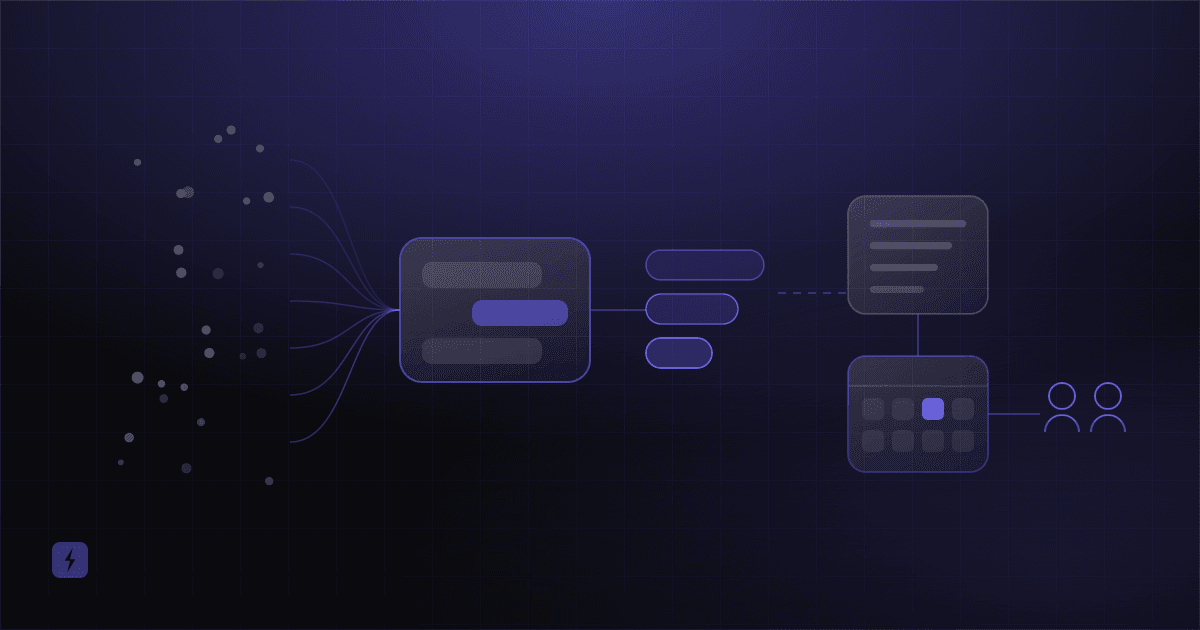
Seven stages, from anonymous visitor to a lead sitting in front of your sales team.
1. Website visitor
Someone lands on a service page, the pricing page, a blog post or the homepage. They arrived with intent — a search, an ad, a referral — but nothing yet identifies them.
2. AI conversation
The chatbot opens, or the visitor opens it. Either way it establishes what they want in their own words: a price, a comparison, whether you cover their area, whether you handle their kind of problem.
3. Qualification questions
Once it knows the topic, it asks what you would ask — service needed, timeline, location, budget range, whether they decide. The questions branch on the answers, which is the whole advantage over a static form.
4. Contact details
Name, email, phone, company, and whatever project detail matters for your business. Asked once there is a reason to ask — after the visitor has had something useful, not before.
5. CRM or lead system
A structured record is created: who they are, what they want, how urgent, plus a readable summary of the conversation. This is where most implementations quietly fail — see the CRM section below.
6. Appointment booking
Visitors who qualify are offered real slots and can book without leaving the conversation. The ones who are not ready get a different, softer next step.
7. Sales team
Your team receives a lead with context attached instead of a name and an email address. They know what to open the call with.
Stages one to four are conversation design. Five and six are integration work, where the cost and the value both concentrate — what an AI chatbot costs breaks that down.
Why 24/7 response matters
Enquiries do not arrive during business hours. They arrive when the person has a moment — evenings, weekends, a lunch break, the point at which the boiler actually fails.
Two things happen to an enquiry nobody answers: it gets colder, and the visitor keeps browsing — usually to whoever answers first. That is not a statistic, just how comparison shopping works.
There is verified data on the expectation, if not on the outcome. In a small HubSpot survey of 100 US consumers, 66% said they expect a response within five minutes. In Salesforce's State of the Connected Customer, which surveyed 16,585 consumers and business buyers, 46% of business buyers said they would work with an AI agent for faster service.
The counter-finding, which matters more
In that same HubSpot survey, 59% of respondents said they only want to live chat with a human representative. A chatbot that hides the route to a person is working against a majority preference. Design the handoff first and the automation second.
How AI chatbots qualify leads
Capture and qualification are different jobs, and conflating them is why so many businesses have a CRM full of leads nobody wants to call.
Capture is getting a name, an email and a phone number; a form does this. Qualification is working out whether this person is worth an hour of your time, which needs intent, urgency, fit, budget and authority. A form can ask for those, but every extra field costs submissions. A conversation asks them one at a time, only when relevant, and stops early when the answer is clear.
Most qualification schemes sort visitors into three groups:
That third row is the one people skip. A chatbot that pushes every visitor toward a booking fills your sales calendar with people who were never going to buy. Letting low-intent visitors leave well is a feature.
Example: a local service business
A visitor types: "how much does it cost to replace my HVAC system?" A well-built chatbot can work through this in under a minute.
- Answer generally — what drives replacement cost, and why a precise figure needs a site visit.
- Ask for the postcode or ZIP, and check it against the service area.
- Ask whether the system needs replacing or repairing.
- Ask roughly how large the property is.
- Ask about timeline — emergency, this month, or planning ahead.
- Collect name, email and phone.
- Offer an estimate appointment if the visitor is in area and near-term.
- Write the lead, the answers and a conversation summary into the CRM.
- Notify the team, flagged by urgency.
Compare what lands in the CRM. From a form: a name, an email and "please contact me". From the conversation: a homeowner in your service area with a failed system, a two-week timeline, a property size and an estimate booked for Thursday. Not the same lead, and not deserving the same response time.
AI chatbot lead generation examples by industry
Dental and healthcare practices
A visitor asks about implants. The chatbot explains the treatment in general terms, asks whether they are a new or existing patient, captures the treatment of interest and a preferred window, and routes them to booking. It must not diagnose, assess symptoms or give clinical advice, and everything it collects is health-adjacent personal data. Our dental practice guide covers the boundaries.
Real estate
A visitor asks about a listing. The chatbot asks buying or renting, area, budget range, bedrooms, move date and financing status — six questions that separate a serious buyer from a browser. Qualified enquiries go to the CRM and into an agent's calendar for a viewing; the rest onto a list for the right property.
Marketing and professional services
A prospective client lands on an agency site. The chatbot asks what service they need, what kind of company they are, rough scope, the problem, timeline and budget band. That is enough to decide whether this is a discovery call or a polite referral — and deciding it before the call is the time saving.
Home services
HVAC, plumbing, roofing, electrical, cleaning, landscaping. The chatbot collects service required, service area, urgency, property type, preferred appointment and contact details. Emergencies must be designed first: a visitor describing a burst pipe or a gas smell gets the emergency number immediately, not a qualification script.
E-commerce
Pre-sales questions are where the money is — sizing, compatibility, delivery timing, stock. The chatbot answers, points to the right product, offers a human for anything it cannot resolve, and captures details when a high-intent conversation stalls. Whether it can complete a purchase depends on what has been built. See AI automation for e-commerce.
Restaurants
Menu, hours and reservation questions are the volume; the leads are catering, private events and large parties. Those are worth many times an ordinary cover and are frequently lost to a missed call. A chatbot that captures party size, date, budget and dietary requirements and routes it to the events manager is doing real commercial work. More in AI voice agents for restaurants.
Contact forms versus AI chatbots
Forms are not obsolete. Plenty of people prefer them — they are fast, familiar and silent. The honest position is that most businesses should offer both.
Connecting the chatbot to your CRM and sales process
This is the stage that decides whether you have a lead-generation system or a widget. A chatbot whose leads live only inside the chatbot platform has not generated a lead — it has stored one somewhere nobody looks.
A proper integration creates the contact, opens a deal at the right stage, tags it by service and intent, assigns an owner, attaches the conversation summary, triggers a follow-up sequence and notifies the right person. Done well it also removes the data entry your sales team does by hand.
Which systems are straightforward depends on what they expose. HubSpot, Salesforce, Pipedrive, Zoho, GoHighLevel, Airtable, Supabase and Google Sheets all have documented APIs. Older or in-house CRMs vary — some are a morning's work, some need a middleware layer. Confirm yours early; it shapes the project. Our integration reference covers how we approach it.
Ask this before you sign anything
"Which of my systems have you already integrated with, as opposed to could integrate with?" The gap between those two answers is usually the gap between the quoted timeline and the real one.
Turning qualified conversations into booked appointments
The strongest thing a chatbot can offer a ready visitor is not a promise of contact. It is a time.
"Someone will be in touch shortly" asks the visitor to wait and hope. "It sounds like this could be a good fit — would you like to book a 20-minute consultation?", followed by three real slots, asks one decision of them now, while they are still interested. That friction difference is the point.
This needs live calendar access. A chatbot taking a booking request for someone to process tomorrow has produced a lead, not an appointment. The mechanics, including the double-booking trap, are in AI appointment booking.
When should the chatbot hand a lead to a human?
Escalation rules should be written before the conversation flows, not bolted on after launch. Hand over when:
- The visitor asks for a person — immediately, without argument or a qualifying question first
- The opportunity is large enough that a human should own it from the first minute
- The request is unusual, or the pricing question is genuinely complex
- The visitor is frustrated, and reading that early is the whole skill
- The request is urgent, especially anything safety-related
- The bot's own confidence is low — a bot that guesses is worse than one that fetches someone
The goal is not to remove people from sales. It is to stop them spending their mornings on conversations that never needed a person.
Common lead-generation chatbot mistakes
- Asking too many questions. Every extra question loses people. Four or five well-chosen ones beat a twelve-step interrogation.
- Asking for contact details too early. Give something useful first. An email box as the opening message is a form with extra steps.
- No clear next step. Every qualified conversation should end in a booking, a specific follow-up or a named person — never a dead end.
- No CRM integration. Leads that stay in the chatbot platform are not leads.
- No human escape route. Visible on the first message, not after two failures.
- Generic answers. A bot that does not know your actual services, prices and policies is worse than no bot, because it is wrong with confidence.
- A poor mobile experience. Most visitors are on a phone. Test the keyboard, the scroll and the close button there first.
- No measurement. Without numbers you cannot tell whether it works.
- Overpromising. Never let it commit to a price, a date or an outcome the business cannot honour.
The minimum useful metrics: conversations started, details captured, qualified leads by tier, bookings started versus completed, handoffs, and — where attributable — customers. Read transcripts weekly for the first month; the gaps in your own website copy become obvious fast.
What does it take to build one?
Eleven building blocks, in roughly the order they get built:
- Business knowledge — services, pricing, policies, service area, in one place and current
- Conversation design — greeting, tone, flow, fallbacks
- Qualification criteria — what makes a lead good, written down as rules
- Website integration — installed, branded, fast, and not covering the content
- CRM integration — fields mapped, owner assignment, deal stages
- Scheduling integration — live availability, booking rules, confirmations
- Automation workflows — notifications, follow-up sequences, tagging
- Human handoff — routing, hours, and what happens outside them
- Analytics — the metrics above, visible to someone who will act on them
- Security and privacy — consent, retention, storage location, access
- Testing and optimisation — real questions, real phones, then weekly review
Complexity scales with services, qualification rules, the CRM, the booking workflow and compliance requirements — not with traffic. A high-traffic site with one service and no integrations is a simpler build than a quiet site with nine services and a bespoke CRM.
Is an AI chatbot for lead generation worth it?
It depends on whether you have the raw material. A chatbot converts existing traffic; it does not create it. The case is strongest for a business that already has meaningful traffic, fields repetitive pre-sales questions, depends on appointments, has high-value leads, responds slowly, or has staff manually qualifying leads that rules could sort.
If two or three of those describe you, the arithmetic is worth doing:
An illustrative calculation — not a projection
Take 2,000 monthly visitors. Suppose 5% open the chatbot: 100 conversations. Suppose 30% share contact details: 30 leads. Suppose half qualify: 15. Suppose a third book: 5 meetings. At your own close rate and average customer value, that is the monthly gross to weigh against the cost. Every percentage here is invented for the example. Substitute your own — and if you do not know them yet, that is the first thing worth measuring.
Run it pessimistically. If it only works with optimistic inputs, the honest answer is that a chatbot is not your bottleneck — and something else in the business deserves the budget first.
How Flasin builds these
We build the whole path, not the widget: the AI chatbot, the qualification rules behind it, the CRM and system integrations, the booking workflow and the automation that moves a lead onward. Where the phone matters more than the website, the same logic applies to AI voice agents.
Chatbot pricing is a one-time setup fee plus a monthly plan, published in full on the pricing page rather than held back for a sales call. What we have actually built is in our case studies, and unfamiliar terms are defined in the AI glossary.
Frequently asked questions
Can an AI chatbot generate leads?
It can capture and qualify leads from traffic you already have, around the clock, and route them into your sales process. It does not create demand — it converts more of the interest already arriving on your site, which is a different and more modest claim.
How does an AI chatbot qualify leads?
By asking the questions you would ask — service needed, timeline, location, budget range, decision-making authority — and branching based on the answers. Those answers are scored against rules you define, which determines whether the visitor is offered a booking, a follow-up or simply a helpful answer.
Can a chatbot send leads to a CRM?
Yes, and it should. A proper integration creates the contact, opens a deal at the right stage, tags it, assigns an owner and attaches a conversation summary. Any chatbot whose leads live only in its own dashboard has not finished the job.
Can an AI chatbot book appointments?
Yes, given live read and write access to a real calendar. Offering concrete slots inside the conversation removes far more friction than promising a callback. Without that integration it can only take a booking request for someone to process later.
Does an AI chatbot work 24/7?
Yes — that is one of its clearest advantages over a sales team. The caveat is escalation: decide in advance what happens at 2am when a visitor asks for a person, whether that is a guaranteed callback, an emergency number or an honest explanation of business hours.
Can a chatbot replace a sales representative?
No. It handles the repetitive front end — answering, qualifying, capturing and booking — so your people spend their time on conversations where judgment, negotiation and relationships matter. In one HubSpot survey most respondents said they only wanted to chat with a human, which is worth taking seriously.
How much does an AI lead-generation chatbot cost?
Self-service platforms start from a few tens of dollars a month; professionally implemented chatbots typically combine a one-time setup fee with a monthly plan, and the setup scales with how many systems it connects to. Our AI chatbot pricing guide breaks down every component with current platform pricing.
What information should a lead-generation chatbot collect?
Enough to decide what happens next, and no more. Typically name, email, phone, the service needed, timeline and location. Collect it after the visitor has had something useful, tell them what it will be used for, and respect the consent and retention rules that apply to you.
Is an AI chatbot suitable for a small business?
Often more so than for a large one, because a small business has nobody free to answer the website at 9pm. The determining factor is traffic volume, not headcount — with very few visitors there is not enough raw material for a chatbot to work with.
If you would rather work out whether this fits your business before looking at any software, that is what the free AI audit is for — it maps where enquiries currently arrive, where they stall, and what would actually move.
Sources
- HubSpot — How Consumers Use Live Chat for Customer Service: survey of 100 US consumers; 66% expect a response within five minutes, 59% only want to chat with a human representative. Small sample, stated as such above.
- Salesforce — State of the Connected Customer: 16,585 consumers and business buyers; 46% of business buyers would work with an AI agent for faster service.
The frequently quoted claim that responding within five minutes makes a lead many times more likely to qualify is deliberately absent: it traces to a paywalled source, and every accessible version is a marketing article citing another marketing article. Where a number could not be verified at source, this article makes the argument without it.