On this page
Most conversations about adopting AI start with capability. Can it answer our customers' questions? Can it read our invoices? Can it update the CRM? Those are reasonable questions, and they are only half of the decision.
The other half is quieter and matters more over time. AI security for small business comes down to a second question that rarely gets asked in the demo: what data and permissions does this system actually need to do that job — and what is it going to be given by default?
This guide is practical rather than alarming. It covers which data belongs in an AI system and which does not, how the access model should work, what prompt injection really is in business terms, why a confidently wrong answer is also a security problem, and the questions worth asking any vendor before you sign.
The question that reframes everything
Not only "can AI do this?" but "what data and permissions should AI have to do it safely?" A well-built AI system has access to exactly the data and actions its job requires — and nothing else. That principle decides most of the specifics below.
Start from least privilege, not from convenience
The default failure in AI projects is not a dramatic breach. It is a system that was given broad access because narrow access took longer to configure, and nobody revisited it. A chatbot connected to the whole CRM when it only needed order status. An automation with write permissions when it only needed to read.
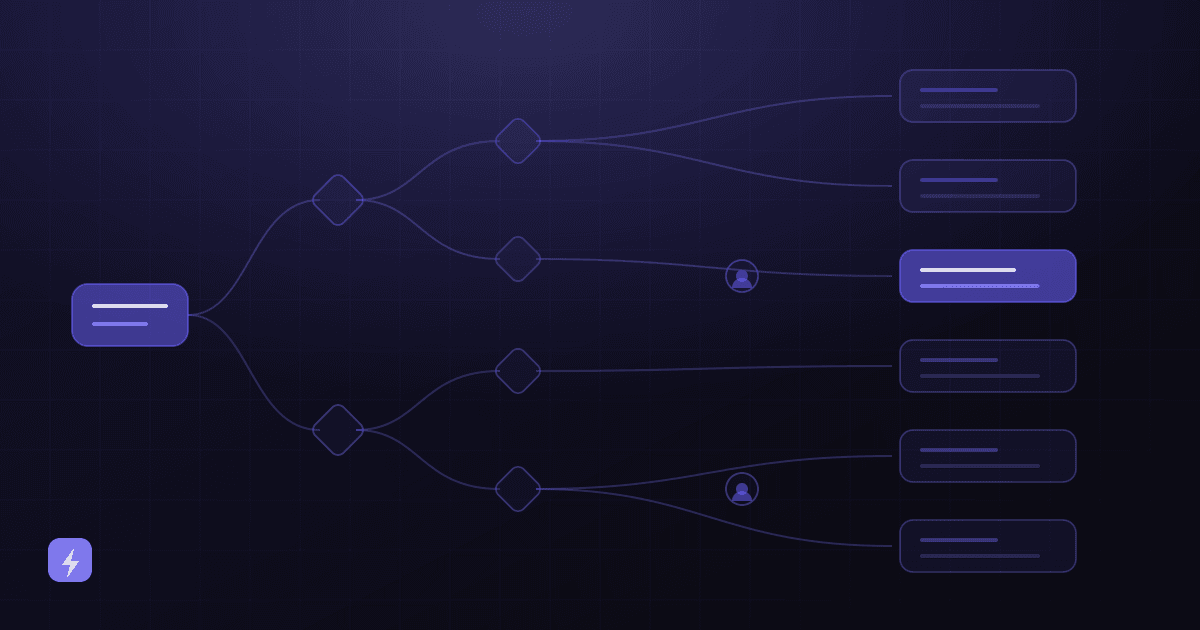
Least privilege is the old, boring principle that fixes most of this: give each component the minimum access it needs to perform its function. It is worth applying at three levels — which data the system can see, which actions it can take, and which of those actions need a person to approve.
The UK's National Cyber Security Centre, publishing its Guidelines for Secure AI System Development in November 2023 alongside CISA and international partner agencies, frames the underlying point well: "security must be a core requirement, not just in the development phase, but throughout the life cycle of the system." Those guidelines cover four stages — secure design, secure development, secure deployment, and secure operation and maintenance — and align with NIST's secure software development framework and CISA's secure-by-design principles. For a small business the practical translation is that security is a scoping conversation, not a final checklist item.
What data should you give an AI system?
Sort your information into three tiers before anyone connects anything. The tiers are about consequence, not about how easy the data is to reach.
Technically possible is not the same as appropriate
Most knowledge-base tools will happily ingest whatever you upload. That is not permission. Sensitive documents do not belong in a chatbot's knowledge base simply because the upload button accepted them — and once content is indexed, anyone who can reach the assistant can potentially surface it.
A useful test for tier two: could this specific record be shown to the person on the other end of the conversation? A support assistant that looks up one customer's order should see that customer's order — not the ability to query every customer. That is a scoping decision made when the integration is built, and it is much harder to retrofit. The same reasoning applies to what goes into a chatbot's knowledge base in the first place — see AI chatbots for how that scoping is handled.
What a well-built AI system looks like end to end
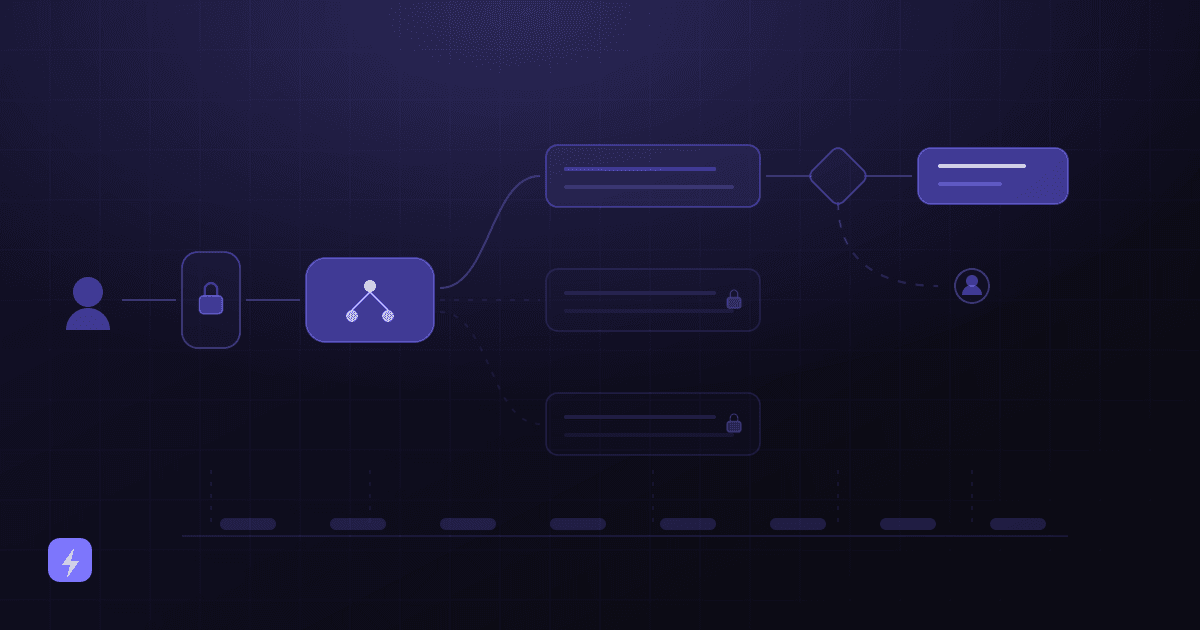
Every reasonably secure deployment has the same shape. If a vendor's architecture is missing one of these stages, that is worth a question rather than an assumption.
User
A customer, an employee or another system. Who is asking determines what they should be able to reach.
Authentication
Establishing who they actually are. An anonymous website visitor and a logged-in customer are not the same requester and should not get the same answers.
AI system
Interprets the request. It should hold no standing credentials of its own beyond what the next two stages permit.
Approved knowledge and data
A curated, current set of sources — not everything the business has. What is not in scope cannot be leaked.
Business rules and permissions
Your logic, enforced outside the model: which actions are allowed, for whom, up to what value, with what exclusions.
Action
The thing that happens — an answer, a booking, a record updated, a ticket raised. Scoped by the stage above, never by the model's judgment alone.
Logging
What was asked, what was retrieved, what was done. If you cannot reconstruct a decision months later, you cannot investigate one.
Human approval where it matters
A checkpoint on consequential actions — refunds, payments, contract changes, anything hard to reverse.
The single most important idea in that list: permissions are enforced in stages five and six, not inside the model. A model can be persuaded. An access control that simply does not grant a permission cannot be talked into granting it.
Public AI tools vs private business AI systems
There are two quite different things people mean by "we use AI", and conflating them causes most of the confusion.
The first is an employee pasting a customer list, a contract or a spreadsheet into a consumer chat tool to get a quick answer. Usually well intentioned, usually invisible to management, and governed by whatever terms that individual account happens to carry. The second is a configured business system with controlled data access, authentication, permissions, approved integrations, retention settings, logging and someone accountable for it.
Be careful about the common claim that public tools "all train on your data". It is not that simple, and vendors genuinely differ — including between their own consumer and business products. OpenAI's enterprise privacy page states that data from its API Platform after 1 March 2023 "isn't used for training our models, unless you have explicitly opted in", and that API inputs and outputs may be retained "for up to 30 days to provide the services and to identify abuse", with zero data retention available for eligible endpoints. Anthropic's privacy centre is a clean illustration of the split: its consumer article describes when Claude consumer data may be used for model improvement, then explicitly redirects business questions elsewhere — "This article is about our consumer products such as Claude Free, Pro, Max... For our commercial products such as Claude for Work and the Anthropic API, see here."
The practical conclusion is not that public tools are unsafe. It is that the terms attached to a personal account are not the terms you evaluated, and nobody in the business knows which account an employee used. That is a governance gap rather than a technology problem, and it is solved by giving people a sanctioned option that is easier than the unsanctioned one.
What is prompt injection, in plain business language?
Prompt injection is when text the AI reads contains instructions that try to override the rules you gave it. Not a hack of your servers — a manipulation of the conversation.
The everyday version: someone types a message designed to convince your assistant to ignore its instructions and reveal something, or take an action it should not. The subtler and more serious version is indirect: the malicious instruction is hidden inside content the AI processes on your behalf — a web page it summarises, a document it reads, an email it triages. Nobody had to talk to your bot at all.
It is not a fringe concern. Prompt injection sits at number one in the OWASP Top 10 for LLM Applications (2025 edition, published by the OWASP GenAI Security Project) — LLM01 on a list that also includes LLM02 Sensitive Information Disclosure, LLM06 Excessive Agency and LLM09 Misinformation, all of which are relevant to the rest of this article. Excessive agency is the one that scales with ambition: the more autonomy a system has, the more its permissions matter — worth reading alongside what an AI agent actually is.
The defences are architectural rather than clever, which is good news for a small business buying rather than building:
- Strong system rules that define scope and refusals explicitly, rather than relying on the model to infer good behaviour.
- Restricted permissions. If the system cannot issue refunds, no instruction can make it issue one. This is the defence that actually holds.
- Tool-level authorisation — each connected action checked against who is asking and what they are allowed, enforced outside the model.
- Separating trusted from untrusted content. Content fetched from the web, uploaded by a customer or received by email is data to be examined, never instructions to be obeyed.
- Validation of what comes back before it is used, especially anything that flows into another system.
- Monitoring for the shape of an attempt — unusual requests, refusals spiking, actions attempted outside normal patterns.
- Human approval on consequential actions, which turns a successful manipulation into a rejected request rather than a loss.
Notice how many of those are permission decisions rather than AI decisions. The reason a well-scoped system is resilient is not that it cannot be fooled — it is that being fooled does not grant it any capability it did not already have.
Hallucinations are a business risk too
Security is not only about people trying to break in. A system that confidently states the wrong refund window, quotes a price you do not offer, describes a service you do not provide, or gives an account detail that belongs to someone else creates real exposure — commercial, reputational and sometimes regulatory. OWASP lists this as LLM09 Misinformation for good reason.
The controls are the same ones that make an assistant useful in the first place:
- An approved knowledge base. Curated, current, and free of the contradictions that produce confidently wrong answers.
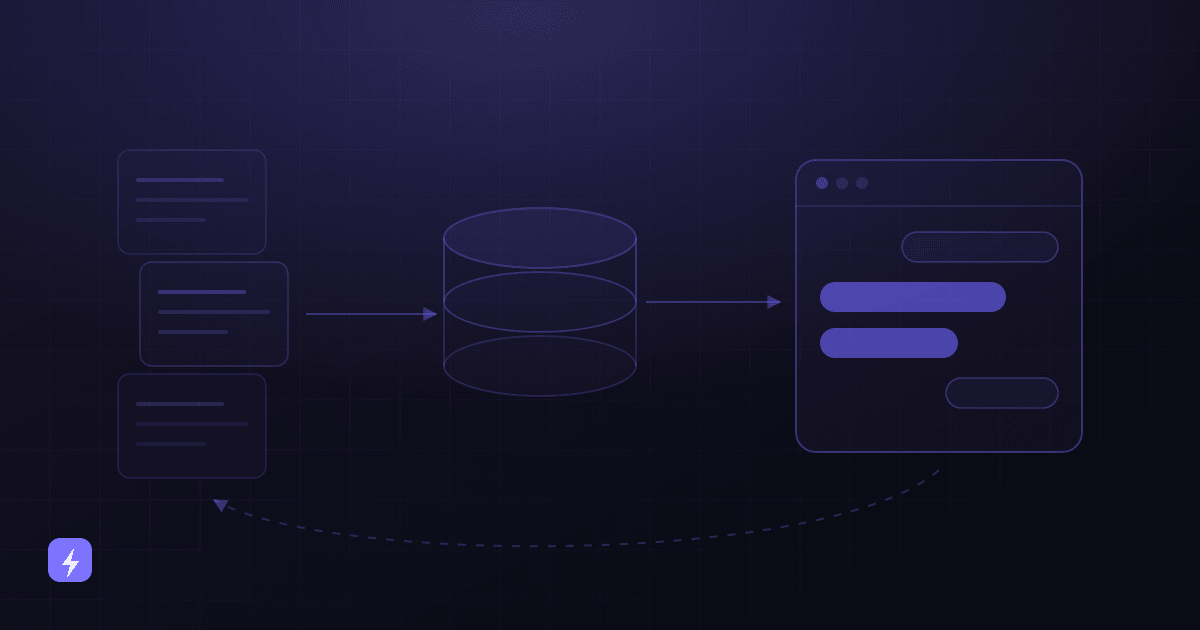
- Retrieval rather than recall. Ground answers in your own content at the moment of the question instead of relying on what a model absorbed in training — this is what RAG means, and the AI glossary defines the term.
- Source quality. Your prices, policies and hours should have exactly one authoritative version. Two pages that disagree will produce two different answers.
- Testing before launch. A written set of real questions with expected answers, including questions your content cannot answer.
- Guardrails. An explicit list of what the assistant never attempts — pricing it cannot verify, medical, legal or financial advice, promises about delivery.
- "I don't know" as a designed response. A missing answer costs one handover. A confident wrong answer about a refund can cost a customer and a complaint.
- Escalation to a person, with the conversation attached.
- Human review of a sample, on a schedule.
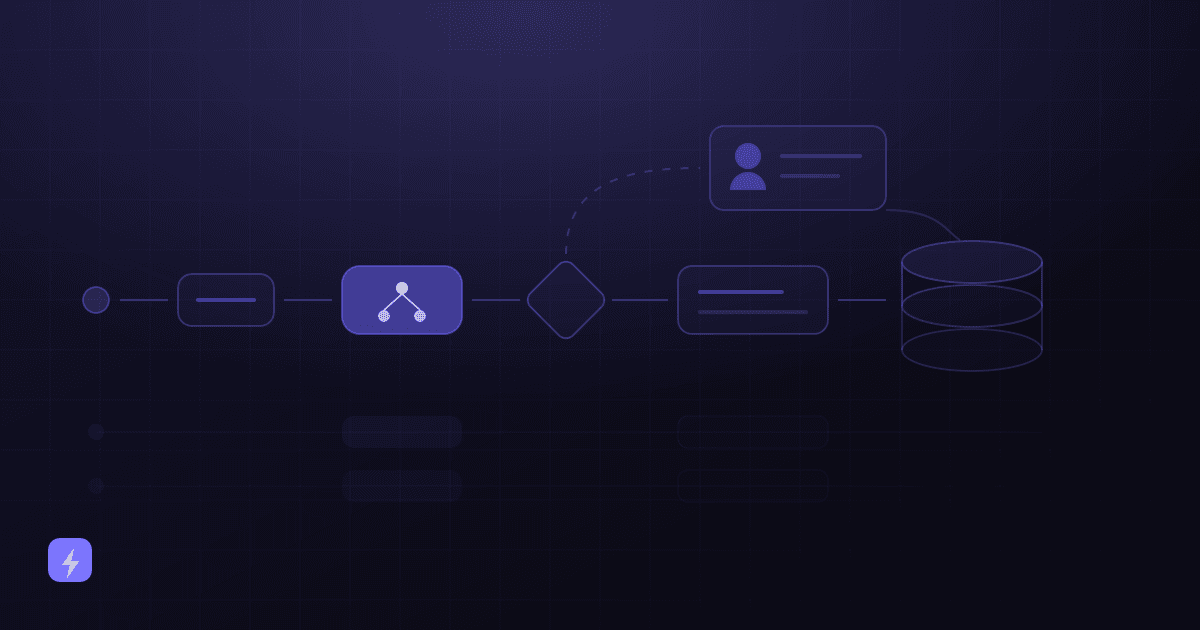
That last point deserves a specific pattern. AWS's document-processing guidance routes a result to a person on four conditions: low confidence on an important field, a required field missing, confidence within a defined range, and a random sample for audit. The random sample is the one people leave out, and it is the only one that catches the cases where the system was confidently wrong. How to train an AI chatbot on your business covers the content side of this in depth.
Securing the integrations
Most of the real security surface in an AI project is not the model. It is the connections to your CRM, email, calendar, databases and other APIs — because that is where the data and the ability to act actually live.
- Authentication for every connection. Service accounts with their own credentials, never a shared login and never an employee's personal account.
- Authorisation scoped to the job. Read-only where reading is enough. A calendar integration that only needs availability does not need the ability to delete events.
- Secrets kept out of prompts and configuration files. API keys belong in a secrets manager or environment variables, never pasted into a knowledge base, a system prompt or a shared document.
- Per-record scoping. An assistant serving one customer should be able to reach that customer's records, not run open queries across the database.
- Rotation and revocation. Know how to change a key and remove an integration's access quickly, and test that you can before you need to.
- Failure behaviour. Decide what happens when a connected system is unavailable — queue, retry, or tell a person. Silent failure is the worst of the three.
- Start read-only. Let a new integration look things up and draft before it writes, sends or approves anything.
This is what AI integration work consists of, and it is worth scoping deliberately alongside AI automation rather than treating it as plumbing that comes free with the assistant. The same applies to document workflows in business process automation, where the data being handled is often more sensitive than a website conversation.
An AI vendor security checklist
Twelve questions to ask before you sign anything. A good vendor will answer all of them without friction; hesitation on several is itself an answer. If you would rather not run this evaluation alone, it is the kind of thing AI consulting exists for.
- Where is our data stored, and in which countries or regions?
- How is data encrypted in transit and at rest?
- Is our data used to train models — by you, or by any provider you build on? Get it in writing, and check whether business terms differ from consumer terms.
- What retention options exist, and what is the default if we choose nothing?
- Can our data be deleted on request, and what is actually deleted versus retained in backups or logs?
- What access controls exist on your side — who at the vendor can see our data, and under what circumstances?
- Does the system support authentication, so it can tell an anonymous visitor from a logged-in customer?
- What logs are available to us, how long are they kept, and can we export them?
- Which third parties and subprocessors are involved, and where is that list published?
- How are API keys and secrets protected, and how do we rotate or revoke them?
- What compliance certifications or documentation can you provide, and what is their scope?
- Can access be restricted by user or role, so different people see different things?
Certifications are evidence, not a guarantee
A certification tells you an organisation met a defined standard within a defined scope at a point in time. It does not tell you that your particular deployment is configured well, that permissions were scoped tightly, or that an integration was not given more access than it needed. Read what the scope actually covers, and keep asking the other eleven questions.
Retention, deletion and compliance
Two things belong in every AI deployment decision. First, know how long data is kept — by you and by every vendor in the chain — and set it deliberately rather than accepting a default. Second, know how deletion works in practice: what a deletion request actually removes, what stays in backups or logs, and how long until it is genuinely gone. The security questions worth asking during a build are covered from the implementation side in AI automation for small business.
On compliance, be clear about the boundary. General security practice — least privilege, authentication, encryption, logging, retention limits, human approval on consequential actions — is good practice for any business. What a specific regulation requires of you depends on your industry, your jurisdiction, the data you hold and who your customers are. Health, financial, children's and biometric data typically carry particular requirements, and those requirements shape the design rather than being checked at the end.
This is general guidance, not legal advice
Nothing in this article is legal advice, and Flasin is not a law firm. If your business handles regulated data, take advice from a qualified professional in your jurisdiction before deciding what an AI system may access. Getting that input early is considerably cheaper than getting it after a deployment.
Where AI security goes wrong in practice
- Broad access because narrow access took longer. The most common failure, and the most preventable.
- Uploading whatever was to hand. A folder of internal documents indexed into a knowledge base because it was easier than curating it.
- Secrets in prompts. API keys pasted into a system prompt or a shared configuration document.
- Write access on day one. Let a new integration read and draft before it acts.
- No logs. Without a record of what was asked, retrieved and done, an investigation is guesswork.
- No owner. Access grants, integrations and knowledge bases drift as staff and processes change. Someone should review them on a schedule.
- Assuming all tools share one policy. Vendors differ, and a vendor's business terms often differ from its own consumer terms.
- Treating security as a launch checklist. As the NCSC guidelines put it, it belongs across the whole lifecycle, not just the build.
What data should a small business not give an AI system?
Passwords, API keys and secrets, payment credentials, confidential financial records, and regulated or highly sensitive personal data should not go into an AI knowledge base. Customer records, employee information and internal documents can be appropriate, but need authentication, scoped access, retention limits and logging around them. Public website content, approved FAQs and published policies are the low-risk tier, where the main concern is being current and accurate rather than exposed.
Is it safe to use AI with customer data?
It can be, when access is scoped to the job. The test is whether the system can reach only what a specific request legitimately needs — one customer's order rather than the ability to query every customer. Combine that with authentication, logging, a deliberate retention setting and human approval on consequential actions, and you have a defensible setup. Broad standing access to a customer database is where this usually goes wrong.
What is prompt injection in simple terms?
It is when text the AI reads contains instructions that try to override the rules you gave it — either typed directly by someone, or hidden inside content the AI processes on your behalf, such as a web page it summarises or a document it reads. It is listed as LLM01, the top entry, in the OWASP Top 10 for LLM Applications. The strongest defence is not smarter prompts but tighter permissions: if the system cannot perform an action, no instruction can make it.
Do AI companies train on my business data?
It depends entirely on the vendor and on which product you are using, and it is worth checking rather than assuming in either direction. OpenAI's enterprise privacy page states that API Platform data after 1 March 2023 is not used for training unless you explicitly opt in, with retention of up to 30 days and zero data retention available for eligible endpoints. Anthropic publishes separate policies for consumer and commercial products. Ask the question directly, and confirm which set of terms applies to the account you are actually using.
Are public AI tools like ChatGPT safe for business use?
The risk usually is not the tool, it is that nobody knows which account an employee used or what they pasted into it. A personal account carries different terms from the business agreement you evaluated, and the business has no logging or oversight of it. The practical fix is to give people a sanctioned option that is easier to use than the unsanctioned one, plus a short written policy about what should never be pasted anywhere.
How do I stop an AI system giving customers wrong information?
Ground it in an approved, current knowledge base rather than the model's general knowledge, remove contradictory and outdated pages, write explicit guardrails for what it must never attempt, give it a designed way to say it does not know, and test with real questions including ones your content cannot answer. Then review a sample of real conversations on a schedule — including a random sample, which is the only way to catch answers that were confidently wrong.
What should I ask an AI vendor about security?
Where data is stored, how it is encrypted, whether it is used for training, what retention options exist, whether it can be deleted, what access controls exist on their side, whether authentication is supported, what logs you can export, which subprocessors are involved, how secrets are protected and rotated, what certifications exist and what scope they cover, and whether access can be restricted by user or role. A good vendor answers all twelve readily.
Does a security certification mean an AI tool is safe?
No — it is evidence, not a guarantee. A certification shows an organisation met a defined standard within a defined scope at a point in time. It says nothing about whether your particular deployment was configured well, whether permissions were scoped tightly, or whether an integration was given more access than it needed. Read the scope, then keep asking the rest of the questions.
The takeaway
Adopting AI safely is mostly a set of unglamorous decisions made early: which data is in scope, who the requester is, what the system is allowed to do, what gets logged, and which actions need a person. None of it requires deep technical knowledge to specify — it requires being willing to ask what a system will be given before it is connected.
A secure AI system has access to exactly the data and actions its job requires, and nothing else. That single principle answers most of the questions in this article, holds up against prompt injection better than any clever wording, and limits the damage when something inevitably goes wrong. Decide what the job is, scope the access to it, log what happens, and keep a person in the loop where being wrong would be expensive. If you are still choosing between options, how to choose the right AI solution is the step before this one.
Sources
This article contains no breach statistics, no security percentages and no claims about Flasin's own certifications. Every third-party statement below was read from the publisher's own page in August 2026. Vendor policies change — check the source before relying on a detail in a contract discussion.
- OWASP GenAI Security Project — Top 10 for LLM Applications (2025) — LLM01 Prompt Injection, LLM02 Sensitive Information Disclosure, LLM06 Excessive Agency, LLM09 Misinformation. The 2023 edition is archived and uses different numbering.
- NCSC — Guidelines for Secure AI System Development — published November 2023 with CISA and international partner agencies, aligned to NIST's secure software development framework and CISA's secure-by-design principles. Four lifecycle stages: secure design, development, deployment, and operation and maintenance.
- OpenAI — Enterprise privacy — API Platform data after 1 March 2023 not used for training unless explicitly opted in; API inputs and outputs retained up to 30 days for service delivery and abuse detection; zero data retention available for eligible endpoints.
- Anthropic — Is my data used for model training? — the consumer-product policy, which explicitly directs commercial and API questions to a separate policy. Cited here as evidence that consumer and business terms differ within a single vendor.
- AWS — Core Concepts of Amazon A2I — the four human-review activation conditions, including randomly sampling results to audit accuracy.
Flasin's own security posture is deliberately not described above, because it is not published elsewhere on this site and this article does not make claims that cannot be checked. If you are evaluating us, ask the twelve questions — they apply to every vendor, including this one.