On this page
Every small business runs on a handful of tasks that nobody wants to own. Re-typing an enquiry into the CRM. Chasing the same invoice for the third time. Answering the same question about opening hours at 10pm. Copying details off a job sheet into a spreadsheet.
None of it is difficult. All of it is necessary. And collectively it consumes the hours you would rather spend on customers and decisions. AI automation for small business is, at its most useful, the practice of handing that specific category of work to software — and being honest about which parts should stay with people.
This guide covers what AI automation actually means, how it differs from the rule-based automation you may already have, how a workflow runs from trigger to system of record, which use cases are worth starting with, what drives the cost, what the real risks are, how to measure whether it worked, and how to choose the first one.
The point is not fewer people
The goal of AI automation is not to remove people from the business. It is to remove repetitive work so people can focus on customers, decisions, relationships and growth. Every recommendation in this guide follows from that, including the sections about what not to automate.
What AI automation actually means
Automation is any system that does a task without someone doing it by hand. It has existed for decades: an email that sends when a form is submitted, a spreadsheet formula, a scheduled report.
AI automation adds one capability to that picture — the ability to handle unstructured input. Free text, an email written in someone's own words, a PDF with a layout the system has never seen, a photo of a job sheet, a chat message that could mean three different things. Traditional automation needs the input to arrive in a shape it already understands. AI automation can interpret the input first, turn it into structured data, and then hand it to the ordinary automation that follows.
That is the whole difference, and it matters more than it sounds. Most of the work that never got automated in small businesses was blocked at exactly that step: the information arrived as a sentence, a document or a conversation rather than as a tidy field. The AI glossary defines the underlying terms if you want the vocabulary before a vendor conversation.
AI automation vs traditional automation
The honest comparison is not "new thing beats old thing". Rule-based automation is faster, cheaper, completely predictable and easier to debug. Where the input is already structured and the logic is fixed, it remains the better choice — and a lot of what gets sold as AI automation would be better and cheaper as a plain rule.
In practice most working systems are both. The AI step interprets; the rules decide; ordinary automation executes. A workflow that uses a model to make a decision your business already has a rule for is not more advanced — it is less reliable and more expensive.
A test before you buy anything
Ask: could a spreadsheet formula or a simple if-then rule do this? If yes, do that instead. Save the AI step for the moment where something has to be read, understood or classified before the rule can apply.
How an AI automation workflow actually works
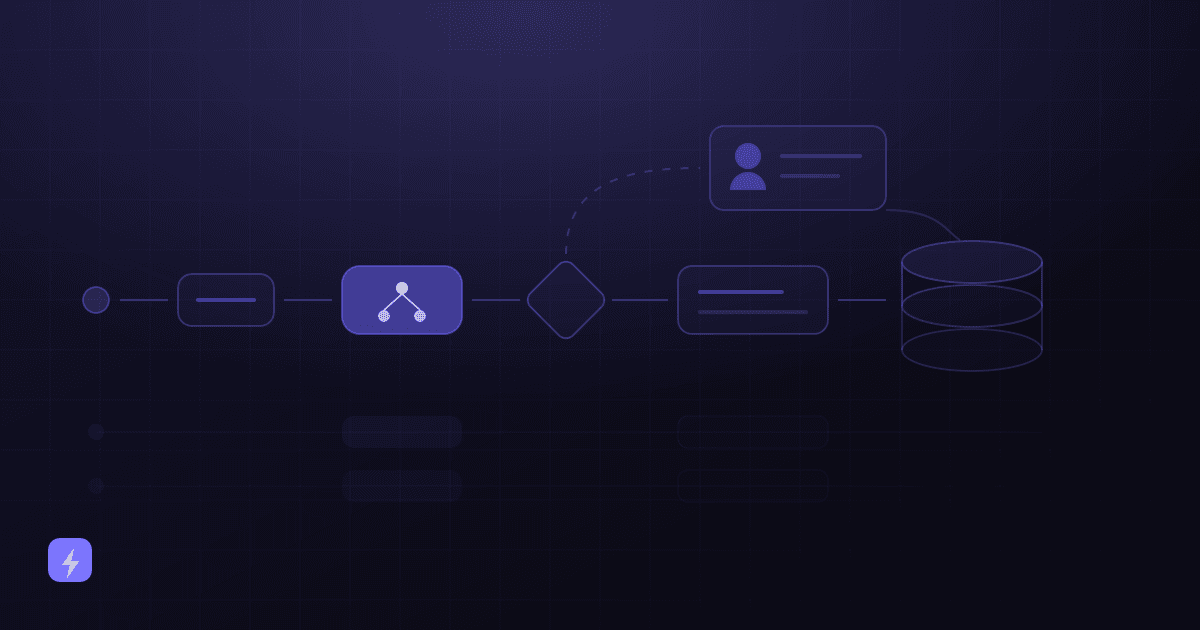
Almost every automation worth building follows the same seven stages. Recognising the pattern is what turns "we should use AI" into something you can actually scope.
Customer or event
Something happens in the real world — someone enquires, an invoice arrives, an appointment is due, a job finishes.
Trigger
The technical hook that notices: a form submission, an inbound email, a webhook, a schedule, a change in a database record.
AI step
The interpretation. Read the message, extract the fields, classify the request, summarise the call, draft the reply.
Business rules
Your logic, not the model's. Enquiries under £500 auto-quote; anything mentioning a complaint skips automation; anything from a key account routes to a named person.
Action
The thing that visibly happens — a reply sent, a booking confirmed, a quote drafted, a ticket assigned, an approval requested.
CRM or system of record
The outcome is written somewhere durable. An automation that leaves no record cannot be measured, followed up or improved.
Human review, where it matters
A checkpoint on the cases where being wrong is expensive — not on everything, which would just move the work rather than remove it.
A worked example — a home services company. A homeowner fills in the website form at 7pm: "Boiler making a banging noise when the heating comes on, we're in Croydon, is this something you do?" That is the event. The form submission is the trigger.
The AI step reads it and extracts what matters: the job type is a boiler fault, the location is Croydon, there is no date preference, and the description suggests a diagnostic visit rather than a quote. The business rules then apply — Croydon is in the service area, boiler faults are a chargeable callout, and anything mentioning gas smell or carbon monoxide would have been pulled out of the automation entirely and flagged as urgent. This one is not.
The action: the system replies within a minute confirming the company covers Croydon, explains the callout charge, and offers three real slots from the engineer's calendar. The homeowner picks one. It writes into the CRM as a new job with the description attached, and into the calendar as a booked visit. No human review is needed for a standard diagnostic booking — but the safety keyword rule means the cases that do need a person never entered the automation in the first place.
Stage four is the one that gets skipped
Most disappointing automations are not model failures — they are workflows with no explicit business rules about what should be excluded, escalated or held for approval. Write those rules on paper before anything gets built. They are far cheaper to argue about there.
The automations most small businesses should look at first
These six areas cover the overwhelming majority of small-business automation value. 25 business tasks you can automate with AI breaks them into specific workflows with triggers and review points; this is the shape of each.
Sales automation
Capturing enquiries, qualifying them in conversation, scoring them against your criteria, updating the CRM after every interaction, and following up when someone goes quiet. The value is concentrated in the gap between someone showing interest and someone responding — a gap that is almost entirely mechanical and where most small businesses lose enquiries.
Customer support automation
Answering the questions you get constantly, looking up order or booking status, routing tickets to the right queue, and collecting details before handing over. Zendesk's CX Trends 2026 research — 11,000+ respondents across 22 countries, fielded June 2025 — found 74% of consumers expect service to be available 24/7, which very few small businesses can staff. AI chatbots for customer service covers the full split of what to automate and what to escalate.
Email automation
Triage before sequences. Sorting an inbox by what each message actually is — an enquiry, an invoice, a supplier update, a complaint — and routing accordingly is usually worth more than another nurture sequence. Then: behaviour-triggered follow-ups, and drafts that reference the real conversation rather than a template.
Document automation
Reading invoices, purchase orders, job sheets, contracts and forms, extracting the fields, and writing them into the system that needs them. This is the area where AI most clearly does something rule-based automation could not, because it copes with layouts it has not seen before. It is also the area where human review matters most.
Appointment and scheduling automation
Checking real availability, booking, rescheduling, sending reminders, and handling cancellations. For appointment-driven businesses this is often the single highest-value automation available. AI appointment booking goes into the mechanics, and where the pressure is on the phone rather than the website, an AI voice agent is the closer fit.
CRM automation
Keeping the record straight without anyone typing: creating contacts from conversations, logging what was discussed, updating deal stages, deduplicating, and flagging records that have gone stale. Unglamorous, and the thing that makes every other automation on this list trustworthy — because they all read from and write to it.
Six industries, six sensible starting points
Notice that none of those first automations is the most impressive thing the business could build. They are the ones with a clear trigger, one destination system and a low cost of being wrong. AI automation for e-commerce works through one of these sectors in detail.
What it costs, and what actually drives the cost
Quoting a price here would be inventing one — the range is genuinely wide and depends almost entirely on scope. What is predictable is which factors move the number, and those are worth understanding before you take a quote.
- Number of systems involved. The single biggest driver. One trigger and one destination is a small project. Five systems that must stay in sync is a different category of work entirely.
- Integration quality. A modern tool with a documented API is straightforward. A legacy system with no API, or one that only exports CSVs overnight, changes the shape and cost of the whole project.
- How much is already written down. Anything that answers customers from your content needs that content to exist and be current. If it does not, that writing is the real project.
- Volume. AI steps carry a per-use cost. Trivial at small volumes, worth modelling before you automate something that runs ten thousand times a month.
- Exception handling. The happy path is quick. Deciding what happens when the other system is down, the document is unreadable, or the input is nonsense is where the time goes.
- Ongoing ownership. Automations decay as forms, staff and policies change. Budget for someone to own it, not just to build it.
For a sense of how these factors translate into pricing structures in a comparable area, what an AI chatbot costs breaks down setup versus subscription versus usage in detail. The same logic applies to automation: the software is rarely the expensive part.
Integrations decide the timeline
Most automation projects that run over do so for one reason: somebody assumed two systems could talk to each other and they could not. It is worth checking before anything is promised.
- List every system the workflow touches, including the spreadsheet nobody mentions in meetings.
- For each one, find out whether it has an API, a supported connector, or neither.
- Check what permissions the connection needs, and who in your business can grant them.
- Decide what the workflow does when that system is unavailable — queue, retry, or alert a person.
- Start read-only. Let the automation look things up and draft before it writes, sends or approves anything.
That last point is the cheapest insurance available. A wrong lookup is a bad answer; a wrong write is a data problem you may not notice for weeks. AI integration and business process automation are what this stage consists of in practice.
Risks, limitations and the security questions worth asking
A guide that only lists benefits is not much use for making a decision. These are the real constraints.
What AI automation cannot do
- It cannot act on data it cannot reach. If the information lives in a system with no connection, that is an integration project first.
- It can be confidently wrong. Grounding it in your own content and reviewing output reduces this substantially; nothing removes it entirely.
- It cannot make an exception. Waiving a fee or bending a rule for a good customer is a human decision by design.
- It handles the anticipated case. Genuinely novel situations need someone who recognises that this one is different.
- It will not fix a broken process. Automating a bad process produces bad outcomes faster.
Human review is a design decision
AWS's document-processing guidance is a useful template for any automation, not just document work. It routes a result to a person when confidence on an important field is low, when a required field is missing, when confidence falls in a defined range, and — the condition people forget — on a random sample, so you can "implement audits to regularly monitor prediction accuracy." Confidence thresholds catch what the system knows it is unsure about. Only random sampling catches what it is confidently wrong about.
Security and privacy
Automations move customer data between systems, so the questions are worth asking explicitly rather than assuming.
- Is our data used to train anyone's model? Ask directly and get it in writing. OpenAI's enterprise privacy page, for example, states that data from the API Platform after 1 March 2023 "isn't used for training our models, unless you have explicitly opted in" — but that is one vendor's policy, and consumer products often differ from business ones.
- How long is it retained? The same page says OpenAI "may securely retain API inputs and outputs for up to 30 days to provide the services and to identify abuse," after which they are removed unless legally required, with zero data retention available for eligible endpoints. Ask your own vendors the same question.
- What can the automation actually see? Give each integration the narrowest permission that works. A workflow that only needs to read order status should not have write access to customer records.
- Is there an audit trail? You should be able to answer "what did this automation do on Tuesday, and why" months later.
- Which data genuinely has to leave your systems? Often less than the default configuration sends. Redact or omit what the workflow does not need.
- What are your obligations? Health, financial and children's data carry specific requirements in most jurisdictions. If yours does, that shapes the design rather than being checked at the end.
How to measure whether it worked
The metric that gets reported by default is usually volume, which tells you nothing about value. Record the ones below for a few weeks before you change anything, or you will have no baseline to compare against.
- Employee time saved on the specific task — measured, not estimated from memory.
- Response time, split by in-hours and out-of-hours.
- Manual steps removed from the process end to end.
- Errors reduced — and separately, errors introduced.
- Leads followed up within your target window.
- Appointments booked and, more usefully, appointments kept.
- Tickets routed correctly without a human re-routing them.
- Processing time per item, from arrival to resolution.
- Cost per workflow run, including the per-use AI cost at your real volume.
- Revenue impact, only where you can actually attribute it. Most of the time you cannot, and saying so is more credible than a made-up figure.
An illustrative ROI model — not a claim
The numbers below are placeholders to show the arithmetic. They are not benchmarks, not typical results, and not a projection for any business. Substitute your own measurements.
That last row is where most ROI cases quietly fall apart, and it is worth being honest about it. Time saved is only worth something if it is spent on something. If the four hours return to the same person and get absorbed by the same backlog, the automation has made the week less annoying but has not created value you can point to. Decide in advance what the reclaimed time is for.
What a small business should automate first
Almost every business can find twenty candidates and should start with one. Prioritise tasks that are:
- Repetitive — the same steps every time, not reinvented per case.
- Frequent — daily or many times a week, so improvement is visible quickly.
- Time-consuming in aggregate — hours per week, not minutes.
- Rule-driven — the decision can be written down as a rule you already follow.
- Easy to measure — you can count it before and after.
- Low to moderate risk — a mistake is cheap, visible and reversible.
- Connected to systems you already have — the integration exists rather than needing to be invented.
- Currently a bottleneck — the thing that makes other work wait.
And leave for later — or for never — the tasks that need sensitive judgment, negotiation, high-stakes decisions, handling of complex exceptions, or real human empathy. Complaints, cancellations with a reason attached, retention conversations, pricing negotiations and anything regulated belong to people. That is not a temporary limitation waiting for better technology; it is what the automation is buying time for.
The consequence test
Ask one question about any candidate: if this runs wrong a hundred times before anyone notices, what happens? A hundred slightly awkward auto-replies is a bad week. A hundred mis-filed compliance documents or wrongly approved invoices is a different category of problem, and belongs behind a human checkpoint however repetitive the work looks.
Designing the human route in also makes the automated route more acceptable, not less used. In Salesforce's seventh-edition research (15,015 consumers, fielded July–August 2024), 45% said they would be more likely to use AI agents where there is a clear path to a person.
Start small, then expand
The most reliable pattern is not a transformation programme. It is a ladder, where each rung earns the next.
Measure the current process
Two weeks of real counts and timings before anything changes. Without this, you will be arguing about whether it worked instead of knowing.
Ship one workflow, read-only where possible
One trigger, one AI step, one destination. Let it look things up and draft before it writes or sends.
Run it alongside the manual process
For a week or two, do both and compare. It is the cheapest way to find the exceptions nobody mentioned.
Turn on the writes, keep the review
Let it act, with a human checkpoint on the expensive cases and a random sample on everything else.
Review, then widen
Read the exceptions weekly. Fix the source of every wrong result rather than patching around it.
Add the next workflow
Ideally one that shares systems with the first, so the integration work compounds instead of starting again.
Businesses that ship something narrow tend to expand it. Businesses that start with the biggest, most impressive workflow tend to abandon it, because the biggest workflow is almost always the one with the most exceptions. If you want a shortlist to choose from, 10 AI automation ideas for small businesses ranks them roughly by how quickly they pay off.
What is AI automation for a small business?
It is software that completes repetitive work end to end, using AI for the step that requires interpreting something unstructured — an email written in someone's own words, a document with an unfamiliar layout, a chat message, a photo of a form. The AI reads and classifies; your business rules decide what happens; ordinary automation carries it out and records the result.
How is AI automation different from the automation I already have?
Traditional automation needs input in a shape it already understands, and follows rules you wrote explicitly. AI automation can handle messy input first, then hand the structured result to those same rules. Traditional automation is still faster, cheaper and more predictable wherever the input is already structured — a lot of workflows are better built without an AI step at all.
What should a small business automate first?
Something repetitive, frequent, time-consuming in aggregate, rule-driven, easy to measure, low risk, and already connected to a system you use. In practice that usually means enquiry capture and qualification, answering common customer questions, or appointment booking. Measure the current process for two weeks first, so you have a baseline.
What should not be automated?
Sensitive conversations, negotiations, high-stakes decisions, complex exceptions, and anything needing genuine empathy. Complaints, cancellations with a reason, retention conversations and regulated advice belong to people. An automation can prepare an approval; it should not grant one.
How much does AI automation cost for a small business?
Any figure quoted without knowing your scope is invented, so this guide does not give one. What is predictable is what moves the price: how many systems are involved, whether they have usable APIs, how much of your process is already written down, your monthly volume, how many exceptions need handling, and whether someone will own the workflow after launch. The number of systems is by far the biggest factor.
Is my customer data safe in an AI automation?
It depends on the vendor and the configuration, so ask specific questions rather than assuming. Whether your data trains anyone's model, how long it is retained, what each integration can see, whether there is an audit trail, and what your industry requires. As one example, OpenAI's enterprise privacy page states API data after 1 March 2023 is not used for training unless you opt in, and that API inputs and outputs are retained for up to 30 days — but every vendor differs, and consumer products often differ from business ones.
How do I know whether an automation is working?
Compare against a baseline you recorded before launch. Track employee time on the task, response time in and out of hours, manual steps removed, errors reduced and introduced, the share of cases handled without a person, processing time and cost per run. Then answer the honest question: what are the reclaimed hours actually being spent on? Time saved with nowhere to go is not a return.
Do I need a developer to set up AI automation?
For a single workflow between two well-connected modern tools, often not — a capable operations person can build it. It changes once you have legacy systems, custom permissions, several integrations that must stay in sync, or exception handling that matters. The deciding factor is usually the integrations, not the AI.
The takeaway
AI automation is worth understanding in one specific way: it removes the blocker that kept a whole category of small-business work manual, which is that the information arrived as a sentence, a document or a conversation instead of a tidy field. Everything downstream of that — the rules, the actions, the record-keeping — is ordinary automation that has existed for years.
So the question is not whether to adopt AI. It is which repetitive task in your week has a clear trigger, a rule you already follow, a system that should end up holding the result, and a cheap cost of being wrong. Start there, measure it honestly, and let the tasks that resist the test stay with the people who are good at them.
Sources
This guide contains no ROI figures, productivity percentages, time-saved claims or prices, because none could be verified for the claims being made — the one worked example is labelled illustrative and every figure in it is a placeholder for your own. The statements below were read from the publishing organisation's own page in August 2026.
- OpenAI — Enterprise privacy — API Platform data after 1 March 2023 is not used to train models unless explicitly opted in; API inputs and outputs retained up to 30 days for service delivery and abuse detection, with zero data retention available for eligible endpoints.
- AWS — Core Concepts of Amazon A2I — the four human-review activation conditions, including randomly sampling results to audit accuracy.
- Zendesk CX Trends 2026 — 11,000+ respondents (6,182 consumers, 5,115 business respondents) across 22 countries, fielded June 2025: 74% expect 24/7 availability.
- Salesforce newsroom — AI Connected Customer research, seventh edition — 15,015 consumers, fielded July–August 2024: 45% would be more likely to use AI agents where there is a clear escalation path to a human.
AI automation, AI chatbots and AI integration describe what building these workflows involves in practice.