On this page
Most businesses that automate scheduling automate the booking, then discover the booking was the easy part. The slot gets claimed correctly, and then somebody still has to send the reminder, take the call from the person who needs to move it, notice the cancellation that arrived at 9pm, refill the hour it left behind, and chase the patient or client who simply did not turn up.
That work is the actual job. This article is about all of it — the qualification that happens before a slot is chosen, and the four things that happen after. How a slot is claimed without two people being given the same one is covered separately in AI appointment booking, and this article deliberately does not repeat it.
The short version
AI appointment scheduling is a lifecycle, not a booking form: qualify the request, query live availability, claim the slot, confirm it, remind, absorb the change of plan, recover the no-show, and write all of it back to wherever your customer records live. Reminders are the best-evidenced part of it and the most heavily regulated. Cancellations captured in time are worth more than new bookings, because the demand was already paid for.
Booking is one step. Scheduling is the lifecycle.
Draw the whole thing out and the booking sits in the middle of eleven distinct moments, most of which are handled by a person interrupting something else.
Before the slot
Work out what is being asked for, whether you offer it, whether this person is eligible for it, how long it will take and who can do it. Get this wrong and the booking is wrong however cleanly it was written.
Choosing the slot
Query live availability against your rules, offer two or three real options, claim one atomically, and confirm before the conversation ends.
Between booking and appointment
Reminders, reschedules, cancellations and the refilling of released slots. This is where most of the recoverable money is, and where almost nothing is usually automated.
At and after the appointment
Attendance or a no-show, the follow-up that either recovers the person or closes them out cleanly, and the record that tells you which of your slots are actually being wasted.
A useful test for any scheduling system you are shown: ask what it does at 9pm when a customer texts to say they cannot make tomorrow morning. If the honest answer is that somebody reads it in the morning, the system automates booking, not scheduling.
The workflow, end to end
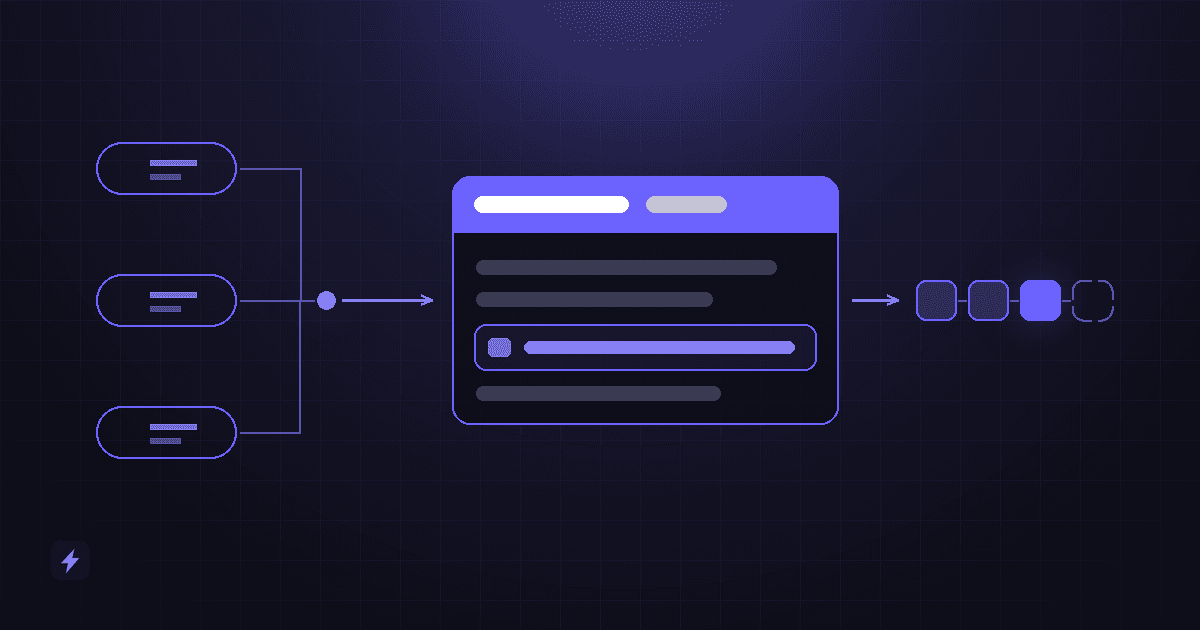
Customer enquiry → AI chatbot or voice agent → qualification → check availability → book the appointment → calendar and CRM updated → reminder → the appointment → follow-up. Nine stages, and each arrow is a handover where something can be dropped. Most projects automate the middle one — claiming the slot — and leave a person standing at every other arrow.
Qualification: should this appointment exist at all?
The most expensive appointment is the one that should never have been made — the consultation for something you do not offer, the emergency call-out booked as a routine visit, the ninety-minute treatment given a twenty-minute slot. Automation makes this worse before it makes it better, because it removes the receptionist who used to catch it.
Five questions have to be answered before a slot is offered, and each one is a rule you have to write down rather than something a model should invent.
- What is being asked for? Mapped to your own service list, not to whatever words the customer used.
- Is it something you do? An out-of-scope request deserves a clear no and a useful alternative, immediately, rather than a booking somebody has to cancel later.
- Is this person eligible? New versus returning, in the service area, registered, insured, over a minimum age — whatever your version of this is.
- How long does it take? Duration by service and, where it matters, by customer type. A returning client and a first-time consultation are not interchangeable.
- Who can perform it? Not everyone can do everything, and a booking with the wrong person is a cancellation with extra steps.
Ask for urgency, and act on it
One field changes more outcomes than any other: how soon this needs to happen. It decides whether the system offers the next available slot or the best-fit slot, whether it should interrupt a person, and whether an out-of-hours request should wait until morning. It also gives you a defensible reason to send certain requests straight to a human, which is the subject of a later section.
Appointment types, and the hours nobody is in
Qualification produces an answer, and it has to land on an appointment type: a named entry in a finite list, not a free-text description of what the customer wants. Each type carries its own duration, who can perform it, where it happens, its deposit rule and the details to collect. Get the list right and routing is a lookup. Leave it vague and the system improvises, which is the one thing it must not do with your diary.
- One type per thing you actually sell, at the granularity where the duration changes. If a first consultation takes twice as long as a review, those are two types, however similar they sound.
- Collect only what the type needs, at the moment it is needed. A name and a contactable number are the minimum. Everything else — vehicle, address, policy number, how many attendees — belongs to specific types, and asking for all of it every time is how a two-minute booking becomes an abandoned one.
- Never ask for what you already hold. A returning customer identified by their number should be confirming details, not re-entering them.
- Attach the routing rule to the type, not to the conversation. Who it goes to, which calendars are queried and whether a human approves it are properties of the type. That is what keeps a chatbot, a voice agent and a booking page from drifting apart.
Then there are the hours nobody is in, where most of the unclaimed value sits. Enquiries do not stop at closing time: they arrive in the evening, at weekends, and while your staff are with other customers. A request that lands then has two possible outcomes: it becomes a booking in tomorrow's diary, or a voicemail competing with whoever answered first. Automation is what changes which.
Out of hours needs its own rules, though, not the daytime flow left running. Decide what may be booked unattended and what is held for review in the morning, and decide what happens when an out-of-hours request is urgent: a genuine emergency needs a stated route to a person, or an honest statement that there is not one until morning, never a calmly booked slot three days out.
Count the after-hours enquiries you already get
Before building anything, look at when last month's enquiries actually arrived — web forms, missed calls, messages. Businesses are routinely wrong about this, usually underestimating the evenings. It is also the cleanest before-and-after number automation gives you.
The two channels that do this work are covered as services in their own right — AI chatbots for the web and messaging side, AI voice agents for the phone — and how a chat conversation turns an out-of-hours visitor into a qualified enquiry in the first place is in how AI chatbots generate, qualify and convert website leads. If any of the terms in this article are unfamiliar, the AI glossary defines them in plain English.
Chatbot, voice agent, or a booking link?
The same scheduling logic can sit behind all three. What differs is who each one suits, and businesses regularly pick the channel first and then discover it fits the wrong half of their customers.
The mistake is treating these as alternatives. Most businesses need at least two, feeding one calendar and one set of rules, because the calls and the web enquiries are coming from different people. What matters is that the availability logic, the durations and the escalation rules live in one place — three channels with three copies of the rules will disagree with each other within a month.
For phone specifically, the mechanics of a call from ring to record — and the failure mode at each step — are in the AI voice agent call flow.
Availability: what "free" actually means
Every serious scheduling system stands on one operation: asking the real calendar what is genuinely free, right now, and getting an answer fast enough to say out loud in a conversation. Both major calendar platforms expose exactly that, and both publish limits on it that shape what you can build.
Google Calendar's API has a dedicated free/busy query. Its reference documentation caps a single query at 50 calendars — the calendarExpansionMax parameter's "maximum value is 50" — and caps group expansion at 100 members. Its published quotas are 10,000 requests per minute per project and 600 per minute per user, with a 1,000,000 requests per day threshold; exceed them and you get a 403 or 429 usageLimits error, with truncated exponential backoff the documented way to handle it.
Microsoft Graph has the equivalent in getSchedule, which takes a list of mailboxes, a start and end time, and an availabilityViewInterval that defaults to 30 minutes and can be set between 5 and 1,440. It also publishes a limit that catches real businesses: if a calendar holds more than 1,000 entries in the window you asked about, the call fails with error 5006 and the message "The result set contains too many calendar entries. The allowed size is 1000".
Availability is a query, not a copy
The reason these limits matter is that they push naive implementations toward caching. A system that offers slots from a copy of your calendar taken a few minutes ago will eventually offer a slot that is gone — and the customer finds out by turning up. Ask any provider how often availability is read, and whether it is re-checked at the moment of writing. That second answer is the one that separates a real integration from a demo.
Free is also not the same as bookable. Your rules sit on top of the raw answer: opening hours, buffer time between appointments, travel time between locations, blackout dates, how far ahead someone may book and how close to now, and which staff can do which service. Those rules, and the exercise of writing them down, are covered in AI appointment booking — they are the unglamorous part where the quality of the outcome is actually decided.
What a good confirmation actually contains
The confirmation is the most under-designed message in the lifecycle. It does three jobs: it is the receipt proving the booking is real, it is the first reminder, and it is what the customer searches for at eight the next morning when they cannot remember where to be.
It should go out immediately, on the channel the booking happened on plus one that survives — a voice booking confirmed only out loud is one the customer cannot check. Every line missing from it becomes a phone call to your staff:
- What, when and how long, with the day of the week spelled out and the timezone stated if it could be ambiguous. "Tuesday 14 October, 9:30am, about 45 minutes" prevents more confusion than any reminder fixes.
- Where, or how to join. An address that opens in a map, or the video link itself rather than a promise to send one later.
- Who they are seeing, where that matters to the customer.
- What to bring or do beforehand — documents, an empty driveway, arriving ten minutes early, not eating.
- What it costs and what has been taken, plus the cancellation policy — stated before they need it rather than when they break it.
- A reschedule link and a cancel link. These make the confirmation useful to you rather than only to them: they turn a change of plan into a self-serve reschedule at 9pm instead of an empty chair.
- An add-to-calendar file or link, which quietly does more for attendance than the wording of any reminder.
One thing to check with any provider: whether the confirmation is sent by the system that owns the booking. One generated by the conversation rather than by the calendar write can go out for a booking that never landed — the worst failure in this article, because the customer has proof and you have nothing.
Rescheduling, which is worth more than it looks
Rescheduling is treated as an afterthought and it is arguably the highest-value thing on this list. A customer who wants to move an appointment still wants the appointment. Every obstacle you put between them and a new time converts a retained booking into a lost one.
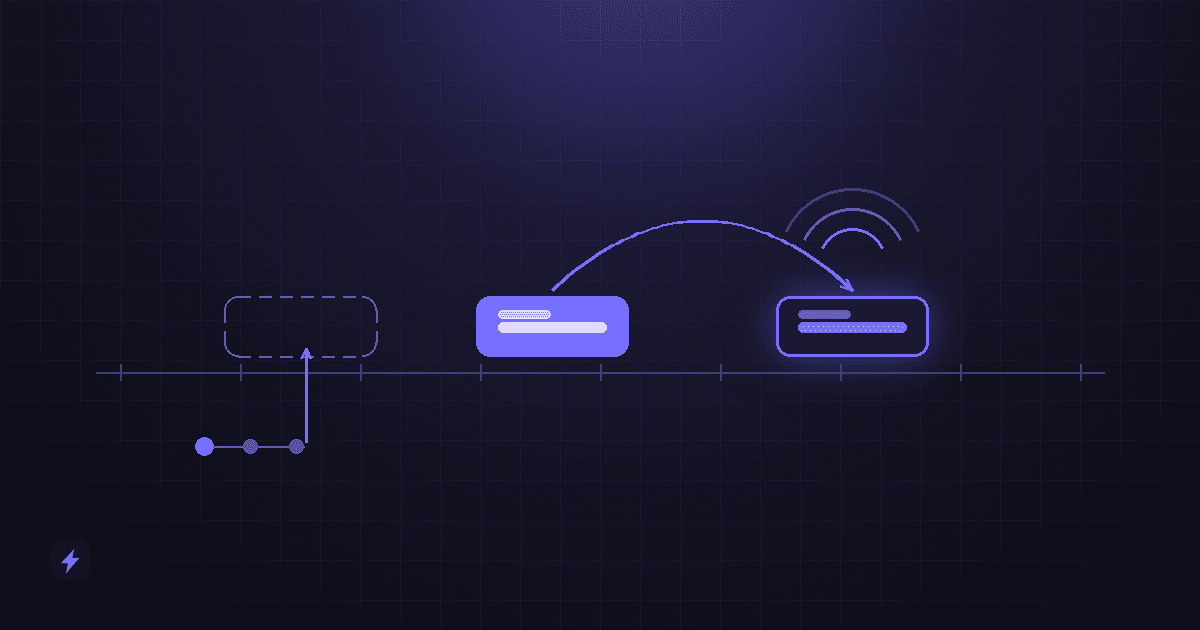
Done properly it is one exchange: the person says they cannot make it, the system knows which appointment they mean, offers alternatives that are genuinely free, moves it, releases the old slot, and confirms. Three details decide whether that works.
- Identify the appointment without an interrogation. Most people have exactly one upcoming booking. Asking them to quote a reference number for it is a design failure.
- Release the old slot in the same operation that claims the new one. If those are two steps, one of them will eventually fail on its own and you will have either a double booking or a hole nobody knows about.
- Enforce your policy, but state it before they choose. If moving inside 24 hours forfeits a deposit, the customer should be told that while they are picking the new time, not afterwards.
The reschedule path is also the single best thing to attach to a reminder. A reminder that says only "you have an appointment tomorrow" invites a no-show from someone who cannot make it; a reminder with a one-tap way to move it converts that person into a filled slot on another day.
Cancellations and the empty hour
A cancellation that reaches you in time is not a loss. It is a slot you already paid marketing money to create, handed back to you with notice. What determines its value is entirely what happens in the next few minutes.
Capture it wherever it arrives
Phone, text, chat, email or the confirmation link. A cancellation that lands in a voicemail nobody hears is functionally a no-show that you also failed to fill.
Release the slot immediately
It has to become bookable again the moment it is confirmed, on every channel at once, not after somebody updates the diary.
Offer it to somebody
A waitlist, the customers booked furthest out who might prefer to come sooner, or simply anyone who asks in the next hour. This is the step that turns a cancellation into revenue.
Record the reason
One field, a few options. After a hundred cancellations it tells you whether you have a scheduling problem, a pricing problem or a reminder problem.
Make cancelling easy on purpose
It feels wrong and it is correct. A business that makes cancellation hard does not get fewer cancellations — it gets the same number, arriving as no-shows with no notice and no chance to refill. Every friction you remove buys you hours of warning.
Reminders: what the evidence actually shows
Almost every claim in this category is marketing. Reminders are the exception: they have been studied properly, in a systematic review, and the finding is modest and real.
The Cochrane review of mobile phone messaging reminders for healthcare appointments (Gurol-Urganci and colleagues, 2013) found that text reminders improved attendance compared with no reminders, with a risk ratio of 1.14 (95% CI 1.03 to 1.26) across seven studies and 5,841 participants, which the reviewers graded as moderate-quality evidence. In the pooled numbers, attendance was 67.8% with no reminder and 78.6% with a text reminder.
The second finding is the more useful one commercially. Compared with phone call reminders, text reminders performed about the same — risk ratio 0.99 (95% CI 0.95 to 1.02) across three studies and 2,509 participants, with call reminders producing 80.3% attendance against 78.6% for texts. The reviewers noted text messaging was the more cost-effective of the two. So the case for automating reminders is not that a machine reminds people better than a person; it is that the machine does it every time, for the same cost, at three in the afternoon on the day everyone was busy.
Read the evidence for what it is
That review is from 2013 and it covers healthcare appointments, not salons, agencies or plumbers. It is quoted here rather than a fresher-looking industry statistic because it is a systematic review with a stated effect size, confidence interval and evidence grade — which almost nothing else in this field has. Treat the direction as well established and the exact magnitude as specific to those settings.
Practically: send two, not five. One at booking as the confirmation, one shortly before the appointment — the day before is the common choice, and for early-morning slots the evening before beats the morning of. Every reminder should carry the reschedule and cancel path, which is what converts "I cannot make this" into a moved booking rather than an empty chair.
The rules that govern reminders
Reminders are messages sent by a machine to a phone, which puts them squarely inside communications regulation. The specifics below are United States rules — other countries have their own, and this is not legal advice — but the design consequence is the same everywhere: consent has to be a stored fact, and frequency has to be a designed limit rather than an accident.
Start with the one most people get wrong. The FCC has ruled that having a customer relationship is not consent: "The mere existence of a caller-consumer relationship does not satisfy the prior-express-consent requirement for calls to wireless numbers." Somebody being your patient or your client does not, by itself, authorise an automated call or text to their mobile.
There is a narrow exemption for healthcare, and it is worth quoting because its conditions are far tighter than most people assume. Under the codified rule, a healthcare provider "may initiate only one message (whether by voice call or text message) per day to each patient, up to a maximum of three voice calls or text messages combined per week to each patient". The messages "must not include any telemarketing, solicitation, or advertising" and "may not include accounting, billing, debt-collection, or other financial content". They must be concise — "generally one minute or less in length for voice calls or 160 characters or less in length for text messages" — and each one must offer an easy opt-out, with texts telling recipients they can opt out "by replying STOP".
That exemption is narrower than it sounds
It applies to HIPAA-covered entities sending healthcare messages, and it is not a general permission to text appointment reminders. Add a payment link or a promotion to that reminder and it is no longer covered. If you are outside healthcare, you are relying on ordinary consent — which means capturing it at booking, storing when and in what words, and honouring an opt-out immediately.
There is also a delivery-side requirement that catches launches. Twilio's compliance documentation states that "anyone sending SMS/MMS messages over a 10DLC number from an application to the US must register for A2P 10DLC"; unregistered traffic attracts extra carrier fees and heavier filtering. The practical failure mode is not a fine, it is that your reminders silently stop arriving for a share of recipients — which looks exactly like a no-show problem.
Privacy and security: what an appointment record holds
An appointment record looks harmless — a name, a number, a time. The sensitive part is the reason. Why somebody is coming in can reveal their health, their finances, their legal situation, or that their house is empty on Thursday — and an automated system collects that reason by default, then copies it into several places at once.
- Collect the category, not the confession. If a service type carries what you need, do not also invite free text about symptoms or circumstances. The cheapest way to protect data is not to hold it.
- Keep the reason out of the calendar event title. Titles sync to phones, show on shared calendars and waiting-room screens, and are visible to everyone with calendar access. Put the reference in the title and the detail in the record that has permissions.
- Decide who can see what before you connect anything. Reception needs the diary; not everyone with diary access needs the notes. A single shared mailbox every booking lands in is the common quiet failure.
- Decide how long you keep conversations. Transcripts and recordings are a second copy of everything the customer said. Set a retention period deliberately, and if calls are recorded, say so at the start of the call.
- Ask the vendor three questions: where the data is processed, which subprocessors touch it, and whether what the customer types or says trains a model. Get the answers in the contract, not in a sales call.
- Secure the links you send. A reschedule or cancel link that works for anyone who guesses an appointment number is a data leak with a friendly interface. Make them unguessable, and make them expire.
Healthcare and anything adjacent to it
If appointment details are health information, the obligations are materially heavier than ordinary customer data, and a general-purpose chatbot or voice vendor is not automatically able to carry them. That is a contractual question to settle before launch, not a configuration setting. Nothing in this article is legal advice, and an AI scheduling system should be doing administrative booking only — never answering clinical questions, assessing symptoms or advising a patient on what to do.
No-show follow-up, the step almost everyone skips
When somebody does not turn up, most businesses do one of two things: nothing, or something irritated. Both waste the opportunity. A no-show is a customer who wanted the appointment enough to book it and then hit something — a diary clash, a sick child, a forgotten alarm. The point of following up is to find out which.
A sequence that works is short and unbothered by the missed slot:
- Within the hour, a single message noting the missed appointment and offering to rebook, with a link that does it in one tap.
- If there is no reply, one more attempt a day or two later, on a different channel if you have consent for one.
- Then stop, and mark the record. Two attempts is following up; five is harassment and it will cost you the customer permanently.
Two rules make the difference. Never charge a fee automatically — if you have a no-show policy, applying it is a decision a person should make, because the first no-show from a good customer with a genuine reason is not the same as the fourth from someone who never intended to come. And record the reason when you get one, because after fifty no-shows the reasons are a report about your own scheduling: too far ahead, wrong time of day, or a reminder that never arrived.
Keeping the calendar and the CRM in agreement
An appointment that exists only in the calendar is a meeting. An appointment written back to the customer record is a business event you can act on and count. Every booking, reschedule, cancellation, attendance and no-show should land on the same record as the enquiry that produced it.
That gives you three things nothing else does: a salesperson or clinician who can see the history before the appointment starts, a pipeline that agrees with the diary, and the ability to answer the only questions that matter here — how many enquiries turn into booked appointments, how many booked appointments turn into attended ones, and which of your slots are systematically wasted.
The matching, ownership and stage-update mechanics belong to CRM automation for small business, and the honest way to measure any of it is in how to measure AI ROI. The rule specific to scheduling is narrow and worth stating on its own: decide which system owns the appointment, and let the other one follow. Two systems that both believe they are authoritative about a time will eventually disagree about one, and the customer is who finds out.
The eleven numbers worth tracking
Those questions are answerable only if you decide what to count before switching anything on. Eleven numbers cover the lifecycle. None has a universal benchmark, and anyone quoting you one for your industry is guessing — the only honest comparison is against your own figures from the month before you changed anything.
Two are routinely ignored and both are where the money is: the refill rate on cancelled slots, and qualified appointments. A dashboard showing more bookings and faster replies sits quite comfortably above a diary filling up with the wrong appointments.
For turning these into a defensible before-and-after rather than a favourable-looking chart, how to measure AI ROI sets out the method. For where scheduling sits among everything else worth automating first, AI automation for small business is the wider view, and AI automation is how we build the workflow end of it.
When it has to hand over to a person
The escalation boundary should be written before the conversation flows, not added after launch. For scheduling specifically, these are the cases where a person should take over immediately:
- Anything urgent or safety-related, including any request that sounds like a medical or property emergency. The system's only job is to route it fast.
- A request the rules do not cover — an unusual duration, a service combination that does not exist, a booking outside normal hours.
- Anybody who asks for a person. Immediately, without a qualifying question first.
- A third attempt at the same thing. If the customer has been misunderstood twice, the next step is a human, not a rephrase.
- Money that is not a standard price — refunds, disputed fees, waived deposits, anything discretionary.
- A complaint. Every automated sequence for that contact should stop at the same moment.
Escalation is a feature customers can feel
The handover matters more than the automation around it. A clean transfer carries what has already been said, so the customer does not start again — and if no one is available, the system says so honestly and books a callback rather than pretending. An escalation path that dead-ends into a voicemail is worse than not offering one.
What this looks like by industry
The lifecycle is the same everywhere. What changes is which step is expensive.
Where it goes wrong
- Offering slots from a cached calendar. It works until the day it does not, and the customer discovers it in your waiting room.
- Automating booking and nothing else. The reminders, reschedules and cancellations stay manual, and they were the volume.
- One duration for every service. The fastest way to build a diary that runs 40 minutes late by lunchtime.
- Reminders with no way to act. A message that cannot be replied to or clicked converts a movable appointment into a no-show.
- No escalation path. Every business has requests its rules do not cover, and a system with nowhere to send them will guess.
- Nothing written back. Bookings live in the calendar, the customer record never learns, and nobody can say what any of it produced.
Frequently asked questions
What is AI appointment scheduling?
It is automating the whole appointment lifecycle rather than just the booking form: working out what is being asked for and how long it takes, querying live calendar availability, claiming a slot, confirming it, sending reminders, handling reschedules and cancellations, following up on no-shows, and writing all of it back to the customer record. The AI part is mostly understanding a request in natural language, by chat or by phone; the scheduling itself is rules plus a calendar API.
Does it actually reduce no-shows?
The reminder part is well evidenced. A Cochrane systematic review of healthcare appointments found text message reminders improved attendance compared with no reminders, with a risk ratio of 1.14 (95% CI 1.03 to 1.26) across seven studies and 5,841 participants, and performed about as well as phone call reminders at lower cost. The gain comes from consistency rather than cleverness, which is exactly what automation is good at. Effect sizes outside healthcare are not established.
Can it handle rescheduling and cancellations, or only new bookings?
It should handle all three, and they use the same calendar access. Rescheduling is often the most valuable of the three, because a customer who wants to move an appointment still wants the appointment. Cancellations are second, because a slot released with notice can be refilled while a no-show cannot.
Is it legal to send automated appointment reminders?
It depends on your country, your channel and your consent. In the US, the FCC has ruled that an existing customer relationship does not by itself satisfy the consent requirement for automated calls or texts to a mobile; there is a narrow exemption for HIPAA-covered healthcare messages, capped at one message per day and three per week, limited to 160 characters for texts, carrying no billing or promotional content, and required to offer a STOP opt-out. Sending application-to-person SMS to US numbers also requires A2P 10DLC registration. Get advice for your own situation rather than copying another business's setup.
Should we use a chatbot, a voice agent, or just a booking link?
Usually more than one, behind a single set of rules. Booking links suit customers who already know what they want; chatbots suit enquiries that start as questions, especially out of hours; voice agents suit people who ring because they want it dealt with now. The important thing is that all of them read the same availability and enforce the same durations and buffers.
What happens when someone asks for something the system does not handle?
It should hand over to a person immediately, carrying what has already been said so the customer does not repeat themselves, and if nobody is available it should say so honestly and book a callback. Anything urgent, unusual, discretionary or complaint-shaped belongs with a human, and every automated sequence for that contact should stop at that moment.
Where to start
Take last month's appointments and count four things: how many were booked outside your opening hours, how many were rescheduled, how many were cancelled with enough notice to refill and how many of those you actually refilled, and how many were no-shows. That is an hour of work and it names your bottleneck, which is rarely the one people guess.
Then automate one step in production. Reminders are usually the right first move: the evidence behind them is the strongest in this article, they touch no booking logic, and they cannot double-book anything. Once those are running, add the reschedule path to them, and only then move on to taking bookings automatically. The staged, read-only-first approach to that is in AI appointment booking, and connecting the results to your customer records is in CRM automation for small business. If you are not yet sure which kind of system you need at all, how to choose the right AI solution is the better starting point.
Sources
Every quotation above was read from the publisher's own page on 6 September 2026 and is attributed where it appears, not only here. The reminder effect sizes come from the Cochrane review Mobile phone messaging reminders for attendance at healthcare appointments (Gurol-Urganci and colleagues, 2013). The availability limits come from Google's free/busy query reference and Calendar API usage quotas, and from Microsoft Graph's getSchedule documentation. The reminder frequency and content conditions are quoted from 47 CFR 64.1200; the consent ruling from the FCC's declaratory ruling DA-20-669; and the registration requirement from Twilio's A2P 10DLC documentation.
There are no no-show rates, revenue-per-slot figures, booking-rate improvements, prices or customer results in this article, because none could be verified for the claims being made. The only quantified claim is the Cochrane effect size, given with its confidence interval, trial count and evidence grade, and dated so you can weigh it. Nothing here is legal advice; the communications rules cited are United States rules and your obligations depend on where you and your customers are.