On this page
Every AI system a small business buys ends in the same place. The chatbot on the website, the voice agent on the phone, the form on the landing page, the WhatsApp number on the van — all of them finish by producing the same thing: a person's details, a reason they got in touch, and a moment in time. Where that lands, and what happens next without anyone remembering to do it, is CRM automation.
It is the least interesting part of an AI project and the part that decides whether the rest of it earns anything. A voice agent that answers every call and writes nothing usable into your CRM has replaced a missed call with a record nobody can act on. This article follows a single enquiry through the eight stages between arriving and reaching a salesperson, and is specific about what has to be true at each one.
The short version
CRM automation is not "having a CRM" and it is not "AI writing emails". It is the set of rules that move a record: match it to what you already know, qualify it on facts you actually collected, give it an owner and a deadline, follow up within the consent you hold, book the appointment, and update the pipeline only on evidence. Most projects that fail here fail as data projects, not as automation projects.
What CRM automation actually is
Three different things get sold under this name, and they are worth separating before you buy any of them.
- Data capture — getting the enquiry into the CRM as a correctly shaped record, attached to the right existing contact if there is one. This is plumbing, and it is where most of the value is.
- Decisions — qualification, routing, assignment, prioritisation and stage changes. Rules first, AI only where a rule genuinely cannot express the judgement.
- Actions — follow-up messages, reminders, task creation, notifications, booking, and writing the outcome back. This is the part demos show, and it is worthless without the first two.
The reason this matters commercially is simple. Salesforce, reporting the seventh edition of its State of Sales research, says sales reps spend 60% of their time on non-selling tasks — searching for material, keying customer information into the CRM, chasing internal approvals. Salesforce's summary page does not publish the sample size or fielding dates, so treat the number as directional rather than precise. The shape of it will be familiar to anyone who has watched a small sales team work: the selling is not the bottleneck. The admin around the selling is.
CRM automation attacks that admin directly, and it does it in a way that compounds — every enquiry that arrives already matched, qualified, assigned and logged is a piece of work that never gets queued, forgotten or done twice.
The eight stages between an enquiry and a salesperson
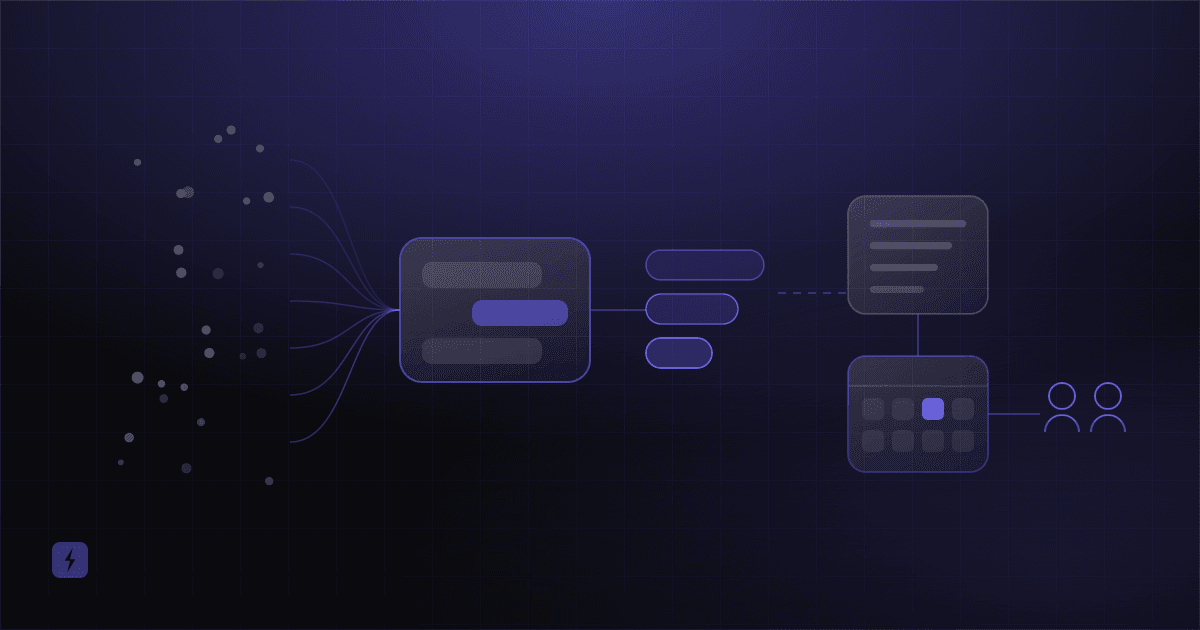
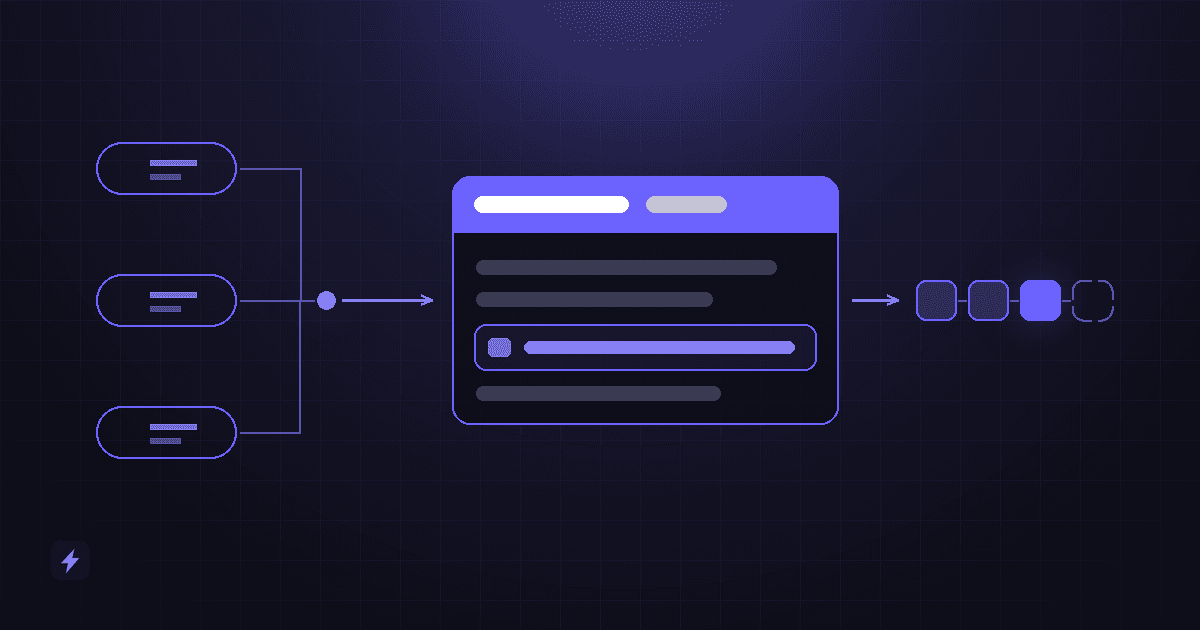
Here is the path, end to end. Each stage can be automated on its own, and most businesses should do them in roughly this order rather than attempting the whole chain at once.
The lead arrives
From a form, a website chat, a phone call, a WhatsApp message, a missed-call text-back, a marketplace, or a walk-in someone types up later. The channel changes the capture method and nothing else downstream.
It becomes a CRM record
Matched against what you already hold, created or updated, with the source, the reason for the enquiry and the consent state attached. This is the stage everything else depends on.
It is qualified
Sorted by fit, intent and urgency using facts that were actually collected — not guessed at. Poor-fit enquiries get a clean, polite ending rather than a place in the pipeline.
It is assigned
To a named owner, by a rule you can explain, with a response deadline attached to the assignment and an escalation if that deadline passes.
Follow-up runs
The first response goes out immediately, and a sequence continues if there is no reply — within the consent you hold for that channel, and stopping the moment a human takes over.
An appointment is booked
Into the real calendar, against real availability, with a confirmation and a reminder. Then the appointment is written back onto the CRM record so the two systems agree.
The pipeline is updated
The deal moves stage only when something observable has happened. Automation records events; it does not form opinions about how the deal is going.
The sales team is told
One notification, to the right person, containing the three facts they need and a link to the record. Not a copy of every field, and not an email nobody opens.
If you only ever automate two of these, make them stages two and four. A record that is captured properly and owned by a named person with a deadline is most of the benefit, and it is achievable in days rather than months.
Getting the lead in without making a mess
Automation writes faster than people do, which means a matching mistake that used to happen twice a week now happens two hundred times. Before you connect anything to a CRM, you need to know exactly how that CRM decides whether an incoming person is somebody it already knows.
HubSpot, to take the CRM most small businesses meet first, publishes its rule plainly: when a new contact is added, "HubSpot will look for a matching value in the Email property", and companies are deduplicated on "the primary values for the Company domain name property". So the email address is the identity key for a person, and the domain is the identity key for a business.
The exception that catches integrations
HubSpot's own documentation states that "companies created through API will not be deduplicated by the Company domain name property" — and that this includes records arriving from third-party sync apps. In other words, the automatic protection you are relying on does not apply to the exact route an integration uses. If your automation creates companies, it has to do the matching itself before it writes.
Three practical consequences follow, and they apply whichever CRM you are on:
- Decide the identity key per channel. Web enquiries usually have an email. Phone enquiries usually do not — they have a number, which must be normalised to a single international format before it can match anything reliably.
- Search before you create, every time. An integration that only ever creates records will build a duplicate for every returning customer, and returning customers are your best leads.
- Update rather than overwrite. A new enquiry from a known contact should add to the record — a new note, a new source, a new interest — not replace the history that made them worth calling.
Duplicates are not a cosmetic problem. They split a person's history across two records, so the follow-up sequence fires twice, the salesperson sees half the context, and any report you run counts one customer as two.
The record contract: what a lead has to carry
Before a single rule can run, the record has to contain the things the rules will read. Write this list down before anyone builds anything — it is the closest thing this work has to a specification.
Two of those rows are the ones that get skipped. The reason for the enquiry in the customer's own words is almost always dropped in favour of a tidy dropdown, and it is the single most useful thing on the record. And the consent state gets stored as a checkbox with no timestamp and no record of what the person was actually agreeing to, which is the same as not storing it.
Qualification: sorting, not scoring theatre
Qualification is deciding what this enquiry deserves. The usual model sorts enquiries into high, medium and low intent and gives each a different next step — that model, and the reason the low-intent row is the one businesses skip, is set out in how AI chatbots generate, qualify and convert website leads, so it is not repeated here.
What belongs here is the CRM side of it, which comes down to three rules.
- Qualify on collected facts, not inferred ones. Service area, service type, stated timeline and whether the person is the decision-maker are all things you can ask and store. Company size, budget and seniority guessed from an email domain are not facts, and rules built on them fail quietly.
- A score is only useful if somebody calibrates it. A points model that nobody has ever compared against which leads actually closed is decoration. If you are not going to review it quarterly, use a two-tier sort instead and spend the effort on response speed.
- Disqualification is a real outcome and needs a real ending. An out-of-area enquiry should get a helpful reply and a closed record, not silence and not a place in the pipeline. Leaving them open is how a pipeline stops meaning anything.
There is one thing AI does here that a rule genuinely cannot: reading unstructured text. Turning a rambling voicemail transcript or a three-line web message into a service type, an urgency and a summary is a language problem, and it is worth using a model for. Deciding what to do with the result is a rules problem, and it is worth keeping as rules you can read.
Assignment: who owns this, and by when
Every CRM ships a rules engine for assignment, and they all work roughly the same way: conditions are evaluated in order, and the first match wins. The strategies worth knowing are these.
An owner without a deadline is not an assignment
This is the half that gets left out. Assignment should write three things: the owner, the time by which the first attempt must happen, and what occurs if it does not. Without the third, routing has simply distributed the silence more evenly. The escalation does not need to be clever — reassign, or notify a manager, or put it back in the pool.
Set the deadline from the urgency on the record rather than using one number for everything. An enquiry that says "my boiler has stopped and I have no heating" and one that says "planning a bathroom for next spring" should not share a response clock.
Follow-up automation, and the consent it needs
This is the stage with legal exposure, and it is worth being unusually precise about it, because the CRM is where the evidence lives.
For email, the FTC's CAN-SPAM compliance guide is direct about the mechanics: you must "honor a recipient's opt-out request within 10 business days", any opt-out mechanism "must be able to process opt-out requests for at least 30 days after you send", the message "must include your valid physical postal address", and you must not use false headers or deceptive subject lines. The FTC states that each separate offending email "is subject to penalties of up to $53,088" — and that the rules apply to business-to-business email too, which surprises people.
For text messages to US numbers, Twilio's compliance documentation is equally direct: "Anyone sending SMS/MMS messages over a 10DLC number from an application to the US must register for A2P 10DLC." Unregistered traffic attracts additional carrier fees and heavier filtering, which in practice means your follow-up texts quietly stop arriving. Registration is a form-filling exercise, but it takes time, and it is the thing most often discovered a week before launch.
For automated calls and texts to mobile numbers, the FCC has ruled that having a customer relationship is not the same as having consent: "The mere existence of a caller-consumer relationship does not satisfy the prior-express-consent requirement for calls to wireless numbers." This is US law and other jurisdictions differ, but the design lesson is universal — consent has to be a field on the record, captured at a moment, with the wording that was shown.
The returning-customer trap
HubSpot's documentation states that "by default, records are only enrolled in workflows the first time they meet the workflow enrollment triggers or are enrolled manually". So a past customer who enquires again is, by default, silently skipped by the sequence built for new enquiries. Most CRMs have an equivalent rule. Check yours, and test it with a contact that already exists — not with a fresh one, which is what everybody tests with.
Three design rules make automated follow-up bearable to receive. Stop the sequence the moment a human replies or the customer books, and test that path deliberately. Send from a real, monitored address or number, because a proportion of people will reply to it. And cap the sequence — an automation that keeps going after four unanswered messages is not persistence, it is a complaint being written.
The appointment, and writing it back
For a large share of small businesses the goal of the whole chain is a booked appointment, and it is the one stage where automation is unambiguously better than a person with a notepad: it can check live availability and write to the calendar inside the conversation that created the demand.
The mechanics belong to two other articles rather than this one. AI appointment scheduling covers the lifecycle around the booking — qualifying the request, reminders, rescheduling, cancellations and no-show follow-up — and AI appointment booking covers how a slot is claimed without two people being given the same one.
The CRM-side requirement is one sentence long: the booking must be written back onto the record, with its time, its type and its outcome. A calendar entry that the CRM does not know about produces a pipeline that disagrees with the diary, and then somebody has to reconcile the two by hand — which is the job you were automating.
Pipeline stages: the part automation quietly corrupts
A pipeline is a forecast. The moment automation starts moving deals between stages, the forecast becomes a description of your automation rules rather than of your business — unless the stages are defined as things that either happened or did not.
The right-hand column is not a list of things AI cannot assess. It is a list of things that should not silently change your forecast. If you want a model's read on how a conversation went, store it as its own field and let a person decide whether it moves the deal.
One automation on this list earns its place immediately: a stale-deal rule. Anything sitting in the same stage past a threshold you set gets flagged to its owner, and flagged again to their manager if it does not move. It is trivial to build and it is the cheapest pipeline hygiene available.
What the sales team should actually receive
The last stage is a notification, and it is routinely designed backwards — as a dump of every field the integration could reach, sent to a shared inbox that nobody owns.
A useful notification is short and answers four questions in the first line: who, what they want, how urgent, and by when you have to respond. Everything else belongs on the record, one tap away. Send it where the person already is rather than where the CRM prefers — a message in the tool the team has open all day gets acted on, and an email to a shared address gets read by nobody in particular.
The test for a good alert
Can the person decide what to do next without opening anything? If they have to click through to work out whether this is urgent, the alert has moved the work rather than removed it. And send one alert per lead, not one per automation step — the fastest way to make a sales team ignore your system is to notify them three times about the same enquiry.
Your CRM changes the project
Which CRM you already run is the single largest factor in what this work costs and how long it takes. A rough orientation:
Naming a CRM is not a claim to integrate with it
These are the systems small businesses most often arrive with, described as they are commonly used. Listing one here does not mean Flasin has a ready-made connector for it, and no honest provider should imply otherwise about their own. Ask any provider which of your systems they have already integrated with, as opposed to could integrate with — the gap between those two answers is usually the gap between the quoted timeline and the real one. How we approach connecting to systems that were not designed to be connected to is in our integration reference.
If your CRM has no API, the project does not become impossible — it becomes a different project, usually involving a middleware layer or a scheduled sync, and it should be scoped as one. If you were already thinking about replacing that system, doing so first is often cheaper than building around it twice.
The limits and failure modes worth designing around
Four things go wrong often enough to plan for.
You will meet an API limit, and it will be at the worst moment
Published limits are real and they are lower than people assume. HubSpot's developer documentation gives privately distributed apps 100 requests per 10 seconds and 250,000 per day on Free and Starter, 190 per 10 seconds and 625,000 per day on Professional, and 190 per 10 seconds with 1,000,000 per day on Enterprise; publicly distributed OAuth apps are held to 110 requests per 10 seconds per installed account. The daily limit "resets at midnight based on your time zone setting", and it is shared across every app touching the account.
Normal lead traffic will never approach those numbers. A backfill, a bulk import or a sync loop will reach them in minutes. Anything you build should batch its writes, retry with a backoff rather than immediately, and log what it failed to write so a person can see it.
Two systems both think they are the source of truth
The classic small-business version: the CRM holds contacts, the booking tool holds appointments, and both sync to each other. An edit in one propagates to the other, which counts it as a change and propagates it back. Decide, per field, which system wins — and write that decision down, because in eight months nobody will remember it.
Automation writes rubbish faster than people do
A mistake in a manual process is one bad record. The same mistake in an automation is every record until somebody notices. Run anything new against real traffic in a mode that logs what it would have done before you let it write, and keep that log after launch.
Nobody owns the automation
Rules built around a team structure stop matching it the moment somebody leaves. Routing sends leads to a person who no longer works there; a sequence keeps sending a promotion that ended. Put a named owner and a review date on the automation itself, the same way you would on the pipeline.
What not to automate
A short list, and it is short on purpose.
- Deleting or merging records without review. Merges are close to irreversible in most CRMs. Flag suspected duplicates; let a person confirm.
- Marking anything as lost. It ends the relationship, and it is almost always a judgement rather than an event.
- Anything where being wrong is expensive and undoable — sending a quote, applying a discount, cancelling something a customer paid for.
- Complaints and anything safety-related. Route it to a person immediately and stop every sequence the contact is in.
- A process nobody has written down. If it lives in one person's head, automating it hardens whatever they happen to do that week into a rule.
Frequently asked questions
What is CRM automation for a small business, in plain terms?
It is the set of rules that move an enquiry through your CRM without anyone doing it by hand: matching it to an existing contact, sorting it by fit and urgency, giving it an owner and a response deadline, sending the first follow-up, booking an appointment, and updating the pipeline when something observable happens. The AI part is usually confined to reading unstructured text — a voicemail transcript or a rambling web message — and turning it into fields the rules can act on.
Do I need a CRM before I automate anything?
You need a single place where enquiries live and a shared definition of what a lead record contains. That can be a simple CRM, and it should not be a spreadsheet with several versions in circulation. If contacts currently live in one person's phone and a paper diary, fixing that is the first project, not an obstacle to it.
Will this work with HubSpot, Salesforce, Zoho, Pipedrive or GoHighLevel?
All of those publish APIs and all of them are automated against routinely, but the answer for your account depends on your edition, your existing configuration and which parts of the system you use. Confirm it early with whoever will build it, and ask specifically which of your systems they have already integrated with rather than which they could.
How is this different from the automation my CRM already has built in?
Built-in workflow tools are genuinely capable and you should use them for the rules inside the CRM. What they do not do is get the enquiry in cleanly from a phone call, a chat conversation or an older system, or apply language understanding to unstructured input. Most real projects are built-in workflows plus a thin layer that handles capture and interpretation.
Can automated follow-up get me into legal trouble?
It can, and the rules differ by channel and country. In the US, the FTC requires commercial email to honour an opt-out within 10 business days and to carry a valid physical postal address, application-to-person SMS to US numbers requires A2P 10DLC registration, and the FCC has ruled that an existing customer relationship does not by itself constitute consent for automated calls to a mobile. The practical design consequence is the same everywhere: store consent as a field with a timestamp and the exact wording shown, and make every message stoppable.
How do I know whether it worked?
Record the baseline before you change anything — how long an enquiry currently waits for a first response, how many are never contacted at all, and how many records are duplicates — then compare after. The full method, including the costs people forget to count, is in our guide to measuring AI ROI.
Where to start
Take fifty recent enquiries and follow them by hand. For each one, note where it arrived, whether it reached the CRM, whether it was matched to an existing contact, who owned it, how long the first response took, and whether it was ever closed. An afternoon of that tells you which of the eight stages is actually costing you work, and it is almost never the one people expect before they look.
Then automate one stage, in production, for one channel. Capture is usually the right first move because everything else depends on it. When that has run for a fortnight without producing a duplicate, add assignment with a deadline. If the enquiries are arriving by phone, start with how to stop losing customers from missed calls; if they arrive on the website, how AI chatbots generate, qualify and convert website leads is the companion piece. Measurement, including the costs that are easy to leave out, is in how to measure AI ROI, and the wider list of candidates is in 25 business tasks you can automate with AI.
Sources
Every quotation above was read from the publisher's own page on 6 September 2026 and is attributed where it appears, not only here. The 60% non-selling figure comes from Salesforce's seventh-edition State of Sales reporting; the page does not publish a sample size or fielding dates, so the article calls it directional. The deduplication rules and the API exception are from HubSpot's deduplication of records documentation, the enrollment default from manage workflow enrollment settings, and the rate limits from HubSpot's API usage guidelines and limits. The email rules and the penalty figure are from the FTC's CAN-SPAM Act compliance guide; the consent ruling from the FCC's declaratory ruling DA-20-669; and the registration requirement from Twilio's A2P 10DLC documentation.
There are no conversion rates, response-time claims, revenue figures, prices or customer results in this article, because none could be verified for the claims being made. In particular, the widely repeated advice that responding within five minutes multiplies your odds of qualifying a lead is deliberately absent: it traces to a paywalled source, and the accessible versions cite each other. Responding quickly is still obviously worth doing, and the number attached to it is not evidence.