On this page
"What can AI actually automate in my business?" is a better question than "should we be using AI," and it is the one most owners are really asking. The useful answer is not a list of technologies. It is a list of specific workflows that start with a trigger, end in a system, and currently eat somebody's afternoon.
Below are 25 business tasks to automate with AI, grouped by department. For each one: what fires it off, what the AI actually does, where the result lands, and where a person should still be looking. After the list, the part that matters more — which tasks are poor candidates, and how to decide what to do first.
The goal is not to automate everything
The goal is to automate repetitive work so people can spend their time on judgment, expertise, creativity and relationships. A business that automates its complaint handling and keeps its data entry manual has it exactly backwards.
How every automation on this list is shaped
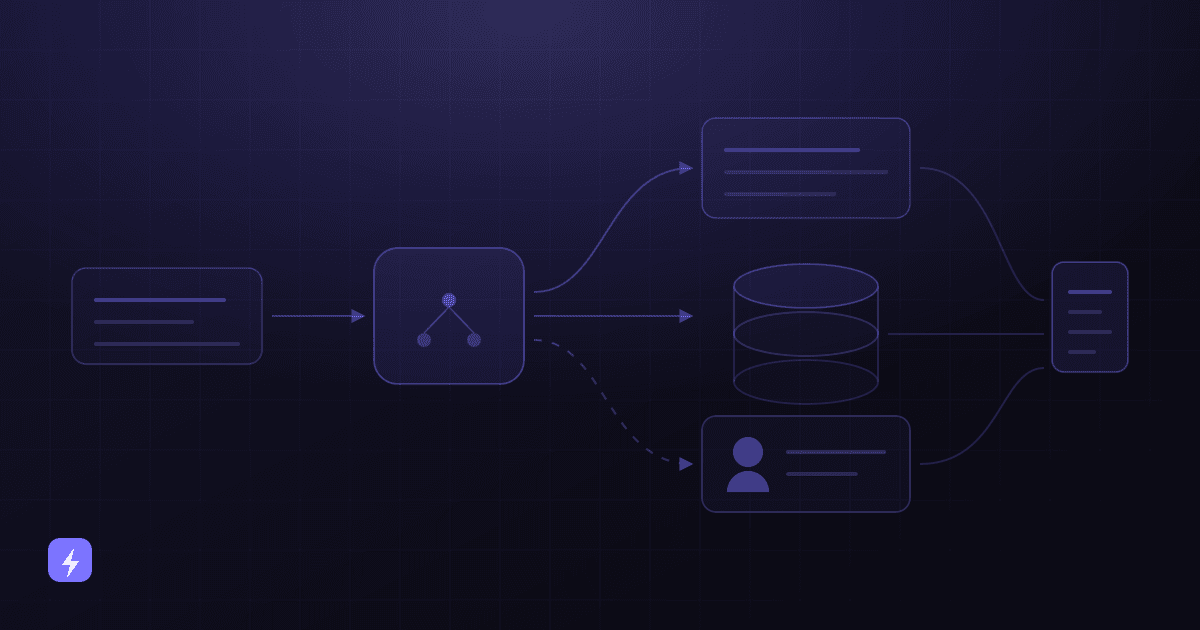
The 25 examples look different but follow one pattern. Recognising it makes the difference between buying a tool and designing a workflow.
Trigger
Something happens: a form is submitted, an email arrives, a visitor asks a question, a date passes, an invoice lands.
AI step
The part that needs interpretation — reading unstructured text, classifying an enquiry, extracting fields, drafting a reply, deciding what kind of request this is.
Business rule
Your logic, not the model's. Enquiries over a threshold go to a named person; anything mentioning a complaint skips automation entirely.
System of record
The result is written somewhere durable — CRM, help desk, calendar, accounting system, project tool. An automation that writes nowhere leaves no trace and cannot be improved.
Action
The visible outcome: a booking confirmed, a reply sent, a ticket assigned, a report delivered, an approval requested.
Human review, when it matters
A checkpoint on the cases where being wrong is expensive. Not on everything — that just moves the work.
The business rule is the part people skip
Most disappointing automations are not model failures. They are workflows with no explicit rules about what should be excluded, escalated, or held for approval. Write the rules before you build anything; they are cheaper to change on paper.
Sales: 5 tasks to automate
Sales automation earns its keep in the gap between someone showing interest and someone following up. That gap is where most small businesses lose enquiries, and almost all of it is mechanical.
Real estate example. A portal enquiry arrives at 9pm. The AI captures the details, asks whether the enquirer is a buyer or a renter, whether they have a property to sell, and their budget range, then books a viewing into the negotiator's calendar and writes all of it to the CRM. The negotiator arrives to a booked viewing with context, not a voicemail. Anything mentioning a chain or a complaint routes to a person instead. AI chatbots and lead generation goes deeper on the qualification half of this.
Customer service: 5 tasks to automate
Support has the clearest automation shape of any department: a small number of questions asked constantly, plus a small number that genuinely need a person. Zendesk's CX Trends 2026 research — 11,000+ respondents across 22 countries, fielded June 2025 — found 74% of consumers expect service to be available 24/7, which very few small businesses can staff.
E-commerce example. Order status is the highest-volume question in most online stores and is almost entirely an integration problem. The AI resolves it instantly at any hour; anything about a damaged, missing or late parcel routes to a human with the order already loaded. Zendesk's research also found 74% of consumers are frustrated when they have to repeat information, so the handover must carry the context, not just a notification. AI chatbots for customer service covers the full support split.
Marketing: 5 tasks to automate
Marketing automation has existed for years; what changes with AI is that the branching no longer has to be written by hand, and the content no longer has to be identical for everybody.
Restaurant and hospitality example. A small group with three sites segments its list by which venue people book, how often, and whether they come midweek or at weekends, then sends different messages to each group — a midweek offer to weekend-only regulars, a set-menu announcement to the frequent bookers. The segmentation and the drafting are automated; the offers themselves are a commercial decision a person makes.
Operations: 5 tasks to automate
Operations is where automation is least visible and often most valuable, because the work being replaced is pure transcription: moving information from where it arrived to where it needs to be.
Home services example. Job sheets come back from engineers as photos and scribbled notes. The AI extracts the job reference, parts used and time on site, writes it into the job management system, and flags anything it could not read confidently for the office to check. The office manager reviews a handful of exceptions instead of typing up forty sheets. Business process automation is the service shape for this kind of work.
Administration: 5 tasks to automate
Admin work is rarely anybody's job title and always somebody's afternoon. It is also unusually well suited to automation, because most of it is structured, repetitive and low-stakes.
Dental practice example. New patient registration involves a medical history form, an ID check, insurance details and a first appointment. The AI collects the form, extracts the details, files them against the patient record, books the appointment and chases anything missing before the visit. Clinical information is stored, never interpreted — anything that reads like a medical question goes to the practice. AI appointment booking covers the booking half in detail, and where the pressure is on the phone rather than the website, an AI voice agent is the better fit.
Good automation candidate vs bad automation candidate
This is the section worth more than the list above it. Every task on this page can be automated badly, and some of them should not be automated at all in your business. The difference is usually visible before you start.
Condensed into two lists — good candidates are usually repetitive, high-volume, rule-based, structured, frequently-asked, recurring, and predictable in their decisions. Poor candidates are usually sensitive conversations, high-stakes decisions, negotiations, work requiring real judgment, unusual exceptions, and anything where getting it wrong quietly creates a serious problem.
The consequence test
Ask one question about any candidate task: if this runs wrong a hundred times before anyone notices, what happens? A hundred slightly awkward auto-replies is a bad week. A hundred mis-filed compliance documents, wrong invoice approvals or missed safety escalations is a different category of problem, and it belongs behind a human checkpoint regardless of how repetitive the work is.
Escalation is not the failure case, either. In Salesforce's seventh-edition research (15,015 consumers, fielded July–August 2024), 45% said they would be more likely to use AI agents where there is a clear path to a person. Designing the human route in makes the automated route more acceptable, not less used.
Human review is a design decision, not an afterthought
The "human review when" column above is the one people skim, so it is worth seeing how the major platforms handle it. AWS documents four conditions for routing a document extraction to a person, and they are a good template for any automation you build.
- Low confidence on a specific field. AWS's example is sending a document for review "if the key Name or its associated value Jane Doe was detected with low confidence."
- A required field is missing — the extraction succeeded but something you need is not there.
- Any field within a confidence range — a broader net than a single key.
- A random sample, for audit. AWS's documentation explicitly includes randomly sending a sample of forms to humans so you can "implement audits to regularly monitor prediction accuracy."
That last one is the most transferable idea on this page. Confidence-based review catches what the system knows it is unsure about; random sampling catches what it is confidently wrong about. Every automation you run without a person watching should have a small, regular sample somebody actually reads. AWS frames threshold-setting as balancing "accuracy and cost-effectiveness," which is exactly the trade-off you are making even when you never state it.
How to decide what to automate first
Most businesses can find twenty candidates and should start with one. Score your shortlist against these eight factors rather than picking whichever is most interesting.
Worked example — a small agency. Three candidates: automating client reporting, automating new-enquiry qualification, and automating scope-change approvals. Reporting is frequent and time-consuming but the commentary needs a human anyway. Scope changes are high value but low frequency, judgment-heavy and expensive to get wrong. Enquiry qualification is frequent, consistent, well integrated with the CRM, and cheap to reverse if it misjudges — so it goes first, reporting second with a human writing the commentary, and scope changes stay manual.
Two habits make the difference afterwards. Record what the process costs today before you change it, or you will have nothing to compare against. And start read-only where you can — let an automation look things up and draft before you let it write, send or approve. AI automation ideas for small businesses and AI automation for e-commerce work through sector-specific starting points.
Where automation projects go wrong
- Automating a broken process. A faster bad process produces bad outcomes faster. Fix the process first, then automate it.
- No business rules. Without explicit exclusions and escalation triggers, the automation applies itself to cases nobody intended.
- Writing to systems too early. Let it read and draft before it writes, sends or approves anything.
- No sample audit. Confidence thresholds catch known uncertainty. Only random sampling catches confident errors.
- Starting with the hardest workflow. The one that would save the most time is usually the one with the most exceptions.
- Nobody owns it. Automations decay as forms change, staff change and policies change. An unowned workflow silently rots.
- Automating the conversations that need a person. Complaints, cancellations and anything sensitive belong to humans, however repetitive they look.
Limitations worth planning for
- AI can only act on what it can reach. If the data lives in a system with no connection, that automation is an integration project first.
- It can be confidently wrong. Grounding and review reduce this substantially; nothing removes it entirely.
- It cannot make an exception. Waiving a fee or bending a rule for a good customer is a human decision by design.
- It handles the anticipated case. Genuinely novel situations need someone who can recognise that this one is different.
- Every integration adds a failure mode. Decide in advance what the workflow does when the other system is down.
- Automation does not reduce the need for people who understand the work. It changes what they spend their time on.
What business tasks can AI actually automate?
The reliable candidates are repetitive, rule-based workflows with structured outcomes: capturing and qualifying leads, updating CRM records, answering frequent customer questions, routing tickets, booking and changing appointments, nurturing and following up on campaigns, extracting data from documents, moving records between systems, preparing approvals and producing recurring reports. This article covers 25 of them with the trigger, the AI step and the review point for each.
What should not be automated?
Sensitive human conversations, high-stakes decisions, negotiations, anything requiring real judgment, unusual exceptions, and any task where an unnoticed error would create a serious problem. Complaints, cancellations with a reason, regulated advice and approvals themselves belong to people — an AI can prepare an approval, but it should not grant one.
Where should a small business start with AI automation?
Score your candidates on frequency, time spent, error rate, business value, process consistency, integration availability, risk and ease of implementation. Pick the one that is frequent, consistent, well integrated and cheap to reverse — usually lead capture, FAQ answering or appointment booking. Record what the process costs today first, so the comparison afterwards means something.
Does automating tasks mean reducing staff?
That is not the framing that works in practice, and this article makes no claims about staffing or savings. The realistic outcome is a change in what people spend time on: less transcription, routing and repeat answering, more of the work that needs judgment, expertise and relationships. Whether that translates into headcount changes is a business decision, not a property of the technology.
What is a good automation candidate?
One that happens often, the same way each time, follows written rules, works on structured or reliably extractable data, is emotionally neutral, has rare and recognisable exceptions, and is cheap to correct when it goes wrong. If a task scores well on most of those, it is worth automating. If it fails the last one badly, it needs a human checkpoint even if it scores well on all the others.
How much human review does an automated workflow need?
Enough to catch expensive errors, not enough to recreate the original work. AWS's document-processing guidance is a useful template: route to a person when confidence on an important field is low, when a required field is missing, when confidence falls in a defined range, and on a random sample for audit. That last condition matters most — it is the only one that catches confident mistakes.
Do these automations need to connect to my existing software?
Most of the valuable ones do. Answering questions from your written content needs no integration, but anything involving order status, real availability, CRM records, tickets or accounting entries requires a live connection to the system holding that data. Integration availability is one of the eight factors worth scoring before you commit to a workflow.
How long does it take to set up an AI automation?
It depends almost entirely on how many systems are involved and how well documented the process already is, so any specific figure here would be invented. The pattern is consistent, though: a single-trigger, single-destination workflow on a documented process is quick, and the time goes up sharply with each additional integration, exception and approval step.
The takeaway
The 25 examples above are not a shopping list. They are a way of recognising the shape of an automatable task: a clear trigger, a step that needs interpretation, a rule you can write down, a system that should end up holding the result, and an honest answer about where a person still needs to look.
Find two or three tasks in your own week that fit that shape, score them on the eight factors, and start with the one that is frequent, consistent and cheap to get wrong. The tasks that resist this test — the sensitive conversations, the judgment calls, the exceptions — are not failures of the technology. They are the work worth keeping people for.
Sources
This article contains no productivity, ROI, time-saved or cost-saving statistics, because none could be verified for the claims being made. The figures that do appear were read from the publishing organisation's own page in August 2026.
- AWS — Using Amazon Augmented AI to Add Human Review to Amazon Textract Output — routing low-confidence extractions to human reviewers, and the low-confidence key example.
- AWS — Core Concepts of Amazon A2I — the four human-review activation conditions, including random sampling for audit, and threshold-setting as a balance between accuracy and cost-effectiveness.
- Zendesk CX Trends 2026 — 11,000+ respondents (6,182 consumers, 5,115 business respondents) across 22 countries, fielded June 2025: 74% expect 24/7 availability, 74% frustrated by repeating information.
- Salesforce newsroom — AI Connected Customer research, seventh edition — 15,015 consumers, fielded July–August 2024: 45% would be more likely to use AI agents where there is a clear escalation path to a human.
Google's Document AI Human-in-the-Loop feature is deliberately not cited: it was deprecated on 16 January 2024, so the AWS documentation was used as the live reference for human-review design instead. The AI glossary defines the terms used above, and AI automation, AI chatbots and AI integration describe what building these workflows involves.