On this page
Almost every business runs on documents it cannot easily search. Invoices arriving as PDFs from forty suppliers, each laid out differently. Contracts nobody can find the renewal date in without opening them. A policy manual that answers the question somebody just asked, if only they knew which of its ninety pages to look at.
An AI document assistant is software that reads those documents, answers questions about them with a reference back to the source, pulls out the specific fields you need, and hands the result to whichever system should hold it. It is the practical answer to a problem that has resisted automation for years: the information was never structured to begin with.
This guide covers what one actually is, how it differs from pasting a file into a general chat tool, how retrieval and citations work in plain language, which document types it handles well, what it can genuinely automate, and — the part that decides whether it is trustworthy — where a person still needs to look.
The point is faster access, not fewer people
The goal is not to remove people from document workflows. It is to automate the repetitive part — the reading, extracting, sorting and retyping — so your team gets faster access to the information they need and to the exceptions that actually require judgment.
What an AI document assistant actually is
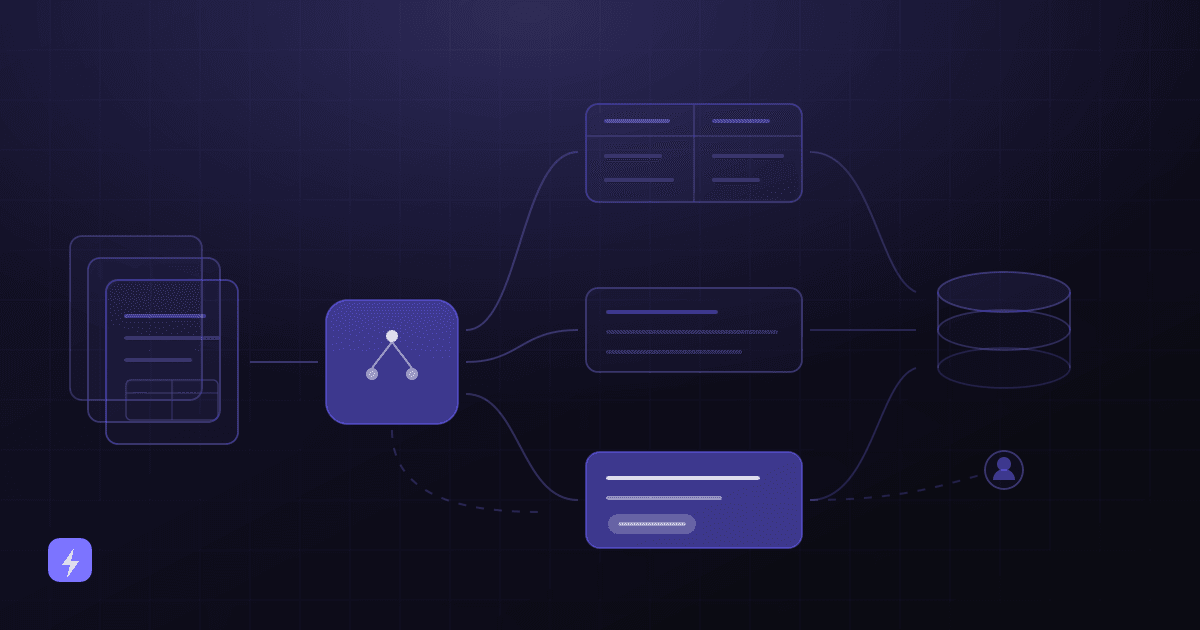
Strip away the marketing and it is three capabilities working together. First, ingestion: taking documents in whatever form they arrive and turning them into text a system can search. Second, retrieval: finding the specific passages relevant to a question rather than handing an entire file to a model. Third, structured output: producing an answer, a summary, or a set of extracted fields that another system can use.
What makes it a business tool rather than a clever demo is everything wrapped around those three: which documents are approved as sources, who is allowed to ask what, which answers carry a citation, what happens to the extracted data next, and which results a person checks before anything acts on them.
AI document assistant vs ChatGPT
The comparison people reach for is "can't I just upload the PDF to ChatGPT?" Sometimes, yes — for a one-off question about one document, a general chat tool is often the sensible choice, and pretending otherwise would be dishonest. The difference shows up when this becomes a business process rather than a task.
Uploading a document does not mean the AI memorises it
This is the most common misconception in the category. In a retrieval setup the document is stored in a searchable index that you control. When someone asks a question, the relevant passages are looked up and supplied to the model as context for that one answer. The model does not absorb the file into itself, and removing the document from the index removes it from future answers. Separately, whether a vendor retains or trains on what you send is a policy question to ask them directly — see AI security and privacy for small businesses.
How it works, end to end
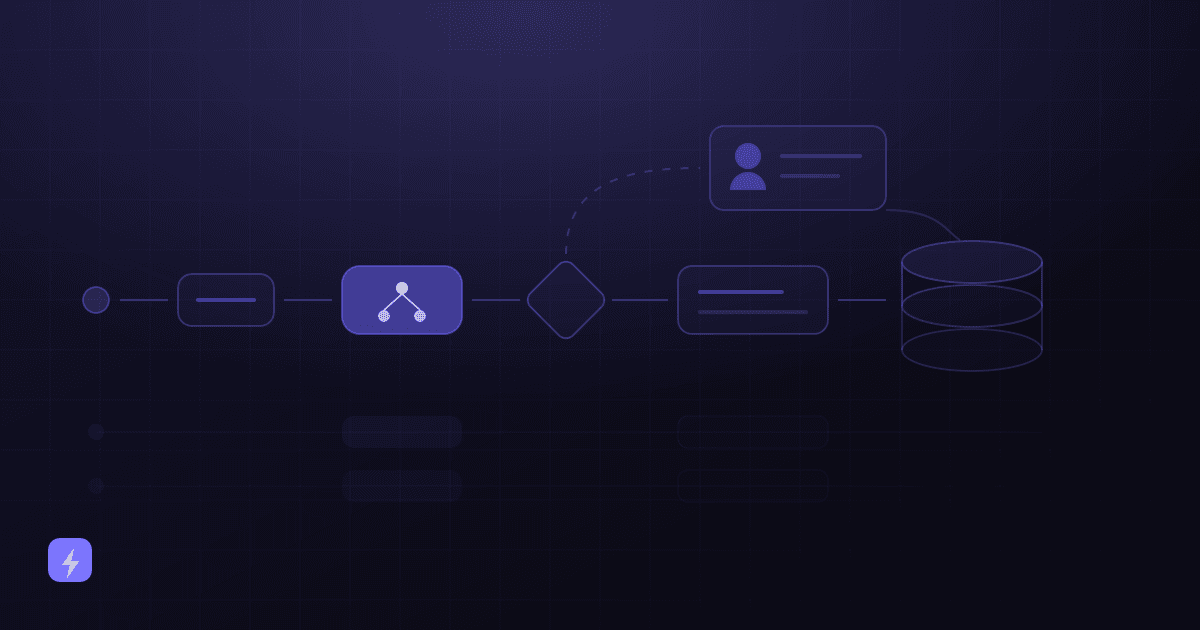
Every well-built document workflow follows the same path. The stages matter because each one is a place to add a rule, a permission or a checkpoint.
Business documents
Invoices, contracts, forms, manuals, policies, job sheets — arriving by email, upload, scanner or a shared drive.
The document assistant
Ingests them: converts to text, splits into searchable sections, indexes them, and records where each section came from.
Understand, extract or answer
Depending on the job — summarise the contract, pull the invoice fields, classify the incoming file, or answer a question with a citation.
Business rules
Your logic applied to the result: invoices over a threshold need approval, contracts mentioning auto-renewal get flagged, anything low-confidence is held.
CRM or system of record
The structured output lands somewhere durable — accounting, CRM, job management, a spreadsheet — with a link back to the original document.
Human review where it matters
Exceptions, low-confidence extractions and consequential decisions go to a person, with the source open next to the result.
Stage four is the one most implementations underspecify, and it is where the value sits. Extraction alone gives you data. Extraction plus rules gives you a process. How AI automation works for small business covers that workflow logic in more depth.
RAG and citations, in plain business language
RAG stands for retrieval-augmented generation, and the idea is simpler than the name. Microsoft's own documentation describes it as "a pattern that combines search with large language models (LLMs) so responses are grounded in your data", where grounding data is "retrieved content you provide to the model to reduce guessing".
In sequence, what happens when somebody asks a question:
- Question. "What is our notice period for commercial cleaning contracts?"
- Find the relevant sections. The system searches your indexed documents and pulls the passages most likely to contain the answer — not whole files.
- Give that context to the AI. Those passages are supplied alongside the question, as the material to answer from.
- Generate the answer, based on the retrieved passages rather than on whatever the model absorbed during training.
- Show the supporting source. The answer arrives with a reference: which document, which section.
That last step earns its place several times over. Citations let someone verify an answer in seconds rather than trusting it. They build trust with staff who are reasonably sceptical of a system that talks confidently. They reduce unsupported answers, because a claim with no retrievable source is visibly weaker. And they get people to the original document fast, which is often the real thing they wanted.
Retrieval reduces wrong answers. It does not eliminate them
Microsoft's own wording is "reduce guessing" — not remove it. A retrieval system can still surface the wrong passage, miss a relevant one, or summarise a correct passage inaccurately. OWASP lists Misinformation as LLM09 in its 2025 Top 10 for LLM Applications for good reason. Citations make errors findable; they do not make them impossible. That is why the human review section below is not optional.
Retrieval quality is also something you influence rather than something you buy. Microsoft is direct that RAG quality "depends on content preparation, retrieval configuration, and prompt design" — meaning a well-organised, current, non-contradictory document set produces better answers than a folder dump. The same content discipline that makes a chatbot work applies here, and how to train an AI chatbot on your business covers it in detail.
Which documents it can handle
On scanned material specifically, the capability is real and worth understanding at source. AWS describes its Textract service as extracting "text, forms, and tables from documents with structured data" and detecting "typed and handwritten text in a variety of documents", with specialised handling for invoices and receipts and for identity documents, across document types including financial reports, tax forms, invoices, ID documents and mortgage loan packages. That is one vendor's published capability set, and the general shape holds across the category: structured, repeating documents extract most reliably.
The genuinely useful trick is asking questions across documents rather than one at a time — "which of our supplier contracts renew before March, and what notice does each need?" is a question no single file answers, and it is the kind of thing that previously meant an afternoon and a spreadsheet.
What you can actually automate
Notice how many rows end in a system rather than in a chat window. That is the difference between a document assistant and a document search box, and it is where AI integration work comes in. 25 business tasks you can automate with AI places these alongside the non-document workflows they usually connect to.
What this looks like by industry
Professional services and agencies
Client contracts, statements of work, and the scattered documentation of what was agreed. The high-value uses are surfacing key dates and obligations before they arrive, and answering "what did we commit to for this client?" without someone reading three agreements. Interpretation of a clause stays with the person who is accountable for it.
Accounting and finance
The densest concentration of repetitive document work in any business: supplier invoices, receipts, statements and reconciliation paperwork arriving in dozens of layouts. Extraction into draft entries with confidence-based review is the classic case — and approval thresholds should be a business rule, never a model decision.
Real estate
Tenancy agreements, surveys, compliance certificates and identity documents, each with dates that matter and consequences for missing them. Extracting expiry and renewal dates into a calendar with lead time is often the single most useful automation available. Identity documents need the tightest permissions of anything on this page.
Healthcare and dental practices
Registration forms, medical histories, insurance paperwork and referrals. The safe pattern is extraction and filing rather than interpretation: capture the details into the patient record, and route anything clinical to a qualified person. This is also the strictest environment for permissions and retention, and where professional advice on your obligations belongs before the design is fixed.
Home services
Engineer job sheets, photographs of completed work, parts lists and certificates — often handwritten or photographed on a phone in poor light. Realistic expectations matter here: the office manager reviews a handful of low-confidence exceptions instead of typing up forty sheets.
E-commerce
Supplier documentation, customs and shipping paperwork, returns forms and product specification sheets. Turning specification documents into structured attributes is a quiet win, because that data then feeds listings, support answers and stock decisions.
What AI should handle vs what humans should review
Drawing this line explicitly, in writing, before launch is what separates a system people trust from one they quietly stop using.
For the mechanics of the checkpoint, AWS's document-processing guidance is the most useful published template: route a result to a person when confidence on an important field is low, when a required field is missing, when confidence falls within a defined range, and on a random sample for audit. The random sample is the condition people leave out and the only one that catches results the system was confidently wrong about.
Security, permissions and privacy
Documents are usually the most sensitive material in a business, so this deserves more care than a chatbot answering from public web content.
- Curate the source set. Not every document belongs in an index. Contracts, HR files and anything containing identity or payment details need a deliberate decision rather than a bulk upload.
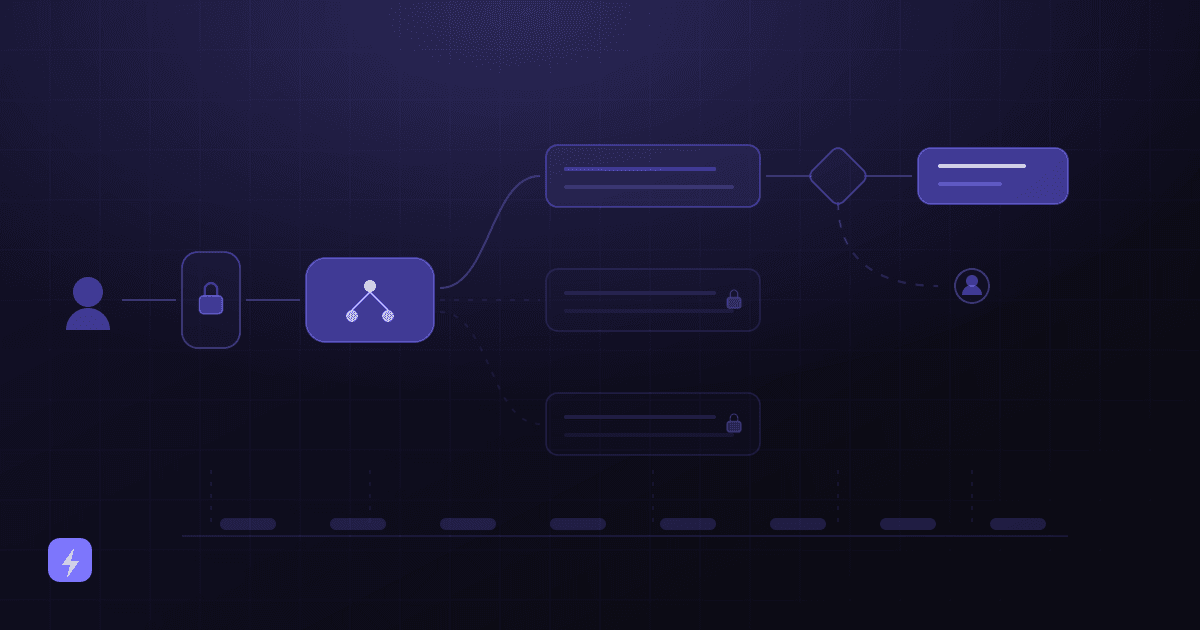
- Permissions by role. An assistant that can search everything, available to everyone, is a search engine for your confidential files. Scope what each role can retrieve.
- Ask about retention and training. Where are documents stored, for how long, who can see them, and are they used to train anything? Get answers in writing, and check whether business terms differ from consumer terms.
- Log the retrievals. Knowing which documents were surfaced, to whom, and when is what makes an investigation possible later.
- Mind sensitive disclosure. OWASP lists Sensitive Information Disclosure as LLM02 in its 2025 Top 10 — an indexed document can be surfaced by anyone who can reach the assistant.
- Remove as well as add. When a document is superseded or a person leaves, the index needs updating too.
AI security and privacy for small businesses covers the full model — least privilege, authentication, logging, vendor questions — and is worth reading before you connect anything to a document store.
Keeping it current
A document assistant is only as good as its index, and indexes go stale silently. Three habits keep it honest: a defined owner for each document set, a rule for what happens when a document is superseded (removed, not just added alongside), and a periodic check that the assistant's answer to a handful of known questions still matches the current documents.
The failure mode is specific and worth naming: an old version of a policy sitting in the index next to the new one, with nothing to indicate which is current. The system is not malfunctioning when it cites the old one. It is doing exactly what your document set told it.
Limitations worth planning for
- It can retrieve the wrong passage, or miss a relevant one, and then answer confidently from what it found.
- Extraction confidence drops on unfamiliar layouts, poor scans and handwriting — which is exactly when a review route matters.
- It cannot interpret intent behind a clause or judge whether a contract term is commercially acceptable.
- Spreadsheets often carry meaning in formulas and formatting that plain text extraction loses.
- It cannot resolve a contradiction between two documents; it will pick one, and the fix is upstream.
- It will not tell you a document is missing unless you told it what to expect.
What is an AI document assistant?
Software that reads your business documents, answers questions about them with a reference back to the source, extracts specific fields, classifies and routes incoming files, and passes the structured result to whichever system should hold it. It combines document ingestion, retrieval of relevant passages, and structured output — wrapped in permissions, business rules and human checkpoints.
How is it different from just using ChatGPT with a PDF?
For a one-off question about one document, a general chat tool is often the sensible choice. The difference appears when it becomes a business process: a configured assistant works from an approved document set, enforces permissions by role, returns citations you can check, applies your business rules, writes output into your systems, handles the same document type the same way every time, and logs what happened. A chat window does none of that.
Does the AI learn or memorise my documents when I upload them?
In a retrieval setup, no. Documents are stored in a searchable index you control; when a question is asked, relevant passages are looked up and supplied as context for that single answer. The model does not absorb the file, and removing a document from the index removes it from future answers. Whether a vendor separately retains or trains on what you send is a policy question worth asking them directly and getting in writing.
What is RAG in simple terms?
Retrieval-augmented generation. Microsoft describes it as combining search with a language model so responses are grounded in your data. In sequence: the question comes in, the system searches your documents for the relevant passages, those passages are given to the AI as the material to answer from, the answer is generated, and the source is shown alongside it. It means answers come from your documents rather than from the model's general knowledge.
Does RAG stop AI from making things up?
It reduces it substantially but does not eliminate it — Microsoft's own wording is that grounding data reduces guessing. The system can still retrieve the wrong passage, miss a relevant one, or summarise a correct passage inaccurately. OWASP lists Misinformation in its 2025 Top 10 for LLM Applications. Citations make errors findable rather than impossible, which is why human review on consequential results stays part of the design.
Can it read scanned documents and handwriting?
Generally yes, with the caveat that quality varies with the scan. AWS describes its document service as detecting typed and handwritten text and extracting text, forms and tables from structured documents, with specialised handling for invoices, receipts and identity documents. Structured, repeating layouts extract most reliably; a poor photograph of a handwritten job sheet is where confidence drops and a review route earns its keep.
What should always be reviewed by a person?
Ambiguous documents, anything the system flagged as low confidence, decisions with legal, financial or safety consequences, important contracts before anyone relies on a summary, financial approvals, legal interpretation, and unusual exceptions. A practical pattern from AWS routes results to a person on low confidence, a missing required field, a defined confidence range, and a random sample for audit.
Is it safe to put confidential documents into one?
It depends on how it is configured, and it deserves more care than a public-content chatbot. Curate which documents are indexed rather than bulk uploading, scope retrieval permissions by role, ask the vendor where documents are stored, for how long, who can access them and whether they are used for training, log retrievals, and remove superseded documents. Identity, payment and regulated data warrant particular caution and, where relevant, professional advice.
The takeaway
The reason document work stayed manual for so long is that the information arrived in a shape software could not use — a PDF, a scan, a form somebody filled in by hand. A document assistant removes that blocker. Everything after it, the rules and the routing and the record-keeping, is ordinary automation that has existed for years.
So the question worth asking is not whether the technology can read your documents. It is which of your documents repeat in a predictable enough shape to be worth automating, what should happen to the extracted information next, and where being wrong would be expensive enough to need a person looking. Answer those three and the build is straightforward. If you are still deciding between this and other options, how to choose the right AI solution is the step before this one.
Sources
This article contains no accuracy percentages, extraction rates, time-saved figures or customer results, because none could be verified for the claims being made. The statements below were read from each publisher's own page in August 2026.
- Microsoft Learn — Retrieval augmented generation (RAG) and indexes in Microsoft Foundry — RAG combines search with LLMs so responses are grounded in your data; grounding data is retrieved content provided to reduce guessing; RAG quality depends on content preparation, retrieval configuration and prompt design.
- AWS — What is Amazon Textract — extracts text, forms and tables from documents with structured data; detects typed and handwritten text; specialised APIs for invoices and receipts and for identity documents.
- AWS — Core Concepts of Amazon A2I — the four human-review activation conditions, including randomly sampling results to audit accuracy.
- OWASP GenAI Security Project — Top 10 for LLM Applications (2025) — LLM02 Sensitive Information Disclosure and LLM09 Misinformation.
Flasin delivers document workflows within business process automation and AI automation rather than as a separate product — the extracted data is only worth anything once it flows into a process and a system of record. The AI glossary defines the terms above, and 10 AI automation ideas for small businesses is a ranked shortlist if document work is not your biggest bottleneck.