On this page
Someone in your business asks a question that has a definite answer. What notice period do we give commercial clients? How many days of carry-over does the handbook allow? What did we agree about late delivery in the contract we signed in March? The answer exists. It is written down. It is in a PDF, in a shared drive, in a folder named after whoever set it up four years ago — and finding it takes twenty minutes and two interruptions of the one person who remembers.
That is the problem AI document search is built for: turning a pile of files into something you can ask. This article is about how that actually works between the question and the answer, and it is deliberately specific about the parts that decide whether you get a useful system or a confident one. For the wider picture of what a document assistant does — summarising, classifying, routing — the AI document assistant guide is the place to start, and how AI extracts data from documents covers the other half of the job: pulling fields out rather than answering about them.
The short version
Traditional search returns files that contain your words. AI document search returns an answer, assembled from the specific passages most likely to contain it, with a link back to where each one came from. The quality of that answer is decided long before anyone asks a question — at the moment your documents were split up, indexed and permissioned.
Search finds documents. This finds answers.
The difference is worth being precise about, because vendors use the same word for both and they are not the same product.
Ordinary file search matches words. Type "cancellation" into a shared drive and you get every file containing the string, ranked by something crude, and the work of reading them is still yours. It fails in two familiar ways: it misses documents that say "termination" or "ending the agreement" instead, and it returns forty results when you wanted one sentence.
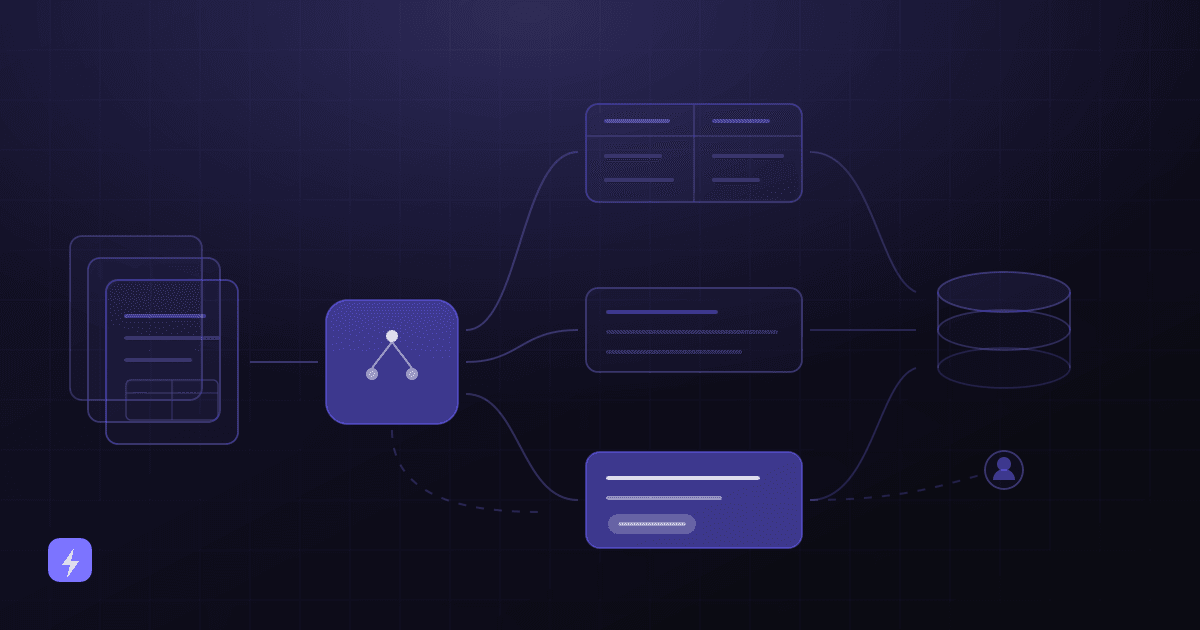
AI document search does something different. It finds the passages most likely to answer the question, gives those passages to a language model as the material to answer from, and returns a written answer with a reference to each source. Microsoft's own documentation for this pattern puts the requirement bluntly: "an information retrieval system must understand intent, not just match words," and it "must return highly relevant, concise results - not exhaustive document dumps."
The name for the pattern is retrieval-augmented generation, usually shortened to RAG — "a pattern that extends LLM capabilities by grounding responses in your proprietary content," in Microsoft's phrasing. Google describes the same idea from the problem end: "LLMs are limited to their pre-trained data. This leads to outdated and potentially inaccurate responses." A model that has never seen your contracts cannot answer questions about them. Retrieval is how your contracts get in front of it, at the moment of the question, without ever being trained into it. The AI glossary defines RAG, embeddings and knowledge base if you want the vocabulary before a vendor conversation.
Uploading a document does not mean the AI memorises it
This is the single most common misunderstanding in this category, and it matters for both security and freshness. Your documents are indexed and searched. Passages are looked up and passed to the model as context for one answer, then the context is gone. Nothing about your files is absorbed into the model itself, which is exactly why deleting a document from the source can remove it from the answers — and why a stale index keeps answering from a version you replaced.
How a question becomes an answer
Five stages, every time. Each one is a place where quality is either added or lost, and knowing which stage is failing is most of the work of fixing a disappointing system.
1. Question
Someone asks in plain language: "What does our cancellation policy say?" No keywords, no boolean operators, no knowing which folder it lives in.
2. Search approved documents
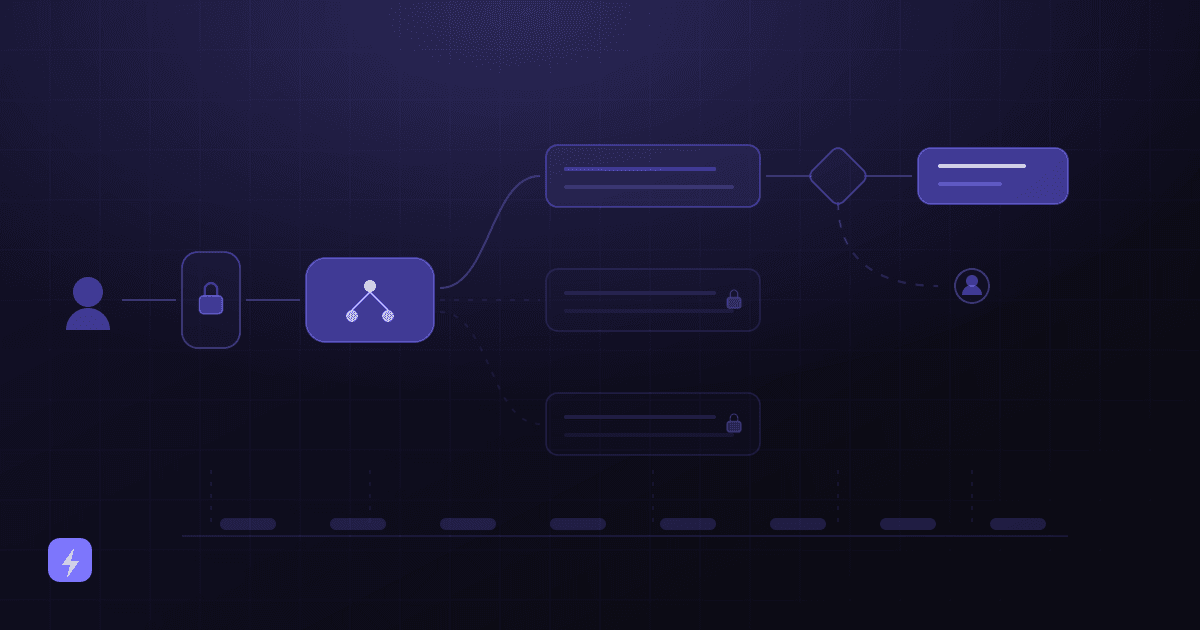
The system searches the index — but only the part of it this person is allowed to see. Permission filtering happens here, at retrieval time, not after the answer is written.
3. Retrieve relevant sections
It pulls back a handful of passages, not whole files. Which passages, and how many, are settings you control.
4. AI answer
Those passages go to the language model along with the question, as the material to answer from. The model writes the answer from them rather than from what it absorbed in training.
5. Source and citation
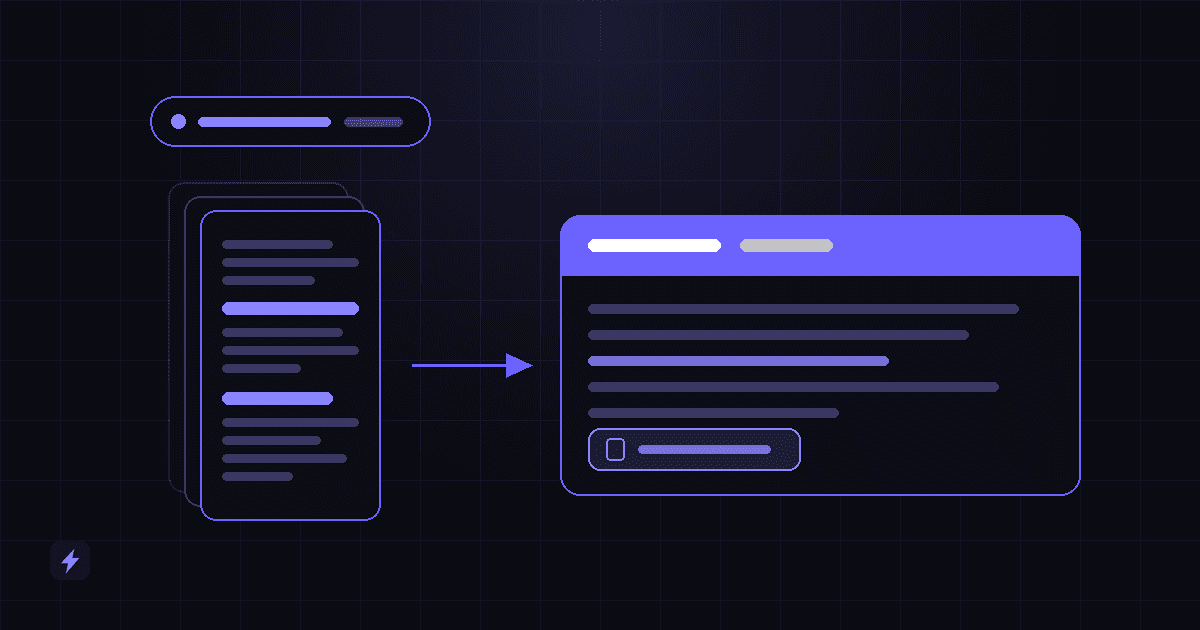
The answer arrives with references: which document, which section, ideally a link that opens it at the right place. This is what makes the answer checkable in seconds instead of trustworthy on faith.
Notice what is not in that list. There is no training step, no model that learns your business overnight, and no point at which the system develops an opinion. Every answer is reassembled from scratch, from whatever the search returned that second. That is a feature: it means fixing a wrong answer usually means fixing a document or the retrieval, not retraining anything.
Ingestion: getting your documents in
Ingestion is the unglamorous half of the project and the half that predicts the outcome. It has three parts: connecting to where the documents live, converting them into text, and recording enough about each one to be useful later.
Connecting. Documents rarely live in one place. They are in a shared drive, an email account, a project tool, a CRM, and someone's desktop. Most platforms ship connectors for the common sources — AWS describes a data source as "a data repository or location" the service "connects to and indexes your documents or content," naming SharePoint and website crawling as examples. The practical question for you is not whether connectors exist but which of your five real sources are covered, and what happens to the sixth.
Converting. A PDF is a picture of a page as far as a computer is concerned. Scans need optical character recognition; native PDFs, Word files and spreadsheets need parsing that preserves headings and table structure rather than flattening everything into a wall of text. This is the same machinery covered in how AI extracts data from documents, and it is worth reading if a meaningful share of your archive is scanned, because scan quality sets a ceiling on everything downstream.
Recording metadata. Alongside the text, the system stores facts about each document: filename, source, folder, author, dates, document type, and — critically — who is allowed to see it. Metadata is what lets you later ask for "contracts, signed in 2025, for clients in the north region" rather than hoping those words appear in the text. Most disappointing deployments skipped this step and cannot get it back without re-ingesting.
The index is a copy of your documents, not your documents
Everything that follows is a consequence of this. The copy can be out of date. The copy can contain a paragraph you deleted last week. The copy can be readable by someone who cannot open the original file. None of that is a bug in the AI — it is the ordinary behaviour of a search index, and the sections on permissions and freshness below are about controlling it deliberately rather than discovering it later.
Chunking: the step that decides answer quality
Documents are not indexed whole. They are split into chunks — passages of a few hundred words — and each chunk is indexed separately. When you ask a question, chunks are what come back.
There are two reasons, and Microsoft's documentation gives both. The practical one is size: language models accept a limited amount of text at once, so chunking "helps you meet input token requirements and prevents data loss due to truncation." The subtler and more important one is precision: chunking is "also beneficial if content is poorly represented as a single vector." A sixty-page handbook, treated as one unit, is about everything and therefore a strong match for nothing. Split into sections, the vacation policy becomes findable as the vacation policy.
Chunk size is a genuine trade-off rather than a setting with a right answer:
Microsoft publishes a starting point rather than a rule: "a chunk size of 512 tokens (approximately 2,000 characters) and an initial overlap of 25%, which equals 128 tokens." Treat both numbers as where a vendor should begin, not as a specification to hold anyone to — and note that they are Microsoft's recommendation for their own product, not a measured result of ours.
Overlap is the part that is easy to skip and expensive to skip. Letting consecutive chunks share their edges "ensures smoother transitions between chunks without excessive duplication" — in plain terms, it stops a sentence that begins at the bottom of one chunk and finishes at the top of the next from becoming unfindable in both.
Structure in your documents is retrieval quality
A handbook with real headings chunks cleanly along them. A scanned twelve-page memo with no headings gets chunked by character count, which cuts wherever it lands. If you are going to invest an afternoon anywhere before a project like this, invest it in giving your twenty most-asked-about documents proper headings. It is the cheapest quality improvement available and it survives every future change of vendor.
Semantic search, keyword search, and why you want both
Each chunk is converted into an embedding: a long list of numbers that positions the passage by meaning, so that passages about similar things sit near each other regardless of the words they use. Your question is converted the same way, and the search becomes a question of proximity. That is what makes a question about "cancelling" retrieve a clause headed "Termination for convenience."
It is genuinely impressive, and it is also not sufficient on its own. Microsoft's own comparison is even-handed about which tool wins where: "The advantage of vector search is finding information that's conceptually similar to your search query, even if there are no keyword matches in the inverted index," while keyword search brings "precision, with the ability to apply optional semantic ranking." And then the sentence that matters most for a business archive: "Some scenarios, such as querying over product codes, highly specialized jargon, dates, and people's names, perform better with keyword search because it can identify exact matches."
Which is to say: the exact things your documents are full of. Invoice numbers. Part codes. Client names. Contract references. Meaning-based search is relaxed about precision by design, and that relaxation is a liability when someone asks about purchase order 4471.
Hybrid search is the answer, and it is not exotic: it "runs full-text search and vector search in parallel" and merges the two result sets using Reciprocal Rank Fusion. If you take one procurement question from this article, make it this one — do you run keyword and semantic search together, or only one of them?
There is often a further step. A reranker takes the initial result set and re-scores it for how well each passage actually answers this question. Microsoft describes its semantic ranker as "a secondary ranking over an initial result set that was scored using BM25 or Reciprocal Rank Fusion," assigning each document a score "from 4 to 0 (high to low)." It is a quiet feature with a large effect: first-pass search is good at finding twenty plausible passages, and a reranker is what decides which five are worth the model's attention.
Highlighted text and generated text are not the same thing
Worth separating, because interfaces blur them. Microsoft is explicit that its semantic captions and answers "are always verbatim text from your index. There's no generative AI model in this workflow that creates or composes new content." A highlighted sentence lifted from your document is exactly what your document says. A written summary above it is the model's paraphrase of several passages, and paraphrase is where meaning can shift. When an answer matters, read the highlighted source, not only the summary.
The retrieval settings that actually change answers
Most of what separates a system people trust from one they quietly stop using is a handful of settings. They are not secret — Microsoft publishes them for Azure OpenAI On Your Data — and they are the right things to ask a vendor about, because a vendor who cannot explain their values has not thought about your use case.
How many passages are retrieved. The published options are 3, 5, 10 or 20 chunks passed to the model, defaulting to 5. Fewer means sharper, cheaper answers that can miss a relevant passage. More means better coverage and more chance the model latches onto something tangential. Questions whose answers live in one place want few; questions that need assembling across several documents want more.
How strict the relevance filter is. A strictness setting from 1 to 5 controls "the system's aggressiveness in filtering search documents based on their similarity scores" — 1 barely filters, 5 "aggressively filter[s] out documents, applying a very high similarity threshold." High strictness produces fewer wrong answers and more "I could not find that." Low strictness produces an answer to almost everything, including things your documents do not cover. Neither is correct in the abstract; for a policy or compliance corpus, the second failure is far worse than the first.
Whether the model may answer from outside your documents. This is the setting most worth knowing about, and it is a simple flag: "Limit responses to your data," on by default. Microsoft's description of what happens when it is off is worth quoting exactly — "the model supplements its responses with its own knowledge in addition to your documents." That is fine for a general assistant and dangerous for a policy tool. If the question is what your handbook says, an answer drawn from what handbooks generally say is not a partial win, it is the specific failure you were trying to avoid.
Ask which of these three is set, and to what
"How many passages do you retrieve, how aggressively do you filter them, and can the model answer from its own general knowledge when your documents come up empty?" A vendor who answers all three in plain language is running a system somebody configured. A vendor who cannot is running defaults, which may still be fine — but you should know that is what you are buying.
Citations: the feature that makes the rest usable
An answer without a source is a claim. An answer with a source is a shortcut to the document, which is usually what the person actually wanted. Citations do four jobs at once, and only one of them is about trust.
- They make verification cheap. Checking an answer against the cited clause takes seconds. Checking an uncited answer means the original search you were trying to avoid.
- They get people to the document. Half the time "what does the contract say about X" really means "open the contract at X." A citation does that in one click.
- They constrain the answer. A system that must produce a reference has less room to smooth over a gap in what it found.
- They make errors findable. When something is wrong, the citation shows whether the retrieval failed, the document is wrong, or the summary drifted — three different fixes.
Not every retrieved passage ends up cited, and that gap is informative. Microsoft's implementation can return a retrieved chunk marked as an uncited reference — pulled back by the search but not used in the answer — and notes this "can be useful for debugging." A system that consistently retrieves ten passages and cites one is telling you the retrieval is loose. Ask whether you can see that, because it is the difference between tuning a system and guessing at it.
The bar to hold a vendor to: every substantive claim in an answer traces to a specific document and section, the link opens the source, and the interface shows what was retrieved and not used. Anything less and you are trusting the summary.
Permissions: who is allowed to ask what
This is where document Q&A projects create real risk, and the risk is not exotic. It is that a system built for convenience quietly becomes a way to read documents you could not otherwise open.
The mechanism is straightforward. Each document is indexed alongside a record of who may see it. AWS describes an access control list ingested with most documents, specifying "which user names and group names are allowed or denied access to the document." At query time the search is filtered by the asker's identity: "All of the documents relevant to the query that the user has access to, including public documents, are returned." Microsoft implements the same idea as security filters that "simulate document-level authorization."
Two lines in those documents deserve to be read twice, because they come from competing vendors and say the same thing.
User context filtering isn't an authentication or authorization control for your content.
There's no authentication or authorization through the security principal. The principal is just a string, used in a filter expression, to include or exclude a document from the search results.
Retrieval filtering is a filter. It hides documents from results; it does not authenticate anybody. The authentication has to happen in your application, before the query is issued — AWS says so directly: "It is up to your application to ensure that the user and group information sent to Query API is authenticated and authorized." If a system decides who you are from something the browser sent, the filter is protecting nothing.
A document with no permissions attached is usually public
AWS states it plainly: "Documents without an ACL are public documents." That is the default that catches people. Point a connector at a shared drive whose folder permissions were never really maintained, and every file that arrives without access information becomes answerable to everyone who can ask. The salary review, the disciplinary note, the acquisition memo — all of them are just documents to an indexer. AI security and privacy for small businesses covers the wider version of this question, and OWASP lists Sensitive Information Disclosure as LLM02 in its 2025 Top 10 for LLM Applications.
Three questions worth asking before anything is connected. Does the system inherit permissions from the source, or does someone re-create them by hand — and if by hand, who maintains them next year? What happens to a document that arrives with no permission information at all? And when someone leaves a group, how long until the index knows?
Reducing wrong answers — and why "reducing" is the honest word
Grounding an answer in retrieved passages is the single largest improvement available over asking a model from memory. Google's framing is that supplying facts in the prompt "can mitigate 'gen AI hallucinations'," with the crux being "ensuring that the most relevant facts are provided to the LLM, and that the LLM output is entirely grounded on those facts." That is a real and substantial reduction. It is not elimination, and any vendor who tells you otherwise is describing a product that does not exist.
There are three distinct ways a grounded system still gets it wrong, and they need different fixes:
- Retrieval missed. The answer is in your documents, but the search returned the wrong passages. Fixed by chunking, hybrid search, reranking or metadata — not by changing the model.
- Retrieval found nothing relevant, and the system answered anyway. Fixed by strictness and by limiting responses to your data, so "I could not find that" is an available outcome.
- Retrieval was right and the summary drifted. The passages were correct; the paraphrase over them shifted a qualifier or merged two clauses. Fixed by citations and by people reading the source when the answer matters.
That third failure is subtle enough that vendors now measure it. Google's check grounding API returns "an overall support score of 0 to 1, which indicates how much the answer candidate agrees with the given facts," and the standard it applies is strict: "Perfect grounding requires that every claim in the answer candidate must be supported by one or more of the given facts," with a partially supported claim "not considered grounded." You do not need to implement grounding checks to take the point — a sentence that is 90% supported by your contract is a sentence with something in it your contract does not say.
Retrieval reduces wrong answers. It does not eliminate them.
Citations make errors findable, not impossible — which is precisely why they matter. OWASP lists Misinformation as LLM09 in its 2025 Top 10 for LLM Applications, and the mitigation in a document system is not a better model but a shorter path from the answer to the paragraph it came from. Design for verification, and treat any workflow where nobody would ever check as a workflow that needs a human checkpoint.
Questions it answers well — and questions it quietly cannot
This is the section that saves projects. Retrieval finds passages that resemble your question. Some questions are shaped like that. Others are not, and they fail in the worst possible way: with a confident, plausible, incomplete answer.
Take the five questions businesses most often want to ask, and look at what each one actually requires:
That last row is the one to sit with. "Which contracts expire next quarter?" sounds like the same kind of question as the other four and is a completely different operation. Semantic search will happily return three contracts that mention expiry, and the answer will look right. It is not right — it is three of the eleven contracts that qualify, and nothing in the interface will tell you the other eight exist.
"Find me the passage" and "count them all" are different systems
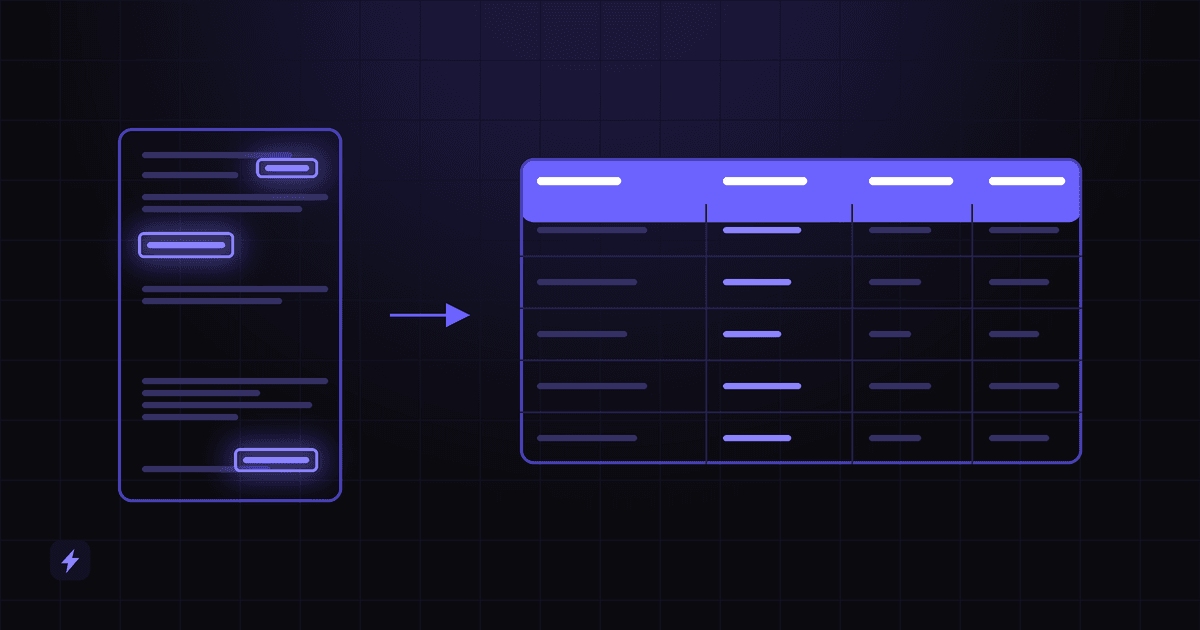
Any question containing which, how many, all, total, every, or a date range is an aggregation question. Answering it properly means extracting that field from every document when the document is ingested, storing it as structured data, and querying it like a database — which is exactly what AI document data extraction is about. A complete document system does both: extraction fills the fields, retrieval answers the prose. A system that only retrieves will answer your aggregation questions anyway, and it will be wrong quietly.
Two more limits worth knowing before you are surprised by them. Comparisons across many documents — "which of our forty supplier agreements has the worst liability cap?" — need every document read, not the five most similar passages retrieved; treat those as extraction-and-report jobs, not chat questions. And absence is not evidence: "our contracts do not mention X" is a claim about everything the search did not return, which is not something retrieval can establish. If the answer to a compliance question is "nothing found," that is a prompt to check, not a finding.
Keeping the answers current
An index is a copy, and copies go stale. This is the most common way a system that launched well becomes untrusted six months later: nothing broke, the documents simply moved on without it.
The mechanism is scheduled re-indexing. Microsoft's indexer schedules exist for exactly this reason — "Source data changes over time, and you want the indexer to automatically process the difference" — running on an interval with a documented floor of 5 minutes and ceiling of 1,440 minutes, which is to say from every few minutes to once a day. Whether an update is picked up cheaply depends on the source supporting change detection; without it, keeping current means reprocessing more than the difference.
Deletions matter more than additions, and get less attention. AWS describes the behaviour to look for: automatic synchronisation "so that added, updated, or deleted documents in the data source are also added, updated, or deleted in the index." An index that adds but never removes will keep citing the policy you withdrew, with a link to a file that no longer exists — and it will do it confidently.
Give the corpus an owner, not just a schedule
The technical half of freshness is a schedule someone configures once. The human half is that somebody has to decide which folders are canonical, retire superseded versions, and keep drafts out of the index. That is an hour a month, and it is the difference between a system people trust in year two and a shared drive with a chat box attached. The same content discipline makes a chatbot work — how to train an AI chatbot on your business covers it in depth.
What to ask before you buy
Ten questions, in the order they matter. None of them are technical enough to need a technical person in the room, and every one of them has a wrong answer.
- Which of our actual document sources do you connect to, and what happens to the ones you do not?
- Do you run keyword and semantic search together, or only one of them?
- How is a long document split up, and can it follow our headings?
- How many passages does an answer draw on, and can we change that?
- Can the model answer from its general knowledge when our documents come up empty — and can we turn that off?
- Does every answer carry a citation that opens the source at the right place?
- Do permissions come from the source system automatically, or does someone maintain a second copy of them?
- What happens to a document that arrives with no permission information?
- How often is the index refreshed, and are deletions and permission changes included?
- Can we ask questions that need counting or date ranges — and if so, which fields are extracted to make that work?
The last one is the tell. A vendor who answers "the AI can handle that" has not understood the question. A vendor who says "we extract these fields at ingestion so you can filter on them" has built the system twice, which is what it takes.
Frequently asked questions
Is this the same as searching my shared drive?
No. File search returns files that contain your words and leaves the reading to you. AI document search returns an answer assembled from the specific passages most likely to contain it, with a citation to each source, and it finds passages that mean the same thing rather than only those that use the same words.
Does the AI learn or memorise my documents?
No. Your documents are indexed and searched. When someone asks a question, the relevant passages are retrieved and passed to the model as context for that one answer, then the context is gone. Nothing is trained into the model, which is why removing a document from the source can remove it from the answers.
How many documents do I need before this is worth doing?
It is less about count than about repetition. If the same questions are asked repeatedly, the answers are written down somewhere, and finding them regularly interrupts someone, it is worth doing at a few hundred documents. If questions are rare and one person reliably knows where everything is, more documents will not change that.
Can it tell me which contracts expire next quarter?
Only if the expiry date was extracted from each contract when it was ingested and stored as a date the system can filter on. Retrieval alone finds passages that resemble your question, so it will return some contracts that mention expiry and will not tell you which ones it missed. Counting and date-range questions need extraction underneath the search.
Will people see documents they are not supposed to?
That depends entirely on how permissions are configured, and it is the main risk in this kind of project. Both AWS and Microsoft state in their own documentation that retrieval-time filtering is not an authentication or authorization control — it filters results, and your application still has to establish who the asker is. Documents indexed without any access information are typically treated as public, which is how a poorly maintained shared drive becomes readable through a chat box.
How accurate are the answers?
Nobody can honestly give you a percentage in advance, because it depends on your documents, your chunking, your retrieval configuration and the kind of questions you ask. What can be said is the direction: grounding answers in retrieved passages substantially reduces wrong answers compared with asking a model from memory, and it does not eliminate them. Citations are what make the remaining errors cheap to catch.
What happens when the answer is not in our documents?
That is a configuration decision, and an important one. Systems can be set to answer only from your data, in which case they say they could not find it, or to fall back on the model's general knowledge. For policies, contracts and anything compliance-related, the first behaviour is the one you want — a plausible general answer to a specific question about your business is the failure you were trying to avoid.
How do we keep it from going out of date?
Two things. Technically, scheduled re-indexing that includes updates, deletions and permission changes rather than only additions. Organisationally, someone who owns the corpus: decides which folders are canonical, retires superseded versions, and keeps drafts out of the index. The second is the part that gets skipped.
Where to start
Not with the whole archive. The archive is where these projects go to die — the permissions are unclear, half of it is superseded, and nobody can tell whether an answer is right.
Pick the questions, not the folders
Write down the ten questions people actually interrupt each other with. That list defines the scope, and it is also your test set — a system that answers those ten correctly is worth expanding.
Take the documents those questions live in
Usually twenty to fifty files: the handbook, the standard contract, the current price list, the main procedures. Small enough that you know what is in them and can tell a wrong answer from a right one.
Fix their structure before ingesting
Headings, one canonical version of each, drafts removed. An afternoon here outperforms any amount of configuration later.
Set the permissions deliberately
Decide who can ask about what before anything is connected, and confirm what happens to a document that arrives with no access information attached.
Test with the answers in hand
Run your ten questions against the system while you still know the correct answers. Check the citations, not only the summaries — a right answer with a wrong source is a system that will be wrong later.
Add the aggregation layer when you need it
When the questions turn into counting, dates and renewals, that is the signal to extract those fields at ingestion rather than to ask retrieval to do something it cannot.
The end state is not a replacement for the people who know where things are. It is that they stop being the index. Flasin builds this as part of the AI document assistant service, alongside business process automation and AI automation when the answers need to trigger something rather than just be read. If you are earlier than that, the AI document assistant guide is the overview and the AI glossary defines the vocabulary — RAG, embeddings, knowledge base — that will come up in any vendor conversation.
Sources
Every quotation above was read from the publisher's own documentation on 5 September 2026 and is attributed where it appears, not only here. Retrieval mechanics, chunking guidance, hybrid search, semantic ranking, security filters, the response settings and indexer schedules come from Microsoft Learn; access control lists, user context filtering and data source synchronisation from AWS documentation for Amazon Kendra; the grounding definition and the check grounding support score from Google Cloud. Vulnerability categories are cited by identifier from the OWASP Top 10 for LLM Applications 2025 (LLM02 Sensitive Information Disclosure, LLM09 Misinformation).
Where a number appears — chunk sizes, overlap percentages, retrieved-passage counts, strictness ranges — it is a vendor's published default or recommended starting point, quoted as such. There are no accuracy rates, time-saved figures or customer results in this article, because none could be verified for the claims being made. Two vendors were chosen deliberately for the permissions section: AWS and Microsoft describe retrieval filtering as not being an authentication control in almost the same words, and one vendor saying it would be a product note rather than a principle.