On this page
Somewhere in most businesses there is a person retyping. An invoice arrives as a PDF, and the supplier name, the date, the reference and eleven line items get keyed into the accounting system by hand. A form comes back as a scan and someone copies eight fields into the CRM. It is the most automatable work in the building, and it is still being done by people, largely because the first generation of tools that promised to fix it did not work well enough to trust.
What changed is not that computers got better at reading characters — they were already good at that. What changed is that they got better at knowing which characters matter, what they mean, and when they are probably wrong. This article walks through how that actually works, from the raw file to the record in your system, and is deliberately specific about the parts that break. For the wider picture of what a document system does beyond extraction, the AI document assistant guide is the place to start.
The short version
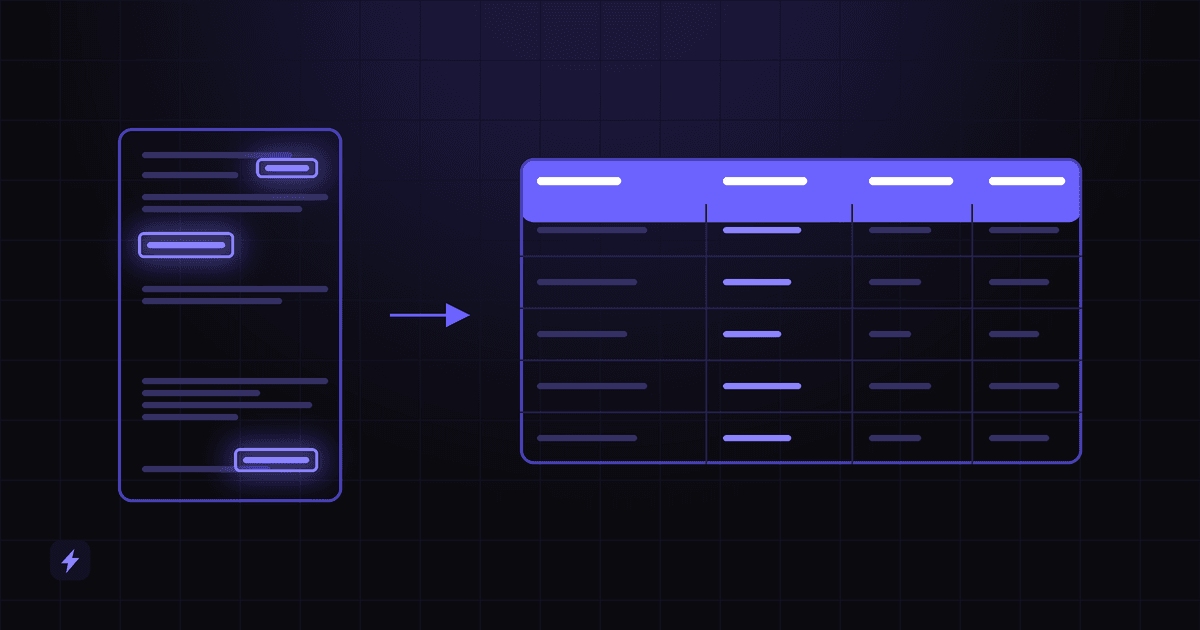
OCR converts a picture of text into text. Extraction decides that a particular string is the invoice total. Those are different capabilities, sold by different products, and the gap between them is where every failed document project lives.
OCR reads. Extraction understands.
Optical character recognition turns pixels into characters. Given a scanned page it returns the words, where each one sits on the page, and often the language and whether it was handwritten. That is genuinely useful and it is genuinely not enough, because a page of correctly recognised words is still a page of words. Nothing in it says that INV-4471 is the invoice number rather than a purchase order, or that one of the four dollar amounts on the page is the amount you owe.
The clearest way to see the difference is that the major platforms all publish it as a ladder of separate capabilities. Google's Document AI sorts its processors into three verbs — digitize, extract and classify — with OCR sitting in the first one. Microsoft's Azure AI Document Intelligence draws the same lines in more detail, and its own descriptions are worth reading side by side.
Read that table as a shopping list rather than a technology tour. If a vendor demonstrates a page of extracted text and calls it document AI, they have shown you rung one. The question that separates products is what happens on rungs three, four and five, and specifically how the system behaves when a document does not match anything it has seen.
Amazon's Textract makes the same split from the other direction: it detects typed and handwritten text, extracts text, forms and tables, and then offers separate APIs for the document types where the fields are known in advance — AnalyzeExpense for invoices and receipts, AnalyzeID for identity documents. The specialised APIs exist precisely because generic reading is not the hard part.
Structured, semi-structured, unstructured
Before anything else, work out which of three shapes your documents have. This single distinction predicts more about cost, timeline and accuracy than the choice of vendor does, and it is the thing most people skip when scoping a project.
Microsoft's product line mirrors the split directly: its custom models come in two kinds, a template model for "consistent layouts" and a neural model for variable ones. If your documents are structured, the cheaper and more predictable option is genuinely the right one. If they are semi-structured — and invoices almost always are — a template model will work beautifully on the supplier you trained it on and fail on the next one.
Sort a real pile before you scope anything
Take fifty documents that actually arrived last month, sort them into the three columns above, and count. A pile that is 80% semi-structured is a different project from one that is 80% unstructured, and you will know which you have in twenty minutes.
The pipeline, stage by stage
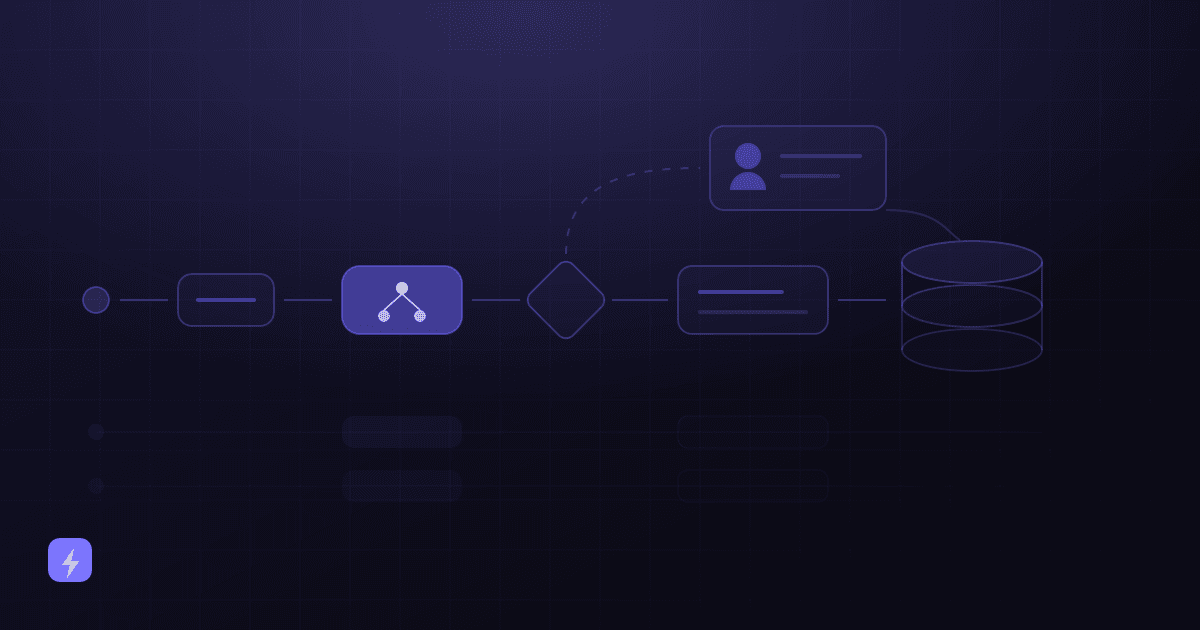
Every extraction system, whichever vendor built it, runs the same six stages. Naming them matters because each one is a place where a rule, a threshold or a checkpoint belongs — and because when something goes wrong, the first useful question is which stage it went wrong at.
1 — Document arrives
By email attachment, upload, scanner, shared drive or API. Formats are mixed by nature: digital PDFs, scans, photos taken on a phone, the occasional fax that somebody still sends.
2 — OCR and reading
The file becomes text with coordinates. Digital PDFs already carry their text; scans and photos go through OCR. Quality at this stage caps everything downstream — nothing later recovers a word that was never read.
3 — Classify and identify fields
What kind of document is this, and where are the values that matter? Classification routes it to the right extraction model, which then returns named fields rather than loose text.
4 — Validate
Do the numbers add up, are the required fields present, does the supplier exist in your system, is this a duplicate? This is the stage almost every implementation underspecifies.
5 — Structured data
A clean record: typed fields, a line-item array, a confidence score per field, and a link back to the page and position each value came from.
6 — Into the system of record
The record lands in accounting, the CRM, a database, a spreadsheet or the next step of a workflow — as a draft to approve or a posted entry, depending on what the rules decided at stage four.
Note where the value sits. Stages one to three are what vendors demo. Stage four is what makes the output trustworthy, and stage six is what makes it useful. A system that stops after stage five has given you a very fast way to produce data nobody acts on.
Classification: knowing what it is before reading it
Classification runs before extraction and answers one question: what kind of document is this? Microsoft's documentation puts the purpose plainly — with a classification model "you can identify the document type before you invoke the extraction model" — and that ordering is the whole point. An invoice model asked to read a delivery note will find something, and what it finds will be wrong in ways that look plausible.
It does three jobs worth paying for:
- Routing. Invoices to the invoice model and the accounts queue, contracts to the contract model and the legal folder, applications to the intake process. One inbox in, several destinations out.
- Splitting. A single scanned PDF is often five documents in a trench coat. Google's Document AI describes splitting "a PDF file with multiple real documents" as its own processor category, and anyone who has received a batch scan from a supplier knows why it needs to be.
- Refusing. The most valuable classification outcome is "I do not recognise this," which routes the file to a person instead of guessing. A classifier with no unknown class will confidently mislabel everything unfamiliar.
Setting one up is less work than people expect. Microsoft's custom classifier requires at least two distinct classes and a minimum of five samples per class to train — which is a realistic afternoon of gathering examples, not a data science project.
What actually gets extracted, field by field
"Extracts your data" is a sales sentence. The useful version is a named list of fields, each with a type, because a date that arrives as a string is not a date and a total that arrives without a currency is not money. Microsoft publishes the full schema for its invoice model, and it is worth looking at as a concrete example of what a mature field set contains — supplier and customer names and IDs, invoice number, invoice date, due date, purchase order, five separate address fields, subtotal, discount, tax, total, amount due, previous balance, service period dates, tax IDs, payment terms, and bank details.
That level of granularity is the standard to hold a proposal to. Here is how the field types in your own documents will behave, in roughly increasing order of difficulty.
Line items and tables, specifically
Tables are where document extraction earns or loses its reputation, because a table is the only field type where the system has to get the structure right as well as the values. Microsoft's invoice schema models line items as an array, each entry carrying a description, quantity, unit, unit price, product code, tax, tax rate, amount and date — and that shape is the giveaway that a real table parser is at work rather than a text grab.
The failure modes are specific and worth naming when you evaluate a system: a table that continues across a page break and is read as two unrelated tables; a row whose description wraps onto a second line and is read as an extra item; merged cells that shift every value in the row one column left; and a footer row of totals silently absorbed as another line item. Ask any provider to run your worst multi-page invoice, not their sample one.
The good news is that tables come with a free validator built in. Line items sum to the subtotal, or something is wrong. That single check catches most structural failures without anyone reading a row.
Validation: where extraction becomes data
Extraction gives you values. Validation is what lets you act on them without reading each one, and it is almost entirely business logic rather than AI — which is good news, because business logic is deterministic, auditable and cheap. Four kinds are worth building, and most systems need all four.
The cross-reference layer is the one that pays for itself fastest, because duplicate invoices are a real and expensive failure that no amount of extraction accuracy prevents — the extraction was perfect, you just paid twice. Build the duplicate check before you build anything clever.
Validation failures are not errors
A document that fails validation has not broken anything — it has been correctly identified as needing attention. Systems that treat failures as exceptions to be minimised end up with thresholds loosened until nothing is caught. Expect a steady flow into the review queue, and measure how fast it clears rather than how small it is.
Confidence scores, and what to do with them
Every serious extraction system returns a confidence score per field, and using it properly is what makes automation safe. Microsoft's definition is precise: a confidence score "indicates probability by measuring the degree of statistical certainty that the extracted result is detected correctly", expressed between 0 and 1. Its own worked explanation is the clearest one published anywhere: a confidence value of 0.95 means the prediction "is likely correct 19 out of 20 times."
Sit with that for a second, because it is the sentence that reframes the whole category. Nineteen out of twenty sounds excellent until you process four hundred invoices a month, at which point it describes twenty wrong values landing in your accounts. Confidence is not a grade. It is a routing input.
On where to set the line, Microsoft's published guidance is to "target a score of 80% or higher," and for "more sensitive cases, like financial or medical records," a score "close to 100%." Those are recommendations for configuring a threshold, not a claim about what any system achieves — and the right number for your business depends on what a wrong value costs you. AWS frames the same trade-off explicitly, noting that thresholds can be adjusted at any time "to achieve the right balance between accuracy and cost-effectiveness".
Two practical points that are easy to get wrong. First, set thresholds per field, not per document: a low-confidence description line does not matter, a low-confidence total does. Second, remember that confidence measures certainty about what was read, not about whether it was the right field to read — a system can be entirely confident that it found a number, and wrong that the number was the total. That second failure is caught by validation, not by confidence, which is why you need both.
Human review that people will actually do
Every document system needs a review route, and the published template worth copying is AWS's, which names four separate conditions for sending a result to a person. Quoted from its own documentation, a human review is triggered: on "specific form keys based on the form key confidence score"; "when specific form keys are missing"; "for all form keys identified by Amazon Textract with confidence scores in a specified range"; and to "randomly send a sample of forms to humans for review."
The fourth is the one everyone drops, and it is the only one that catches the failure the others cannot: the result the system was confidently wrong about. High confidence, clean validation, wrong value. Without a random audit sample you will not find those until a supplier calls, and by then the pattern has been running for months.
The design of the review screen matters as much as the rules that fill it. Three things separate a queue people clear from one they abandon:
- Show the source next to the value. The reviewer should see the highlighted region of the original page beside the extracted field. Reviewing a form of values against a separate PDF is slower than the original data entry, and people notice.
- Ask for a correction, not a re-key. Only the flagged fields should be editable and in question. Presenting a whole document for re-entry because one field was uncertain wastes the entire gain.
- Feed corrections back. Every correction is a labelled training example and a signal about which supplier or document type is failing. A review queue that does not improve the system is a permanent tax rather than a temporary one.
Where the line falls between automatic and reviewed is a business decision, not a technical one. The document assistant guide works through the wider division of labour between the system and the people around it.
Where the data goes
Extraction that ends in a JSON file has not saved anyone any typing. The last stage — writing the structured record into the system where work actually happens — is where a document project becomes an automation, and it is the stage most likely to be quietly out of scope in a proposal. Microsoft's invoice model, to its credit, is explicit that what comes back is "a structured JSON data representation": a starting point for integration, not the end of the job.
Three rules apply regardless of destination. Keep a link from every record back to the page it came from — the first time a number is disputed, that link is the whole audit trail. Make writes idempotent, so that reprocessing the same document does not create a second record. And decide what happens when the write fails, because it will: an extraction that succeeded and an integration that silently dropped it is the worst of both worlds. This is standard AI integration work rather than anything document-specific, and it is worth costing as such.
What to ask before you buy
Most of this article converts into questions. These are the ones that separate a system that will work in your business from one that demos well:
- Which of my document types are structured, semi-structured and unstructured — and which model type are you proposing for each?
- Show me the exact field list you will extract, with types, not a description of what you extract.
- Run my worst document. Multi-page, poor scan, table across a page break, unfamiliar supplier.
- What happens when a document arrives that the classifier does not recognise?
- Do I get a confidence score per field, and can I set thresholds per field rather than per document?
- What validation is included, and specifically is there a duplicate check?
- What does the review screen look like, and does it show the source page beside the value?
- Do corrections improve the system, or are they discarded?
- Where does the data land, who builds that integration, and what happens when the write fails?
- What happens to my documents — where are they stored, for how long, and are they used for training?
That last question belongs on every AI procurement list, not only this one. AI security and privacy for small business covers how to get a straight answer to it.
Frequently asked questions
What is the difference between OCR and AI document data extraction?
OCR converts an image of text into machine-readable characters, and returns words and their positions. Extraction takes that text and identifies which values are which — that this string is the invoice number, that this amount is the total, that these rows are line items. Most document AI products include OCR as their first step; the difference in capability, and in price, is what happens after it.
Can AI extract data from scanned documents and photos, not just digital PDFs?
Yes. A digital PDF already contains its text, so extraction skips straight to identifying fields. Scans and phone photos go through OCR first, and quality at that step limits everything after it — a word that was never read cannot be recovered downstream. AWS documents its Textract service as detecting both typed and handwritten text; handwriting is genuinely supported across the category, and genuinely less reliable than print.
How accurate is AI document extraction?
There is no single answer, and any figure quoted without reference to your documents is marketing. Accuracy depends on document shape, scan quality, how consistent your suppliers' layouts are, and which fields you care about. The useful question is not how accurate the system is but what it does when it is unsure — whether you get a confidence score per field, whether validation catches disagreements, and where uncertain results go.
Can it read contracts and pull out the terms?
It can find and return the relevant passages, dates and obligations, and that is genuinely useful for review and for tracking renewals. It cannot tell you what a clause means for your position — that is legal interpretation rather than extraction, and it depends on definitions elsewhere in the document and on context outside it. Treat contract extraction as a way to get a lawyer to the right paragraph faster.
Do I need a different setup for each supplier's invoice format?
Not with a modern extraction model. That was the defining limitation of template-based systems, and it is why they were abandoned by most businesses that tried them — every new supplier meant new configuration. Models trained for variable layouts handle unfamiliar formats without per-supplier setup. It is worth confirming which kind you are being sold, because both are still on the market.
How many documents do I need before this is worth automating?
Volume matters less than repetition and cost of error. A few hundred invoices a month with the same handful of fields is a strong case; fifty highly varied documents that each take a specialist twenty minutes may be a stronger one. The threshold question is whether the work is predictable enough to describe as rules, which is the same test as any other automation.
Will it eliminate manual data entry completely?
No, and a system designed on that assumption tends to fail. What it removes is the routine majority — the documents that look like the ones before them. What remains is exceptions, low-confidence results and the audit sample, which is a smaller and more interesting job than keying every field of every document. Planning for a review queue from the start is what makes the rest of it trustworthy.
Where to start
Pick the single document type that arrives most often and take fifty real examples of it. Sort them by shape, list the fields you actually need — with types, not descriptions — and write down what each one would cost you if it were wrong. That hour produces the scope, the validation rules and the confidence thresholds at the same time, and it turns a vague "we should automate our invoices" into something a provider can quote against.
From there the sequence is the pipeline itself: classify, extract, validate, review, integrate. Build it in that order, and keep the review queue from day one — it is the thing that tells you whether the rest of it is working. If you want the wider view of document work first, the AI document assistant guide covers what these systems do beyond extraction, and the AI Document Assistant page shows how we approach it.
Sources
This article contains no accuracy rates, extraction percentages, time-saved figures or prices, because none could be verified for the claims being made. The two numeric figures that appear are Microsoft's published guidance on setting a confidence threshold, quoted as such, and not a claim about what any system achieves. Every statement below was read from the publishing organisation's own documentation on 4 September 2026.
- Microsoft Learn — Document processing models (Azure AI Document Intelligence) — the Read, Layout, prebuilt, custom template, custom neural and classification model descriptions quoted in the capability ladder; identifying the document type before invoking the extraction model; two classes and five samples per class to train a classifier.
- Microsoft Learn — Invoice data extraction — the invoice model extracting key fields and line items from sales invoices, utility bills and purchase orders, and returning a structured JSON representation.
- Azure Samples — invoice model schema, 2024-11-30 GA — the published field list, including the line-item array sub-fields (description, quantity, unit, unit price, product code, tax, tax rate, amount, date).
- Microsoft Learn — Interpret and improve model accuracy and confidence scores — the definition of a confidence score; 0.95 meaning a prediction likely correct 19 out of 20 times; targeting 80% or higher, and close to 100% for financial or medical records; using confidence to decide between automatic acceptance and human review.
- AWS — Core concepts of Amazon A2I with Textract — the four human-review activation conditions, including the random audit sample, and adjusting thresholds to balance accuracy against cost-effectiveness.
- AWS — What is Amazon Textract — detecting typed and handwritten text; extracting text, forms and tables; the AnalyzeExpense and AnalyzeID APIs for invoices, receipts and identity documents.
- Google Cloud — Document AI overview — the digitize, extract and classify processor categories, and splitting a PDF containing multiple real documents by type.