On this page
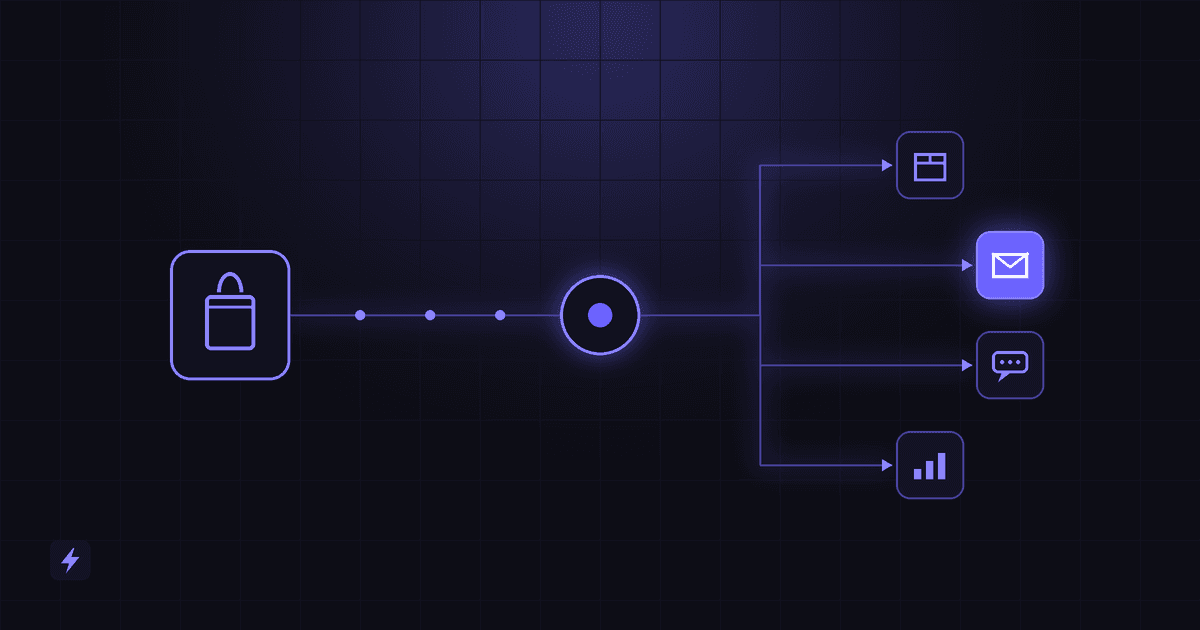
If you want to automate a Shopify store, four names come up again and again: Shopify Flow, n8n, Make and Zapier. All four can react to store events and take action automatically. They are built for different jobs, though, and picking the wrong one usually shows up later as a workflow that is hard to extend, expensive to run, or impossible to connect to the system you actually need.
There is no single best platform. Shopify Flow may fit automation that lives inside Shopify. Zapier may fit quick connections between Shopify and popular business apps. Make may fit visual, multi-step workflows with more branching. n8n may fit complex, API-heavy or AI-driven workflows where control over hosting and data matters.
This guide compares them on the things that decide real projects, explains the trade-offs, and shows which kinds of Shopify workflow automation each one suits.
Plans and features change
This comparison reflects each platform's official documentation as of September 2026. Plan limits, pricing and features change often, so check each vendor's current terms before you commit.
Quick Comparison
The rest of this guide explains what sits behind each row.
What Is Shopify Flow?
Shopify Flow is Shopify's own automation app. According to Shopify's Help Center, it is a free app available on the Basic, Grow, Advanced and Plus plans.
Flow workflows are built from three parts:
- Triggers: something that happens in the store, such as an order being created or inventory changing
- Conditions: checks that decide whether the workflow continues, such as order value or customer tags
- Actions: what happens next, such as tagging an order, sending an internal email or hiding a product
Common uses include tagging high-value orders, flagging risky orders for review, alerting staff when stock runs low, hiding out-of-stock products and segmenting customers.
Flow also works with many Shopify apps that provide their own triggers and actions. For reaching outside Shopify, the Send HTTP request action can call external web services, but Shopify's documentation limits it to the Grow, Advanced and Plus plans. Some capabilities, such as tasks from custom partner apps, are Plus-only.
Shopify has also added the ability to describe a workflow to Sidekick, Shopify's AI assistant, and have it draft the Flow for you. You still review and turn on the workflow yourself.
The main trade-off: Flow is excellent at automation that stays inside Shopify. It becomes harder to use when a workflow needs to coordinate several outside systems, handle complex data transformation, or run custom logic.
What Is n8n?
n8n is a workflow automation platform that you can run on your own server or use as a hosted service through n8n Cloud. Its source code is available under n8n's Sustainable Use License, which allows use for your own internal business purposes. n8n describes this model as fair-code rather than traditional open source.
For Shopify, n8n offers a Shopify node for working with orders and products and a Shopify Trigger node for reacting to store events. For anything those nodes do not cover, the HTTP Request node can call Shopify's API, or any other API, directly.
What makes n8n stand out:
- Self-hosting, which gives you control over where data is processed and stored
- Code when you need it, alongside the visual builder
- AI agent and LLM nodes for building AI-powered workflows
- Execution-based pricing on n8n Cloud. n8n counts one execution per workflow run, regardless of how many steps it has.
The main trade-off: n8n asks more of you technically. Self-hosting means someone has to handle the server, updates, security, backups and monitoring. Even on n8n Cloud, complex workflows need more technical skill than Zapier or Make.
What Is Make?
Make is a cloud-based automation platform with a visual canvas. Workflows, called scenarios, are drawn as connected modules, which makes branching and data flow easy to see.
Make's Shopify app provides triggers and actions for common store data, such as watching for new orders. Beyond the standard modules, Make supports HTTP requests, routers for branching, iterators for handling lists of items, and error handlers.
Make uses credits as its billing unit. For most non-AI app modules, one operation uses one credit, while AI and some advanced features use credits dynamically, based on factors such as tokens, operations or data processed. A multi-step scenario that runs often uses credits faster than a simple one.
The main trade-off: Make handles complex logic well without heavy coding, but large scenarios can become hard to read and maintain. Because every module action is counted, cost depends on how workflows are designed. Make is cloud-only, so you cannot self-host it.
What Is Zapier?
Zapier is one of the most widely used automation platforms. Its workflows, called Zaps, connect a trigger in one app to actions in others.
Zapier's Shopify integration covers common triggers and actions, such as new orders, new customers and updated products. Its biggest strength is the size of its app directory. If a tool is popular, there is a good chance Zapier already connects to it.
Zapier bills by tasks, where each successful action a Zap performs counts toward your plan. Its free tier is limited to simple two-step Zaps, and multi-step Zaps require a paid plan. Zapier also offers AI features, including Copilot for building Zaps, plus separate Agents and Chatbots products.
The main trade-off: Zapier is fast to set up and easy for non-technical teams. Costs can rise with task volume, and very complex logic or heavy data processing can become awkward compared with n8n or Make.
Shopify Flow vs n8n
Shopify Flow may fit when the automation stays mostly inside Shopify: tagging, alerts, inventory rules and order routing decisions based on store data. It runs inside the admin, needs no extra account and is included with supported plans.
n8n may fit when the workflow reaches beyond Shopify, such as syncing with an ERP, enriching data from several APIs, running AI steps, or applying custom business logic. n8n can also be self-hosted when data control matters.
They also work well together. A common pattern is to let Flow handle Shopify-side rules, and on plans that support it, use Flow's Send HTTP request action to hand an event to n8n for the complex part.
Shopify Flow vs Make
Shopify Flow may fit simple rules and in-store automation with the least setup.
Make may fit visual, multi-app workflows with branching, loops and data transformation, especially when your team prefers seeing the whole process on a canvas.
The trade-off is scope versus flexibility. Flow is simpler and native but focused on Shopify. Make connects more systems and handles more complex logic, but adds another platform, another bill and another place to monitor.
Shopify Flow vs Zapier
Shopify Flow may fit when the job is a Shopify rule, such as tagging, notifying or hiding products.
Zapier may fit when the job is connecting Shopify to another app quickly, for example sending new orders to a spreadsheet, adding customers to an email list or posting alerts to a team chat.
Many stores use both. Flow handles decisions inside Shopify, and Zapier moves data out to the rest of the business. Keep an eye on task usage as volume grows, because high-volume stores can find Zapier costs rising quickly.
n8n vs Make vs Zapier for Shopify
All three connect Shopify to other systems. The differences are in control, complexity and cost model.
Zapier may fit teams that want the fastest path from idea to working automation, with minimal technical skill.
Make may fit teams that want more logic and visual control without writing much code.
n8n may fit teams, or partners, comfortable with technical work who want control over hosting, custom code and AI, and more predictable costs for many-step workflows.
Which Platform Should You Choose?
Start from the workflow, not the tool. These scenarios cover most Shopify automation needs.
Simple Shopify Automation
Tagging orders, flagging risky orders, low-stock alerts, hiding sold-out products and customer segmentation usually fit Shopify Flow. It is native, included with supported plans and needs no extra platform.
Multi-App Automation
Sending Shopify data to email platforms, spreadsheets, team chat, CRMs or helpdesks often fits Zapier for straightforward connections, or Make when the workflow needs branching, filtering or data formatting.
Advanced API Workflows
Syncing with an ERP or warehouse system, calling custom APIs, handling large volumes or transforming complex data often fits n8n or Make. Custom code is sometimes the better answer when the logic is very specific or performance-sensitive.
AI-Powered Shopify Automation
Classifying support emails, drafting customer replies, summarizing orders or reviews, or answering questions from live store data may fit n8n when you want detailed control over AI steps, or Make and Zapier for simpler AI steps. Keep a human review step for anything customer-facing, and connect AI to real store data rather than letting it guess.
High-Control or Self-Hosted Workflows
When data residency, security requirements or cost at scale matter, self-hosted n8n may fit, provided someone is responsible for maintaining the server. Flow, Make and Zapier are hosted services.
Example Shopify Automation Workflows
These examples show how the platforms can divide the work. They are illustrations, not the only way to build each one.
Example 1: High-value order alert (Shopify Flow)
Order created → order total above a set amount → tag order as VIP → email the team.
Everything happens inside Shopify, so Flow is usually enough.
Example 2: New customer to email platform and CRM (Zapier or Make)
New Shopify customer → add to email list → create or update CRM contact → notify sales in team chat.
A straightforward multi-app workflow. Zapier suits it if the steps are simple; Make suits it if you need filters, formatting or branches.
Example 3: Multi-warehouse order routing (n8n or Make)
Order created → check product and stock location → send to the right warehouse system → update ERP → write tracking back to Shopify.
This needs API calls, data transformation and error handling, which suits n8n or Make.
Example 4: AI support triage (n8n with Shopify data)
Support email arrives → AI classifies the request → look up the order in Shopify → draft a reply with real order status → send to a person for review.
The AI step, the Shopify lookup and the human review work together. n8n suits this when you want control over the AI and the logic.
Example 5: Flow plus n8n
Flow detects a trigger in Shopify → Send HTTP request to n8n → n8n runs the multi-system workflow → result written back to Shopify.
On plans that include Flow's Send HTTP request action, this pattern keeps store rules in Flow and complex work in n8n.
For more ideas on what to automate first, see our guide to Shopify automation tasks.
When You Need Custom Shopify Automation
Off-the-shelf platforms cover a lot. Custom automation, whether a self-hosted n8n setup, a custom Shopify app or direct API integration, may make sense when:
- Several systems must stay in sync, such as Shopify, an ERP, a warehouse system and a CRM
- Volume is high and per-task or per-credit costs are growing quickly
- Logic is specific to your business and hard to express in a visual builder
- Data control matters, so self-hosting or tighter security is required
- AI needs live store data and careful guardrails
- Failures are costly, so the workflow needs proper error handling, retries, logging and monitoring
Custom does not automatically mean better. If Flow or Zapier does the job reliably, keep it. Build custom only when the business need justifies the extra effort and maintenance.
Flasin's Shopify development services combine Shopify development, AI and workflow automation, including Shopify Flow, n8n, Make, Zapier and custom API integrations, so the platform choice follows the workflow rather than the other way round. If you are budgeting for this kind of work, our guide to Shopify development cost explains what drives the price.
Frequently Asked Questions
Is Shopify Flow free?
Shopify Flow is a free app on the Basic, Grow, Advanced and Plus plans, according to Shopify's Help Center. Some features depend on the plan. For example, the Send HTTP request action is available on Grow, Advanced and Plus.
What is the difference between Shopify Flow and Zapier?
Shopify Flow automates tasks inside Shopify, such as tagging orders, sending alerts and hiding products. Zapier connects Shopify to thousands of other apps. Many stores use Flow for in-store rules and Zapier to move data to other tools.
Is n8n better than Zapier for Shopify?
Neither is better for every store. n8n may fit complex, API-heavy or AI workflows and offers self-hosting, but needs more technical skill. Zapier may fit simple, fast connections to popular apps with minimal setup.
Can n8n connect to Shopify?
Yes. n8n has a Shopify node for orders and products, a Shopify Trigger node for store events, and an HTTP Request node that can call Shopify's API directly for anything else.
Does Make integrate with Shopify?
Yes. Make has a Shopify app with triggers and actions for common store data, and it can call Shopify's API through HTTP modules for other needs.
Can I use Shopify Flow with n8n, Make or Zapier?
Yes. On Grow, Advanced and Plus plans, Flow's Send HTTP request action can pass events to an external workflow, such as an n8n or Make webhook. Many stores also run Flow alongside Zapier or Make without connecting them directly.
Which automation platform is cheapest for Shopify?
It depends on volume and complexity. Flow is included with supported Shopify plans. Zapier bills by task, Make by credit, and n8n Cloud by workflow execution, while self-hosted n8n shifts cost to hosting and maintenance. Compare using your expected workflow volume.
Can AI be used in Shopify automation?
Yes. n8n, Make and Zapier all support AI steps, and Shopify's Sidekick can draft Flow workflows. AI works best when it uses real store data and when a person reviews anything customer-facing.
Do I need a developer for Shopify automation?
Not for simple Flow rules or basic Zaps. A developer or automation specialist helps when workflows involve APIs, several systems, self-hosting, AI or error handling.
Automate Your Shopify Store
The right automation stack depends on your workflows, not on which platform is most popular. Many stores do best with a combination: Shopify Flow for store rules, and Zapier, Make or n8n for everything that crosses into other systems.
Explore Flasin's Shopify development services to see how we combine Shopify, AI and automation.