On this page
Most Shopify store owners did not start a business to copy order details into spreadsheets. Yet that is where a lot of the week goes.
A new order comes in, and someone forwards it to the warehouse. A customer asks where their package is, and someone looks it up and replies. Stock runs low, and nobody notices until a product sells out. Carts are abandoned, reviews go unrequested, and the weekly sales report gets built by hand every Monday.
None of these tasks is hard. The problem is that they never stop, and they multiply as the store grows.
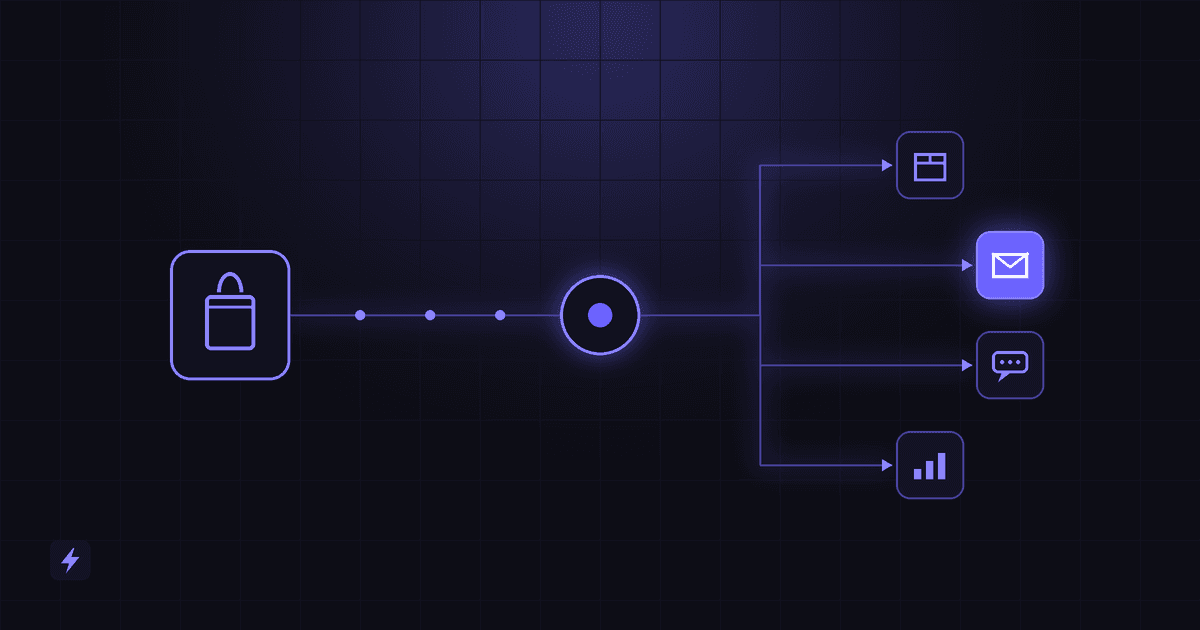
That is the job of Shopify automation: connecting your store to the tools and systems around it so routine work happens on its own, the same way every time. When something happens in Shopify, such as an order, a signup, a refund or a stock change, an automated workflow responds without anyone clicking a button.
Two levels of Shopify automation
It helps to separate two kinds of automation early.
Simple app automation is what most stores already use. An email app sends a welcome message. Shopify Flow tags a customer. A review app requests feedback. Each app handles one job inside its own boundaries.
Advanced automation connects Shopify to everything else your business runs on: your CRM, your warehouse or ERP, your support desk, your accounting software, and AI models. This is usually built with workflow tools like n8n, Make or Zapier, or with custom code that uses Shopify's API.
Two terms come up constantly here, so here they are in plain English:
- An API (application programming interface) is a structured way for one piece of software to read or change data in another. Shopify's API lets approved tools look up orders, update products or create customers.
- A webhook is a message Shopify sends out automatically when something happens. Think of it as Shopify tapping another system on the shoulder and saying, "An order was just created. Here are the details."
Below are 10 Shopify tasks worth automating, starting with the everyday wins and ending with the custom workflows that connect your whole operation.
1. Automate Order Processing and Notifications
Every order sets off a chain of small jobs. Someone confirms it, someone packs it, someone updates a record, and someone tells the customer it shipped. Shopify order automation handles that chain the moment the order is placed.
Common actions include:
- Sending a branded confirmation by email or SMS
- Notifying the fulfillment team or a third-party warehouse
- Sending dropship orders straight to the right supplier
- Creating a packing or fulfillment task in your project tool
- Updating an external database, spreadsheet or accounting system
- Sending shipping updates as tracking status changes
- Posting a Slack or email alert when an order is unusually large
A simple version of the workflow looks like this:
Customer places order → Shopify triggers automation → fulfillment team receives order → customer receives confirmation → CRM or database updates automatically.
The business benefit is consistency. Orders stop depending on someone remembering to forward an email. Fulfillment starts sooner, records match across systems, and your team spends its time on exceptions rather than routine handoffs.
2. Automate Abandoned Cart Recovery
Shoppers leave carts for ordinary reasons. They got distracted, wanted to compare prices, or were not ready to pay. Shopify abandoned cart automation follows up while the product is still on their mind.
A typical recovery sequence:
Customer abandons cart → wait a set time → send email or SMS reminder → send a second reminder → optionally offer a personalized incentive.
Shopify includes a basic abandoned checkout email. Dedicated email and SMS platforms add multi-step timing, segmentation and testing.
This is also where Shopify AI automation earns its place. Instead of one message for everyone, AI can adapt the reminder based on:
- The product. Answer the likely objection, such as sizing for apparel or compatibility for electronics.
- Customer history. A loyal repeat buyer needs a different message than a first-time visitor.
- Cart value. A high-value cart might get a personal note or a live chat offer instead of a discount.
- Customer segment. Wholesale buyers, VIPs and bargain hunters respond to different messages.
Do not train customers to wait for a coupon
Save incentives for the second or third touch, or for specific segments, rather than offering them to everyone right away.
3. Automate Customer Support With AI
A large share of e-commerce support questions are repeats. Most stores see the same handful again and again:
- Where is my order?
- What is your return policy?
- Is this product in stock?
- What size should I order?
- When will my order arrive?
- Can I change or cancel my order?
Shopify customer service automation starts with fast, accurate answers to these questions.
A basic FAQ bot matches questions to fixed answers. A more capable AI chatbot connects to live Shopify data and your own business knowledge. It can look up a real order status, check current inventory, and quote your actual return policy instead of a generic script.
Human escalation matters just as much. A good AI assistant knows its limits. When a customer is upset, the request involves a refund exception, or the AI is not confident, the conversation should pass to a person with the full history attached. Nobody should have to repeat themselves.
Support does not have to be text only. Stores with high call volume can add an AI voice agent that answers the phone, handles order status questions, and routes complex calls to staff.
4. Automate Inventory Management and Low-Stock Alerts
Running out of a best seller is expensive, and so is discovering it three days late. Shopify inventory automation watches stock levels so you do not have to.
Useful automations include:
- Detecting when a product or variant drops below a set threshold
- Notifying the store manager or purchasing lead
- Updating an inventory spreadsheet or database
- Emailing or messaging the supplier with a draft reorder
- Hiding or unpublishing products that are out of stock
- Creating a restock task with an owner and due date
- Syncing stock across Shopify, marketplaces, a warehouse or a POS system
An example workflow:
Inventory falls below threshold → manager notified → supplier workflow triggered → inventory status recorded.
The threshold does not have to be a fixed number. A more mature setup bases it on how fast each product actually sells, so fast movers get earlier warnings than slow ones.
5. Automate Customer Segmentation
Not every customer should receive the same message. Automated segmentation sorts customers into groups based on what they actually do, and keeps those groups up to date without manual tagging.
Common segments include:
- First-time customers
- Repeat customers
- High-value customers, based on total spend or average order value
- Inactive customers who have not ordered in a while
- Wholesale or B2B customers
- VIP or loyalty program members
- Customers interested in a specific product category
Shopify Flow can tag customers based on order activity. Email platforms and CRMs can build segments from the same data.
The real value is what each segment triggers. A first-time buyer enters a welcome and education sequence. A VIP gets early access to launches. An inactive customer gets a win-back message. A wholesale customer is routed to a sales rep instead of a promo email.
6. Automate Email and SMS Marketing
Shopify email automation turns store activity into timely, relevant messages. Instead of blasting the whole list, you send the right message when a customer does something.
Examples of triggered messages:
- Welcome sequences for new subscribers and first-time buyers
- Order follow-ups with care instructions or setup tips
- Review requests after delivery
- Replenishment reminders for products that run out, like skincare, supplements or pet food
- Birthday or loyalty messages for customers who opted in
- Product recommendations based on past purchases
- Win-back campaigns for customers who have gone quiet
- Shipping notifications that reduce "where is my order" questions
Shopify connects to email and SMS platforms through native integrations or through tools like Zapier, Make and n8n. Once connected, events in your store become triggers for campaigns.
Focus on relevance, not volume. More automated messages do not mean more sales. A few well-timed, useful messages will usually outperform a crowded inbox, and they keep unsubscribes and spam complaints down. For SMS in particular, collect proper consent and include a clear opt-out.
7. Automate Lead Capture and CRM Integration
Most visitors do not buy on their first visit. Some want a quote, some are wholesale buyers, and some are just researching. If their details sit in an inbox or a form export, many of them are lost.
Shopify CRM integration sends every lead into one place automatically. Leads can come from:
- Contact and quote request forms
- Newsletter and pop-up signups
- Chatbot conversations
- Landing pages and ad lead forms
- Wholesale or B2B applications
A typical flow:
Visitor submits form → CRM contact created → lead tagged by source and interest → salesperson notified → follow-up sequence begins.
A CRM (customer relationship management system) is simply a shared record of every customer and prospect, with their history and your follow-ups in one place.
Why centralized data matters: when orders, support tickets, chats and marketing activity all live in one record, your team can see the full picture. A sales rep knows a lead already asked support about bulk pricing. A support agent knows they are talking to a top customer. Nothing depends on someone searching three different tools.
For what that record needs to hold before any rule can run on it, see our guide to CRM automation for small business.
8. Automate Reviews and Post-Purchase Follow-Up
The customer relationship does not end at checkout. What happens after delivery shapes whether they buy again and what they tell others.
A thoughtful post-purchase workflow:
Order delivered → wait several days → request a review → positive feedback triggers a loyalty or referral workflow → a reported problem triggers a customer service workflow.
Timing matters. Asking for a review before the customer has used the product produces weak feedback. Waiting a few days after delivery, adjusted by product type, gives them time to form an opinion.
The branching is where automation adds real value. A customer who reports a problem should not receive a cheerful "share your experience" follow-up. They should reach your support team quickly.
Keep review practices honest. Ask every customer, not only the ones you expect to be happy. Do not offer rewards in exchange for positive reviews, and do not filter out negative ones. Beyond platform rules and consumer protection laws, genuine reviews are simply more convincing to future buyers.
9. Automate Reporting and Business Alerts
Many store owners open the Shopify admin several times a day just to see how things are going. Automated reporting brings the numbers to you instead.
Useful automated reports and alerts:
- Daily sales summaries
- Weekly revenue reports compared with the previous period
- Top-selling and slowest-moving products
- Refund and chargeback alerts
- Unusually large or suspicious orders
- Inventory status reports
- New customer counts
- Marketing performance summaries by channel or campaign
These can be delivered wherever your team already works: email, Slack, a live dashboard, a Google Sheet, or a database your analysts use.
AI adds a useful layer here. Instead of a table of numbers, an AI summary can say in plain language what changed and what might need attention. For example: "Revenue was up this week, driven mostly by one product. Refunds on another product have doubled, mostly citing sizing." Treat these summaries as a starting point for questions, and check anything important against the source data.
10. Build Advanced Shopify Workflows With AI, APIs, n8n, Make or Zapier
The first nine tasks can often be handled with apps. This one is different. It covers the processes that span several systems, where no single Shopify app has the full picture.
This is where Shopify workflow automation becomes custom work. The building blocks are:
- Shopify APIs and webhooks, which let other systems read store data and react to store events
- Workflow platforms: Zapier and Make for visual, low-code workflows, and n8n, which can also be self-hosted for more control over data and cost
- AI models that read, classify, summarize and write
- CRMs, databases and ERP systems, which hold your customer, financial and operational records
- Custom applications for logic that off-the-shelf tools cannot express
An ERP (enterprise resource planning system) is the software many larger businesses use to manage inventory, purchasing and accounting in one place.
The term workflow orchestration simply means coordinating several steps across several systems in the right order, and handling what happens when one of them fails.
Here are three examples of what that looks like in practice.
Example 1: Multi-vendor order routing
Shopify order → check product and vendor → update ERP → notify the right fulfillment partner → update CRM → send a personalized customer message.
Useful for stores that sell products from several suppliers or warehouses, where each order has to be split and routed differently.
Example 2: An AI shopping assistant connected to live data
Customer asks the chatbot a product question → AI retrieves product information → checks Shopify inventory → answers the customer → captures the lead → saves the conversation to the CRM.
The customer gets an accurate answer about what is actually in stock. Your team gets a qualified lead and the full conversation.
Example 3: VIP detection and follow-up
High-value order detected → customer tagged as VIP → CRM updated → sales or account team notified → personalized follow-up drafted for review.
This turns a large first order into the start of a relationship, instead of just another row in the orders list.
Custom workflows are worth building when your process depends on several systems working together, when app costs stack up for work one workflow could do, or when you need logic specific to your business. They also need proper error handling, logging and monitoring, so a failed step gets noticed rather than silently dropping an order. That is the core of our AI automation services.
What Should You Automate First?
You do not need to automate all ten at once. Start where automation removes the most friction for the least effort.
The best first candidates are processes that are:
- Repetitive. The same steps, done the same way, every time.
- Time-consuming. They add up to hours each week.
- High-volume. They happen dozens or hundreds of times a month.
- Rule-based. A clear "if this, then that" decides the outcome.
- Error-prone. Manual handling causes typos, missed steps or delays.
- Tied to customer experience or revenue. Customers feel the difference, or it affects sales.
A simple way to find them: ask your team to note every repetitive task they do for one week, and roughly how long each takes. The list usually points to two or three clear priorities.
For example, a store getting hundreds of "where is my order?" questions each week will likely get more value from customer service automation than from a complex analytics workflow. The support fix saves time every day and customers notice it immediately. The analytics project can come later.
Shopify Apps vs Custom Automation
There is no single best tool. Each approach fits a different kind of problem, and most growing stores end up using several together.
A common pattern: Shopify apps and Flow handle the simple, in-store tasks. Zapier, Make or n8n connect Shopify to the CRM and marketing tools. Custom code and AI step in only where the process genuinely needs them.
If you are budgeting for integration or custom automation work, our guide to Shopify development cost explains what moves the price.
How Much Shopify Automation Do You Really Need?
Automation should solve a business problem. Automating something just because it is technically possible adds cost and complexity without adding value.
Most stores move through three levels. Many never need to go past the second, and that is fine.
Level 1: Basic Automation
Notifications, transactional emails, abandoned cart reminders, simple tagging with Shopify Flow, and low-stock alerts. This covers the essentials and usually needs no custom work.
Good fit for: new and smaller stores with one or two people running operations.
Level 2: Connected Automation
Shopify connected to your CRM, email and SMS platform, fulfillment partners, accounting software and reporting. Data flows between systems without copying and pasting, and each team works from the same information.
Good fit for: growing stores with a small team, several sales channels, or a separate warehouse.
Level 3: AI-Powered Automation
AI agents, intelligent customer support connected to live store data, advanced personalization, AI-generated business insights, and workflows that coordinate many systems at once.
Good fit for: established stores with high support volume, complex operations, or a large customer base worth personalizing for.
The right level depends on your volume, your team and your bottlenecks, not on what is newest. A well-run Level 2 setup beats a half-finished Level 3 project.
Frequently Asked Questions
What is Shopify automation?
Shopify automation is the use of tools and workflows to handle store tasks automatically when something happens, such as an order, signup or stock change. It ranges from built-in features and apps to custom integrations that connect Shopify with CRMs, marketing platforms, fulfillment systems and AI.
What tasks can be automated in Shopify?
Common examples include order notifications and routing, abandoned cart reminders, customer support replies, low-stock alerts, customer tagging and segmentation, email and SMS campaigns, CRM updates, review requests, and sales reporting. More advanced setups can coordinate work across several systems, like an ERP, CRM and warehouse.
Does Shopify have built-in automation?
Yes. Shopify includes Shopify Flow, a built-in automation app that runs rules based on triggers, conditions and actions, such as tagging high-value orders or hiding out-of-stock products. Available features vary by plan. Shopify also sends standard order and shipping notifications and a basic abandoned checkout email.
Can AI automate a Shopify store?
AI can automate specific parts of a store, not the whole business. It works well for answering customer questions, personalizing messages, writing product content drafts, and summarizing sales data. It works best connected to real store data, with clear rules and a human handling exceptions and important decisions.
Is Shopify automation suitable for small businesses?
Yes, and small teams often benefit the most because every hour saved matters. Start with low-cost basics like Shopify Flow, order notifications and abandoned cart emails. Add connected or custom automation only when a specific bottleneck justifies it.
Conclusion
Shopify automation is not about replacing your team. It is about taking the repetitive, predictable work off their plate so they can focus on customers, products and growth.
Done well, it helps you:
- Reduce repetitive manual work
- Respond to customers faster
- Run operations the same way every time
- Connect Shopify with your CRM, marketing, fulfillment and reporting tools
- Scale without personally managing every process
Automation will not guarantee more sales on its own. What it does is remove the delays, dropped handoffs and missed follow-ups that quietly cost stores revenue.
The best strategy starts with your bottlenecks. Find the tasks that eat the most time or cause the most mistakes, automate those first, and build from there.
To see how Flasin approaches this, explore Shopify Development & Automation. If your workflows reach beyond Shopify into your CRM, support desk or back office, see our AI automation services.